How to Test AI Virtual Staging Software on Your Own Photos
AI Flip Room · 12 min read
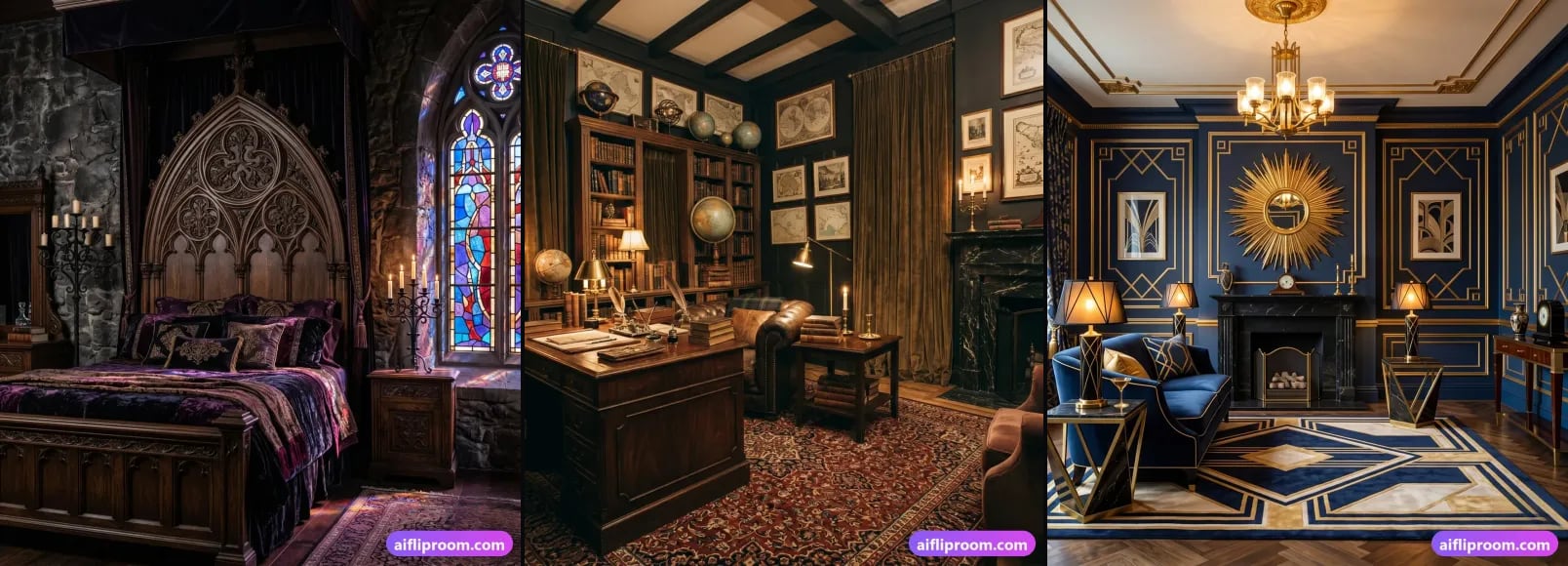
Every AI staging tool looks good on its own demo room. The only test that means anything is the one you run on your own photos — the crooked shot, the awkward kitchen, the living room with the off-centre window — scored the same way for every tool you try. Here is that test: six criteria, 0 to 2 points each, one afternoon, nothing paid.
The six-point test — score each 0, 1 or 2
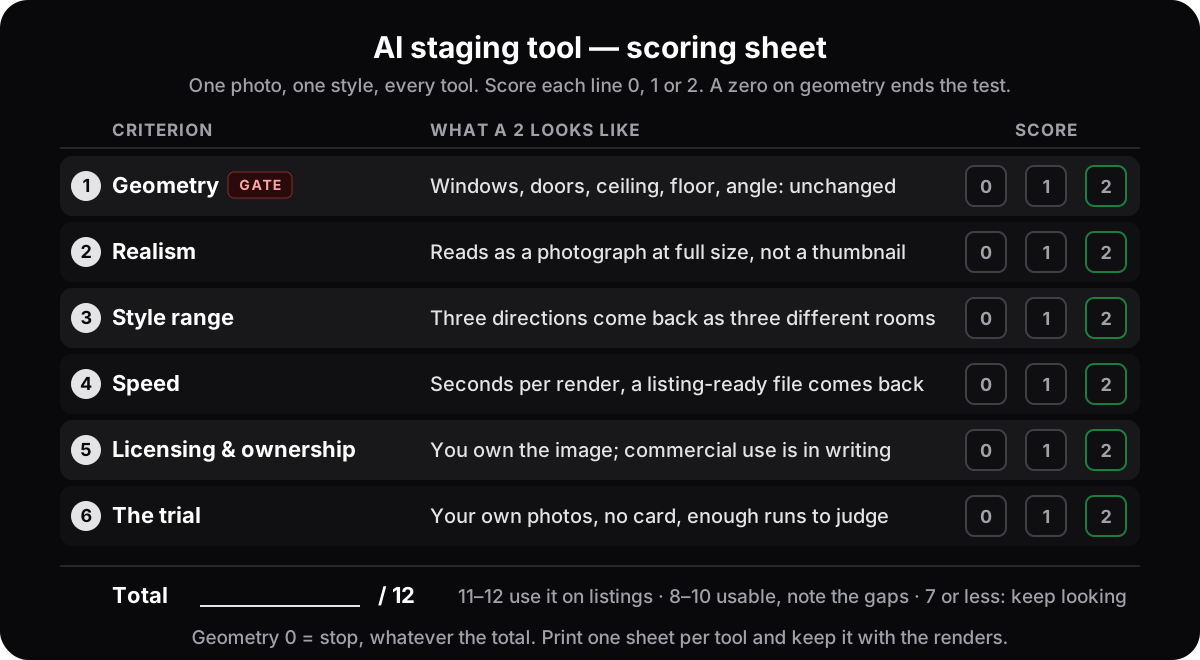
- 1Geometry (the gate)Windows, doors, walls, ceiling, floor and camera angle exactly as photographed. A zero here ends the test, whatever the other five say.
- 2RealismBelievable full-screen, not just as a thumbnail: legs on the floor, shadows that agree with the light, crisp textures, furniture at the right scale.
- 3Style rangeThree directions on one photo come back as three different rooms — and at least one of them suits the properties you actually list.
- 4SpeedSeconds per render, a whole listing in one sitting, and a file large enough for an MLS gallery and print.
- 5Licensing and ownershipThe generated image is yours and you may publish it commercially — both statements in the terms, in writing.
- 6The trialYour own photos rather than demo rooms, no card, and enough runs to check the five points above.
Software, service or app: which kind of tool are you testing?
"Virtual staging software", "a virtual staging service" and "a virtual staging app" are often used for the same thing, but they are three different ways of getting a staged photo, and they differ in who does the work, how long it takes and what it costs.
Software (AI, in the browser). You upload a photo, pick a style, and an AI furnishes the room in seconds; another style costs one more render. There is usually nothing to install: it runs in a web browser on a PC, a Mac or a phone. The trade-off is that you are the quality control, which is what the sheet in this article is for.
A service (done for you). You send photos to a company and an editor returns them in hours to a couple of days, commonly quoted at $10 to $75 or more per photo. You hand off the work, and a second style or a revision round usually costs extra. Test it the same way: ask for one of your own hard photos rather than their portfolio, and check geometry first — a human editor can move a window as easily as an AI.
An app (on the phone). Usually the AI kind in a phone-sized package: pick a photo from the camera roll and stage it on the spot, which is handy at a showing. Check the size of the file it returns before you plan a listing around it. Ours is a website that works in the phone's browser rather than an app-store download.
| AI staging software (web or app) | Staging service | |
|---|---|---|
| Who does the work | You pick the style; the AI renders | An editor, by hand |
| Time per photo | Seconds to a minute (15–60 seconds with us) | Hours to a couple of days |
| Price | Free to try, then cents to a few dollars per image | Commonly $10–75+ per photo |
| A second style | One more render | Usually a second charge |
| Quality control | Yours — use the sheet below | Theirs, but check the same things |
| Best for | A whole gallery, several styles, results today | A few hero shots you want handed off |
Not the same thing: room planners and 3D design programs. They model a room from measurements and let you place furniture in 3D. They are for planning a layout or a renovation, not for a listing photo, because the picture they produce is not a photograph of the property.
Whichever kind you are weighing, the six checks below apply. A service passes or fails on the same geometry, realism and licensing questions as software; only speed and the trial look different. The price side of the comparison is in what virtual staging costs.
What should you test before you pay?
Six things, in order: does the room's architecture survive (geometry); does the render hold up full-screen (realism); are the styles genuinely different and right for your listings (style range); how long does a render take and what file comes back (speed); who owns the output (licensing); and does the trial let you check all of this on your own photos.
The order is the weighting. A tool can be fast, cheap and generous with styles and still be the wrong choice if it redraws the house, because in a listing that is the difference between a preview and a misrepresentation. So the first criterion is a gate — score it first, and if it scores zero, stop. Everything below assumes you are comparing tools on the same photo in the same style. A vendor's gallery is a selection; your photo is the test.
How do you check geometry?
Put the original and the render side by side and count. Same number of windows, same size, same position. Doors and arches still there, still walkable. Ceiling line, fireplace, built-ins and floor unchanged, and the camera standing where the photographer stood. Anything that grew, moved or appeared is a zero — in a listing that is misrepresentation, not staging.
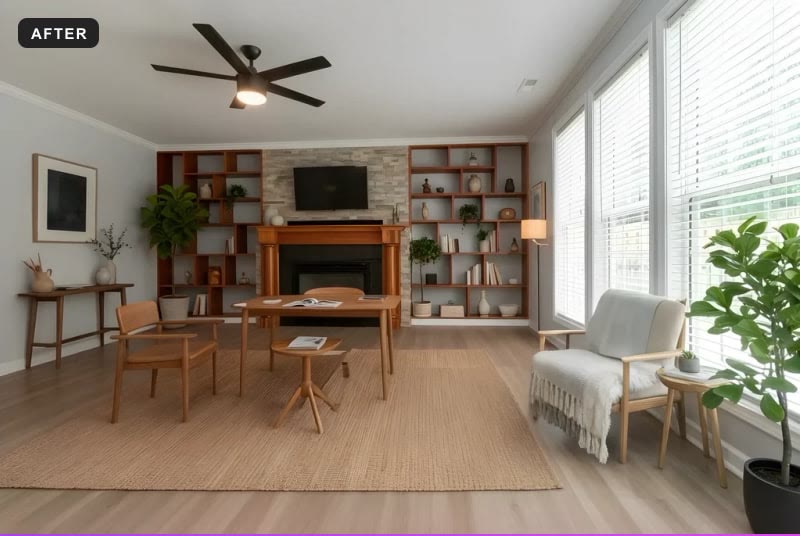
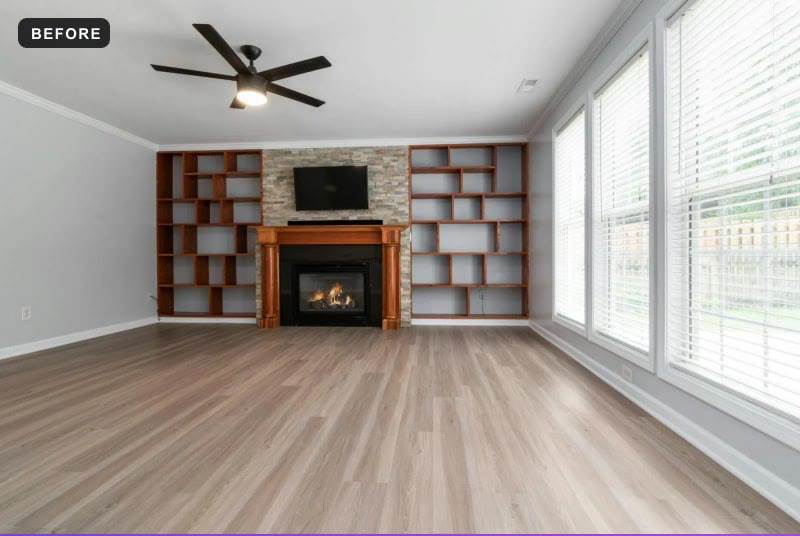
That is what a pass looks like, and it is worth saying what the pass is not: it is not that the furniture is pretty. Look at the boring parts. If you want a rule for what may change and what may not, every disclosure regime we have read draws the same line — furnish what is movable, never touch the property.
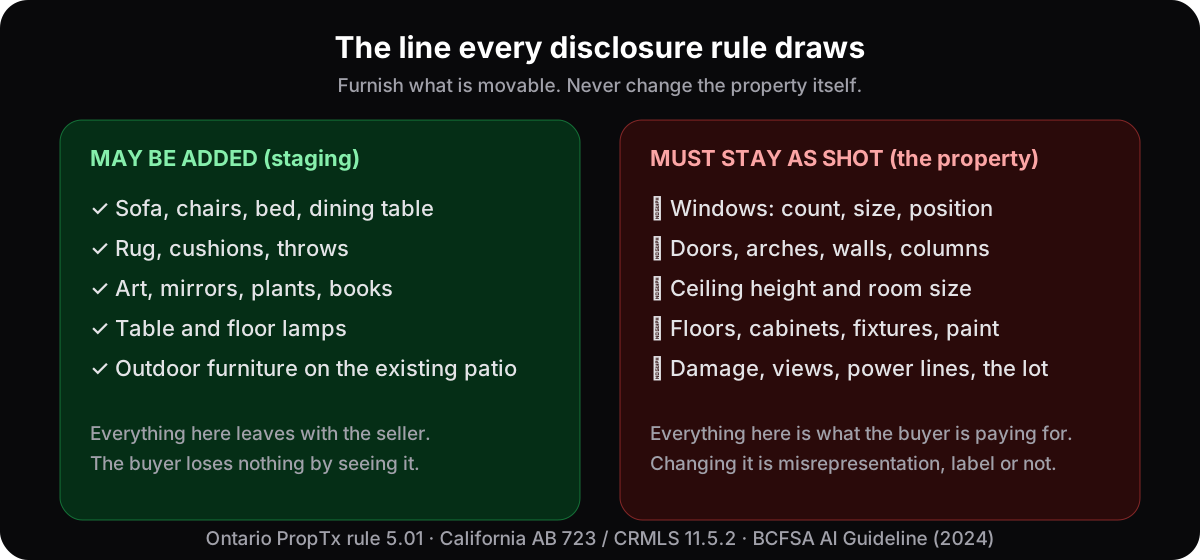
Score it like this. A 2 means nothing on the right-hand list moved. A 1 means a small drift you would accept in a design preview but not in a listing — the angle of a blind, a vent or switch plate that wandered, a picture that was already on the wall and is now a different one. A 0 means a window, door, wall, ceiling, floor, finish or camera angle changed. Paint and flooring count: a room that comes back with new floors is altered, however tasteful, unless you asked for that as a renovation preview. And the test needs the original next to the render — if a tool only shows you the result, download both and compare them at full size yourself. The buyer will; here is what a buyer is entitled to demand from a staged listing.
How do you judge realism?
Open the render full-screen and study the boring parts. Furniture legs should meet the floor and throw a shadow in the same direction as the room's real light. Wood grain, fabric weave and plant leaves should stay crisp up close. Scale must be right: a bed that would not fit the real wall fails realism and honesty at once.
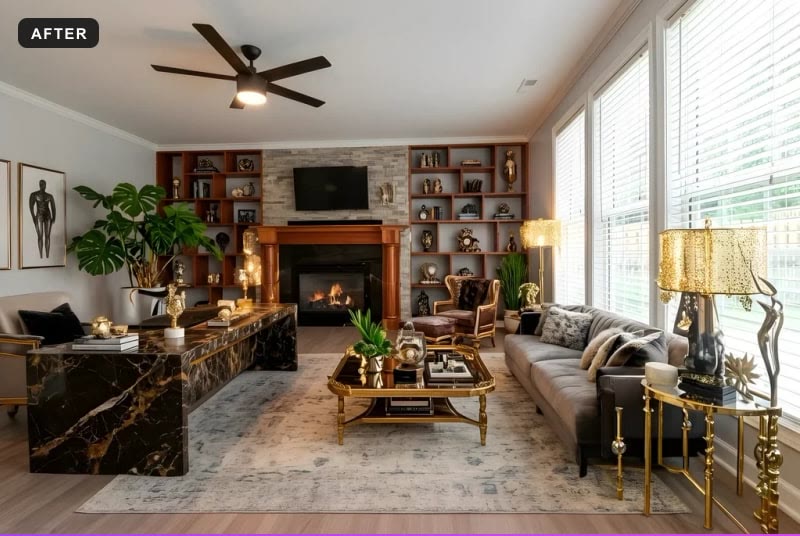
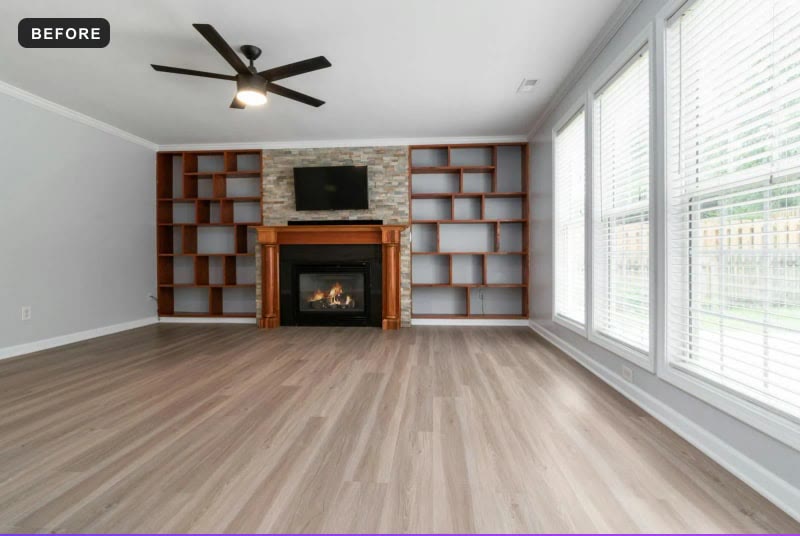
Realism and geometry are linked. A render that works with the photo's light and perspective is almost always the more believable one, because it is building on the room rather than painting over it. The details to zoom in on:
- Contact and shadow. Every leg, pot and rug edge touches the floor, and shadows fall away from the windows, not toward them.
- Light direction. Daylight from the windows should still be the main source. Lamps that light the room more than the windows do are a painting, not a photo.
- Scale. Measure against something fixed — a door is about two metres, a fireplace opening about waist height. Furniture that dwarfs or shrinks them is wrong, and a buyer will notice on the first visit.
- Detail under zoom. Book spines, art, plant leaves and patterned fabric are where smearing shows first.
- Edges. Where a sofa meets a wall or a rug meets the floor, look for halos, doubled lines, or furniture melting into the surface behind it.
A 2 reads as a photograph at full size. A 1 is convincing as a thumbnail and soft or doubtful when you zoom. A 0 has artefacts you can see at gallery size.
How much style range do you actually need?
Less than the headline number, more than one. A listing needs a look that fits the house: warm and cool, minimal and layered, indoor and outdoor. Run three directions on the same photo. If they come back as one room with different cushions, the range is cosmetic; if each reads as a different buyer's home, it is real. Our own style library is a fair place to run that test, and the modern farmhouse and Scandinavian guides describe what each direction is supposed to look like before you judge a render against it.
- Preview before you spend a run. A style page with real examples tells you what you will get; a name on a menu does not.
- Two jobs, not one. Furnishing an empty room and restyling a furnished one are different tasks, and a listing workflow needs both.
- Outdoors, if you list houses. An empty patio reads as unfinished in exactly the way an empty living room does.
- Fit over count. A modern condo, a century home and a lake cottage want different rooms. Make sure the library covers the properties you actually sell, not just the ones in the demo.
A 2 is three genuinely different directions, at least one of which fits your listings. A 1 is real variety with only one direction that suits you. A 0 is one look under several names.
How fast is fast enough?
Fast enough that trying three styles on one photo costs minutes, not a callback — seconds per render rather than hours. Time the whole loop, not the headline: upload, choose, wait, download, and repeat for a ten-photo listing. Then open the file: is it a size an MLS gallery or a brochure can use, or a web preview?
- Re-runs. If the first result is close but not right, can you run it again without starting over?
- A whole listing. Ten rooms in one sitting, or one at a time with a form to fill for each?
- Resolution and format. Note the pixel size and file type of the download at each plan level. MLS galleries and print both have minimums, and a small web preview is not a listing photo.
- Hands on. A tool that needs you to mask every photo by hand is a job, not a shortcut.
A 2 is seconds per render, a listing-ready file and easy re-runs. A 1 is fast but small files, or hand work on every photo. A 0 is slow, or a download you cannot use.
What about licensing and the trial?
Read the terms before the demo. You want two things in writing: the generated image belongs to you, and you may publish it commercially — listings, MLS uploads, client work. Then check the trial: your own photos rather than demo rooms, no card, and enough runs to try two styles on one hard photo plus a second hard photo.
Ownership and licence are two different sentences and you need both. Ownership says whose image it is; the licence says what you may do with it. If the terms grant personal use only, say nothing about commercial use, or reserve broad rights over what you upload, that is a zero for listing work however good the renders are. Two more questions belong here: does the service train on the photos you upload — they are your client's home — and what happens to your images when you stop paying. Download what you need to keep.
Disclosure is yours, not the tool's. Most jurisdictions we have read require a label on a staged photo, and none of them lets a label excuse a changed room; the specifics are in our guide to virtual staging disclosure rules. What a tool can do is make honest labelling easy by leaving the architecture alone — which is why this criterion and the first one belong on the same sheet.
The trial is the last criterion because it is how you run the other five. A demo run on a stock room chosen because it works tells you nothing. Trial renders are normally watermarked or reduced in size — fine for judging. What is not fine is a trial that only accepts the vendor's own images, or wants a card before you have seen a single result on your photo.
A 2 is your own photos, no card, several runs. A 1 is your own photos but a card first, or a single run. A 0 is demo images only.
Which photos should you test with?
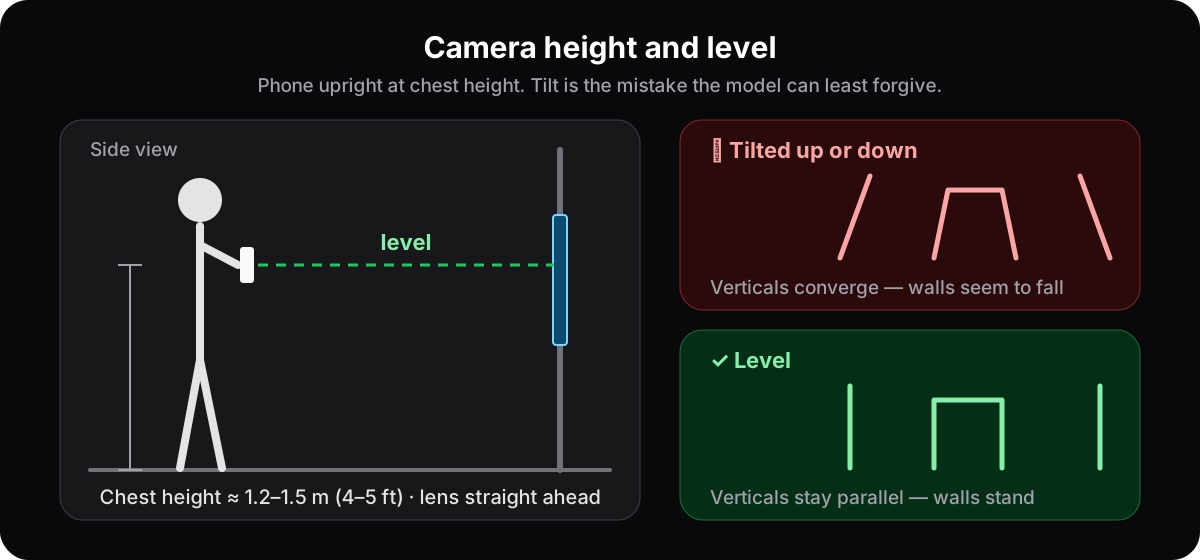
Not the vendor's demo room and not your easiest listing. Choose the frames that give AI the most trouble, because those are the ones in your next listing. Shoot them properly first — level, at chest height, in daylight, on the 1x lens — so that you are testing the tool and not your own camera work.
One of these in two styles, then the second in the stronger of the two — three runs — is a complete first test, and small enough to fit inside a free allowance. Shoot them the way our photography guide for virtual staging describes. A tilted, wide-angle, lamp-lit input makes every tool look worse and tells you nothing about the tool.
How do you score it?
Same photo, same style, every tool. Score each criterion 0, 1 or 2 and add up out of twelve, but treat geometry as a gate: a zero there ends the test whatever the total says. Tools that tie on points are separated by geometry first and realism second, because those two are what a buyer sees in person.
| Criterion | 0 | 1 | 2 |
|---|---|---|---|
| Geometry (gate) | A window, door, wall, ceiling, floor or camera angle changed | Small drift you would accept in a design preview, not a listing | Every fixed element exactly where the photo had it |
| Realism | Artefacts visible at gallery size | Convincing as a thumbnail, doubtful full-screen | Reads as a photograph at full size |
| Style range | One look under several names | Real variety, but only one direction suits your properties | Three genuinely different directions, at least one that fits |
| Speed | Slow, or the download is not usable | Fast, but small files or hand work on every photo | Seconds per render, listing-ready file, easy re-runs |
| Licensing & ownership | Personal use only, or silent | You own it, but commercial use is unclear | Ownership and commercial use both in writing |
| The trial | Demo images only | Your photos, but a card first or a single run | Your photos, no card, enough runs to judge |
Reading the total: 11–12 is a tool you can put on real listings today. 8–10 is usable — write down where the points went missing and decide whether that gap matters for your properties. 7 or less, or any zero on geometry, and you keep looking. The sheet at the top of this page prints on one side; fill one per tool and keep it with the renders.
Want to run this test on us?
Please do — on your own photo, not ours. Upload the room you are actually worried about, pick a style, and score the result against the sheet above, geometry first. Count the windows, check the doorway, look at the shelving and the floor. The scoring rules are the same for us as for anyone, and that is the point.
That is the whole method. It costs an afternoon, it works on any tool, and it puts the decision where it belongs: on your photos, not on anyone's gallery. If you are still weighing whether staging is worth doing at all, does virtual staging help sell homes is the honest version of that answer.
Questions people ask when comparing tools
How do I test AI virtual staging software before I pay for it?+
Use the free trial on your own photos, never on the demo room. Pick two hard frames — a window-heavy room and a fireplace or open-plan space — shoot them level in daylight, and run the same photo in the same style through every tool you are comparing. Score geometry, realism, style range, speed, licensing and the trial itself from 0 to 2, and treat a zero on geometry as the end of the test.
What matters most in AI virtual staging software?+
Geometry — whether the room's architecture survives. Windows must keep their count, size and position; doors and arches must stay where they are and stay walkable; the ceiling, floor, fireplace and camera angle must not move. A render that fails this is a misrepresentation in a listing however beautiful it is, which is why it is scored as a gate rather than a point. Realism comes second and everything else after.
Do I own the images an AI staging tool generates?+
Only if the terms say so, so read them before the trial. Look for two separate statements: that the generated image belongs to you, and that you may use it commercially — listings, MLS uploads, client work. If a service grants personal use only, or says nothing, that is a zero for listing work however good the renders are. At AI Flip Room the generated image is yours on every plan, and the paid plans carry the commercial licence.
Can I use a free-trial render in a real listing?+
Usually not as it comes. Trial output is normally watermarked or delivered at a smaller size so you can judge quality before paying, and a personal-use trial may not cover publication at all. Use the trial to run the test in this article; once a tool passes, the paid plan is what carries the resolution and the commercial licence a listing needs — and the disclosure label is still your job, not the tool's.
What is the difference between virtual staging software and a virtual staging service?+
Who does the work. With software you upload a photo and an AI furnishes it in seconds; you choose the style and you check the result. With a service you send photos to a company and an editor returns them in hours to a couple of days, commonly at $10 to $75 or more per photo. Software suits a whole gallery and several styles; a service suits a few photos you want handed off. Test both the same way, geometry first.
Is there virtual staging software for PC?+
You rarely need to install anything. Many AI virtual staging tools, ours included, run in a web browser, so they work the same on a Windows PC, a Mac or a phone. What matters more than the device is the photo: shoot it level, in daylight, on the normal 1x lens, and judge the tool with the sheet in this article.
Is there a virtual staging app for phones?+
Yes, several staging tools work on phones. Ours runs in the phone's browser rather than as an app-store download: open the site, pick a photo from the camera roll and stage it. Before you rely on any phone tool for a listing, check the resolution of the file it returns — a listing gallery needs more than a screen preview.
See it on your own room
Upload a photo and watch AI restage your space in 15–60 seconds, depending on how much detail it has — free to try, no credit card.
Try AI Flip Room freeGot a question about this?
Something unclear or not covered? Ask here. We read every question and answer the useful ones right in the article. Nothing you write is published.
Related reading
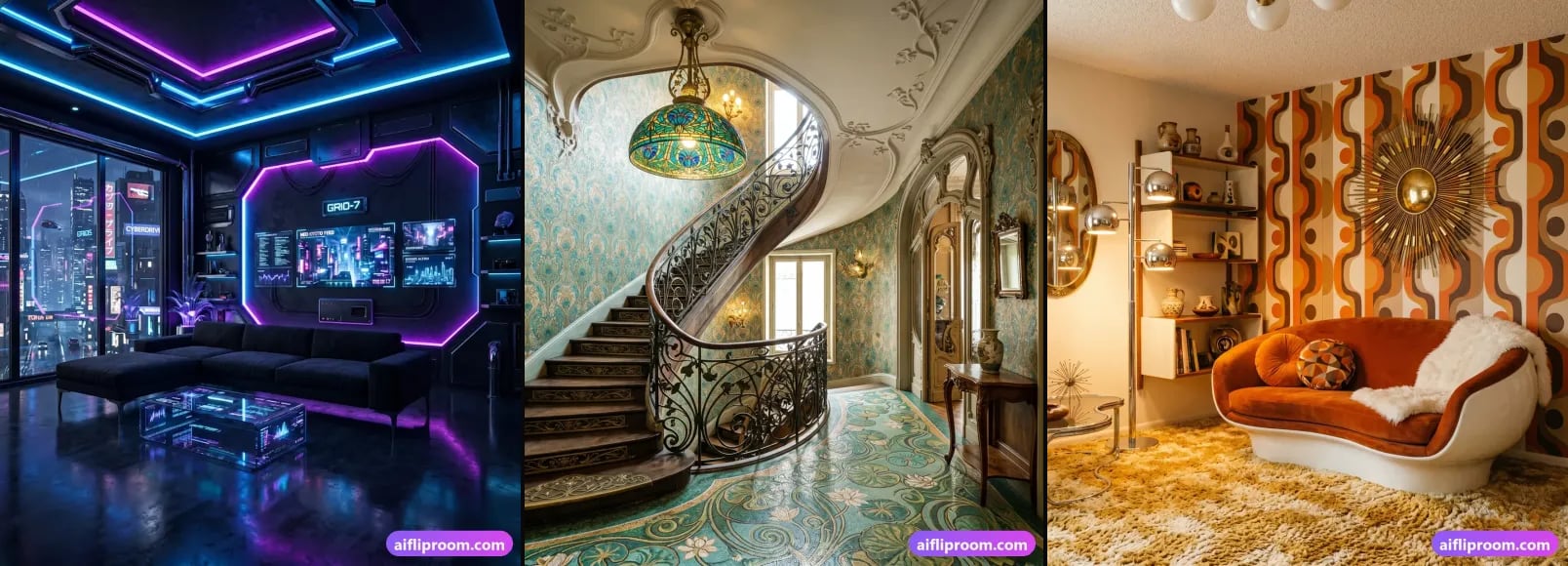
Why AI Flip Room: Geometry Checks, 60+ Styles, 4K Output
How AI Flip Room works: every render is checked against the original photo for geometry, angle and fixed objects, and redone if it fails. 62 styles, 4K.
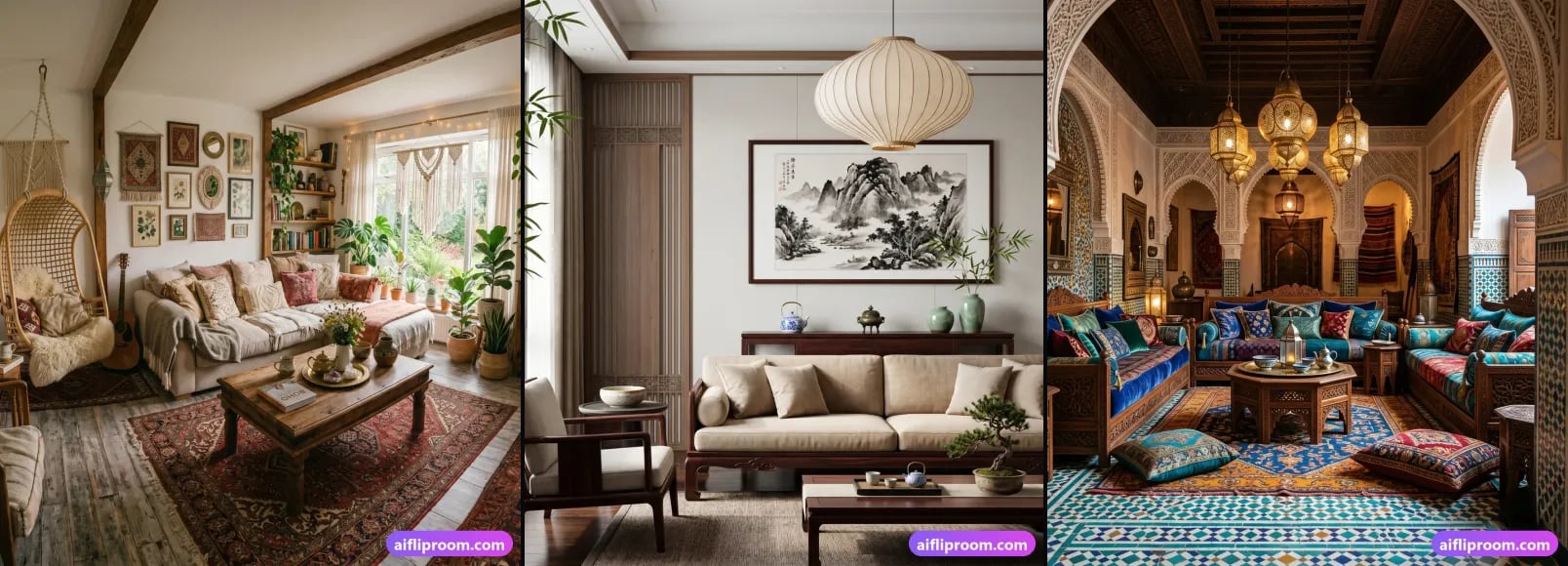
How to Photograph Rooms for Virtual Staging: 7 Rules
Daylight, lamps off, a level phone at chest height, the 1x lens not 0.5x, one room per frame, clear surfaces — seven habits that make AI staging look real.
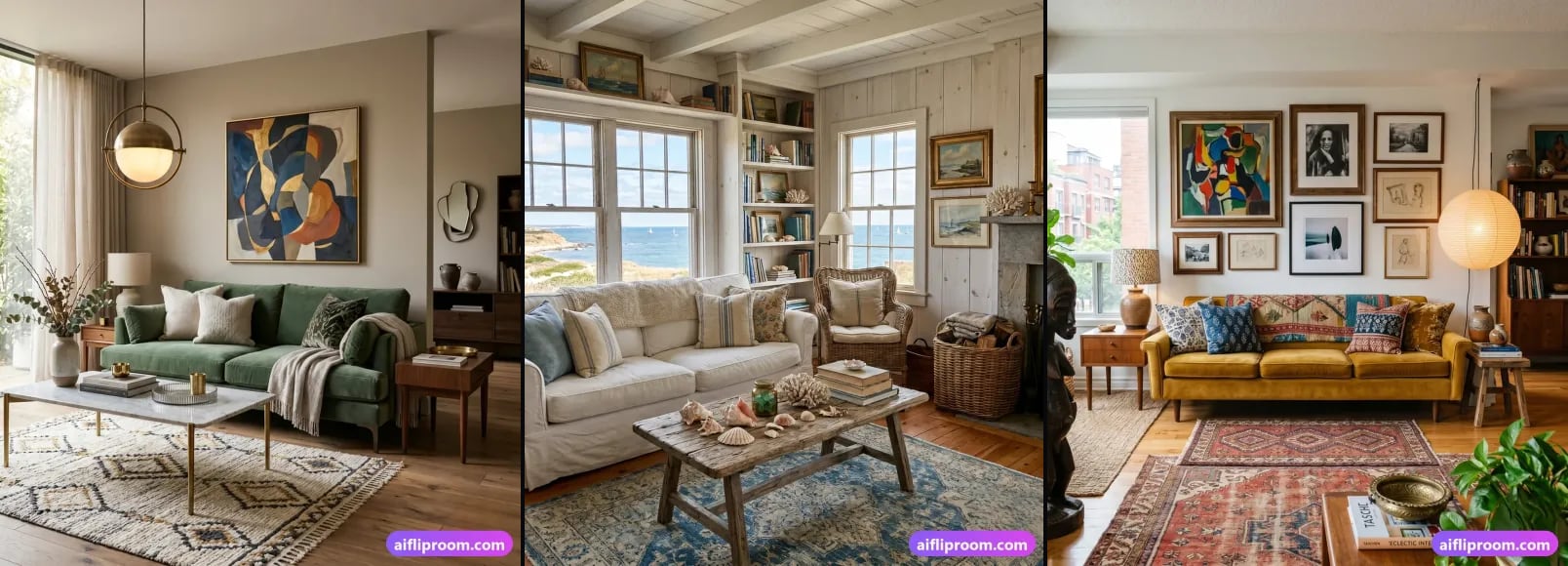
Virtually Staged Listing? 5 Things a Buyer Can Demand
AI staging is legal in Ontario, BC, Quebec, Alberta, California, New York, Florida, Texas, Washington, Arizona, Illinois, Georgia, Colorado and Bright MLS, with conditions: what a buyer can demand.