The House Didn't Look Like the Photos: Why, and What Sellers Are Allowed to Change
AI Flip Room · 5 min read
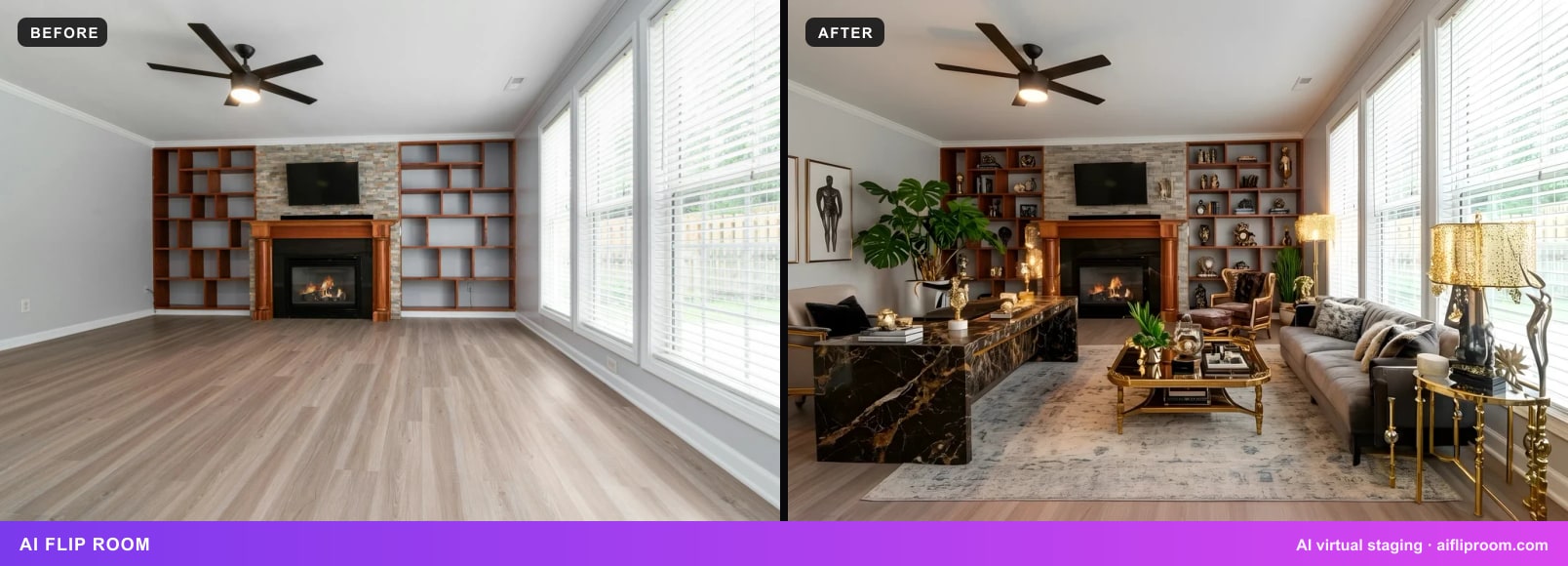
Earlier this week, under one of our own posts about staging rules, a reader wrote that they'd stopped going to viewings of homes with AI-staged photos. Too many times they'd driven over and found a house that was completely different from the pictures. Another reader put it in nine words: "I want to know what it looks like now."
We build a virtual staging tool, so it would be easy to get defensive here. We'd rather not, because they're right about the feeling, and most of what causes it has nothing to do with AI. A house can look very different in person without a single pixel being changed. And when a pixel was changed, the rules are clearer than most people think about which changes are fine and which ones aren't.
So here's the honest version: why the house at the viewing so often isn't the house in the photos, what a seller is actually allowed to change, and how to check before you spend a Saturday driving across town.
Why the house looks different, even when nobody cheated
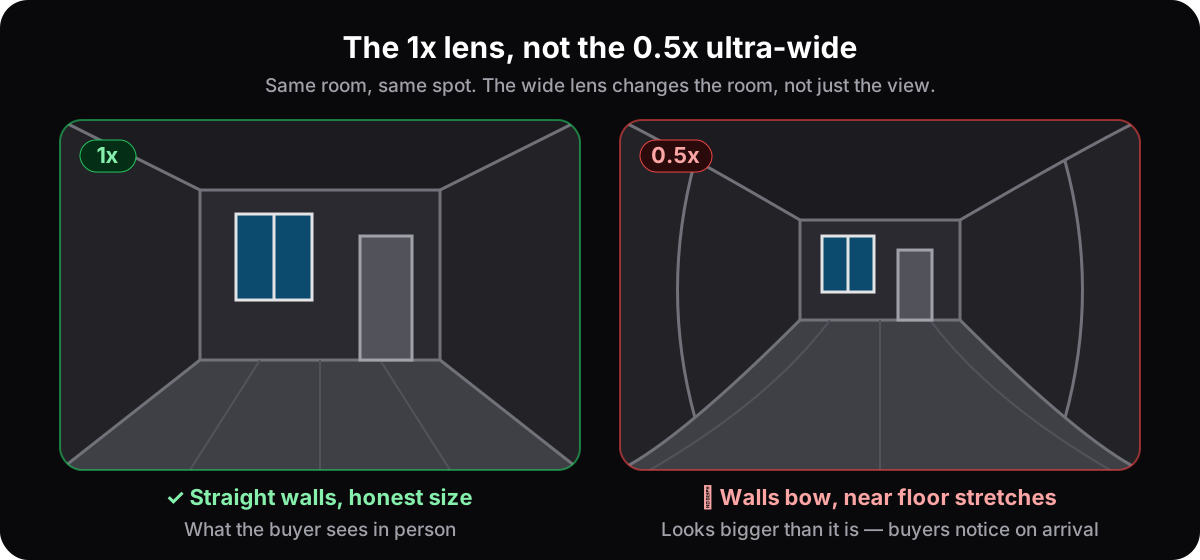
The lens. Listing photos are often shot from a corner with a very wide lens, sometimes the 0.5x one on a phone. It's not an edit, so no staging label covers it, but it bends the room. The floor near the camera stretches, the far wall drifts back, and a 10-by-12 bedroom suddenly has room for a reading nook.
The light. Photographers pick the brightest hour, open every blind, switch on every lamp and often blend several exposures into one picture so that both the room and the window look right. Your viewing is at 6 pm in November. It's the same room with less daylight, and it feels smaller and darker than it did on your screen.
The frame. A photo shows what the camera points at. The neighbour's wall eight feet from the kitchen window, the busy road, the power lines, the water stain in the corner are all still there; they're just outside the frame. That's composition, not editing, and it's why the street view matters as much as the gallery.
The date. Photos sometimes come from a previous sale, or from before the last tenants moved in and out. Paint gets scuffed, gardens get overgrown, a fridge disappears. Nobody has to mention when the photos were taken unless you ask.
The staging. Real furniture brought in by a stager, or furniture added to the photo by software, makes an empty room readable. It also means that the room you walk into is emptier than the one you fell for. That's the part people blame AI for, and it's the one part the rules actually spell out.
The things a photo can't hold. The smell, the noise, the slope in the hallway floor, the way the stairs creak. No camera catches those, which is why a viewing will always tell you something the listing couldn't.
What a seller is allowed to change in a photo
Here's the line, and it's the same line in every rulebook we've read, from Ontario to California to Georgia: furniture yes, the house no.
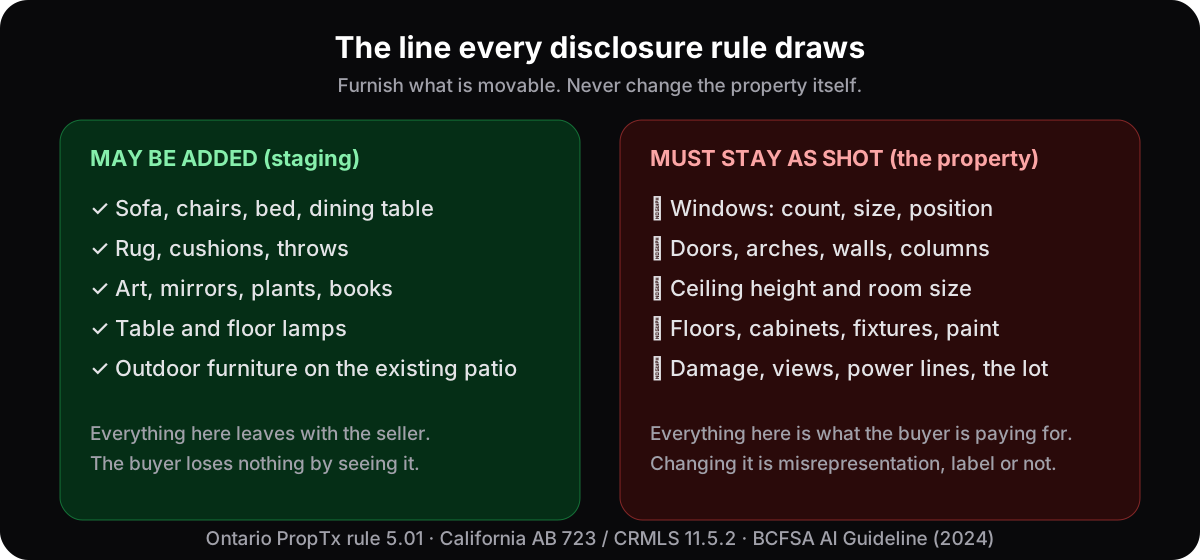
The wording differs, but the idea doesn't. Bright MLS, which covers Maryland, Delaware, D.C. and parts of four more states, allows adding "furniture, mirrors, artwork, plants, or similar items" to a photo of an empty room, and bans adding or removing anything the owner doesn't control: "removing power lines, water towers, or nearby roads is not permitted". Georgia MLS bans staged furniture that "will not fit within a room's dimensions". FMLS in Georgia lets a seller show landscaping, but only improvements "that could realistically be made". British Columbia's regulator says that editing out a parked car or a garbage can is fine, and that removing power lines or changing a physical feature in a way that misleads is not.
So when you compare a staged photo with the real room, the furniture is allowed to be gone. Everything else should be exactly where the photo said it was: the same windows, the same size, the same floor, the same view.
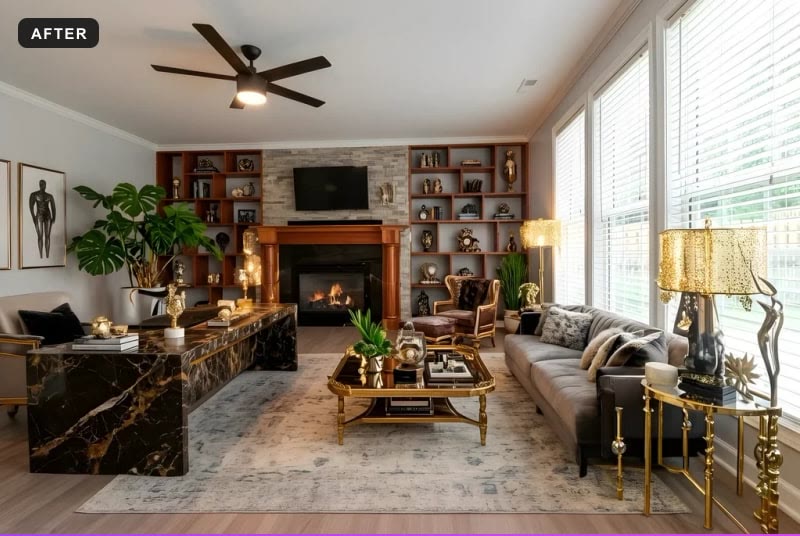
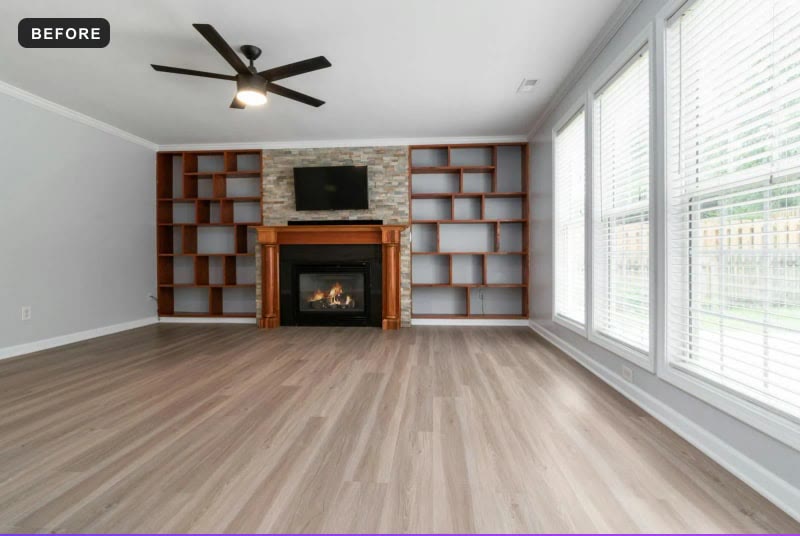
That's what honest staging looks like. Ignore the sofa and look at the boring parts. If those match, the photo did its job: it showed you how the room could be used, without lying about the room.
Where "virtually staged" stops covering the seller
A small label in the corner doesn't make every edit okay. It tells you a photo was changed; it doesn't tell you what was changed, and it doesn't give permission to change the house. Ontario's MLS rule bans altered images "that do not accurately depict the listed real estate", whatever the caption says. California's largest MLS goes further and wants the unedited original right next to the staged photo, so you can compare them yourself.
If you find a window that grew, a ceiling that got repaired, a wall in a different colour or a view that doesn't exist, that isn't staging. That's a misrepresented property, and it's worth telling the brokerage about. Our buyer's guide goes through what you can ask for in each province and state we've covered.
How to check before you drive over
Before you book the viewing
- 1Ask for the unedited original of every staged photoSame angle, full size. In some places it already has to sit right next to the staged one; everywhere else, an agent who staged honestly has it and will send it in a minute.
- 2Get the floor plan with measurementsThen picture the sofa in the photo against the real wall. If it couldn't fit, the photo changed the scale, and you've learned that from your couch.
- 3Ask for a 60-second phone videoWalking in from the front door, no editing, normal lens. It shows the size and the light the way you'll see them, and nobody stages a phone video.
- 4Ask when the photos were takenPhotos from a previous sale, or from before the last tenants moved out, are common and not always mentioned. A fresh walkthrough video settles it.
- 5Open the street viewThe listing shows the house; the map shows the road, the power lines and what's next door, which the camera was free to point away from.
None of these requests is rude. An agent who staged honestly expects them, and how fast they answer tells you a lot about the listing.
For sellers and agents
The disappointed buyer in the comment above isn't a buyer anymore. They skip the listing. That's the real cost of a photo that promises more than the room can deliver: you don't just lose the viewing, you lose the trust before the viewing.
The fix is simple and costs nothing. Put the real, empty photo first and the staged one next to it. Label it plainly. Never let an edit touch a wall, a window, the floor or the light. Shoot with a normal lens from standing height, the way a person sees the room; our photo guide shows how. And if a buyer asks for a phone video, send it the same day.
That's also the rule we hold ourselves to: in our tool the furniture changes and the room stays exactly as it was photographed. Here's why we built it that way.
Questions buyers ask
Why does the room look smaller in person than in the photos?+
Usually the lens. Listing photos are often shot with a very wide lens from a corner, which stretches the near floor and pushes the far wall back. It isn't an edit and it isn't against the rules, but it makes almost every room feel bigger on screen. A floor plan with measurements and a phone video with a normal lens are the quickest way to see the real size.
Is it legal to put furniture into a photo of an empty room?+
Yes, in every place we have read the rules for, as long as the room itself isn't changed and the staging is disclosed the way the local rules ask. Bright MLS says it plainly: it is permitted "to apply digital photos of furniture, mirrors, artwork, plants, or similar items into a photo of an empty room".
What is a seller not allowed to change in a listing photo?+
The property. Walls, windows, doors, floors, ceilings, fixtures, damage and the view stay as they are, and so does anything the owner doesn't control. Bright MLS gives the examples: "removing power lines, water towers, or nearby roads is not permitted". Georgia MLS also bans furniture that "will not fit within a room's dimensions".
Can the agent remove a parked car or a garbage can from the photo?+
In British Columbia the regulator's advertising guidance says that kind of edit is acceptable, because the car and the can aren't part of the property. Removing power lines, or changing a physical feature in a way that misleads, is not. The idea is the same in the other rulebooks we read: temporary clutter can go, permanent features can't.
The photo said "virtually staged". Does that make any edit fine?+
No. The label says that a photo was edited, not what was edited. Ontario's MLS rule bans altered images "that do not accurately depict the listed real estate", label or not. If a window grew or a ceiling got fixed, the label doesn't cover it.
What can I do if the house was really different from the photos?+
Tell the listing brokerage first, with the photo and what you found. If that goes nowhere, the local board or MLS, and then the regulator: RECO in Ontario, BCFSA in British Columbia, the Department of Real Estate in California, and so on. Our buyer's guide lists who to contact in each place we've covered.
This is not legal advice. Rules differ by province, state and MLS and they change; the articles on each place linked from our buyer's guide quote the primary sources.
See it on your own room
Upload a photo and watch AI restage your space in 15–60 seconds, depending on how much detail it has — free to try, no credit card.
Try AI Flip Room freeRelated reading
Virtually Staged Listing? 5 Things a Buyer Can Demand
AI staging is legal in Ontario, BC, Quebec, Alberta, California, New York, Florida, Texas, Washington, Arizona, Illinois, Georgia and Bright MLS states, with conditions: what a buyer can demand.
What Does “Virtually Staged” Mean? The Listing Label, Explained
“Virtually staged” means the furniture in a listing photo was added by software; the room is real. What may change, the other labels, and what to check.

How to Photograph Rooms for Virtual Staging: 7 Rules
Daylight, lamps off, a level phone at chest height, the 1x lens not 0.5x, one room per frame, clear surfaces — seven habits that make AI staging look real.