Furnish an Empty Room From One Photo.
Upload a photo of a bare room, pick a style, and get it furnished in 15–60 seconds, depending on detail. The walls, windows and doors stay where they are — only furniture and decor are added.
Empty Room, Furnished
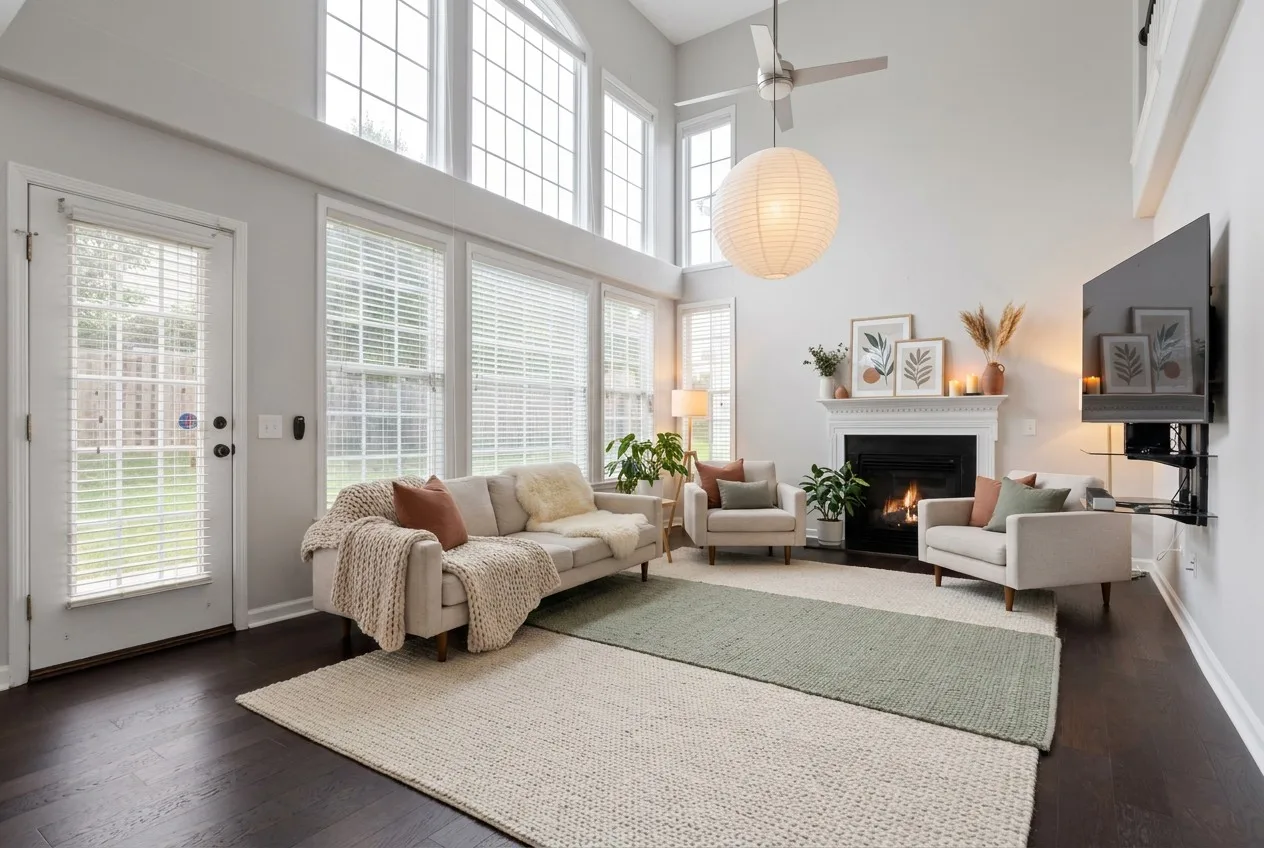
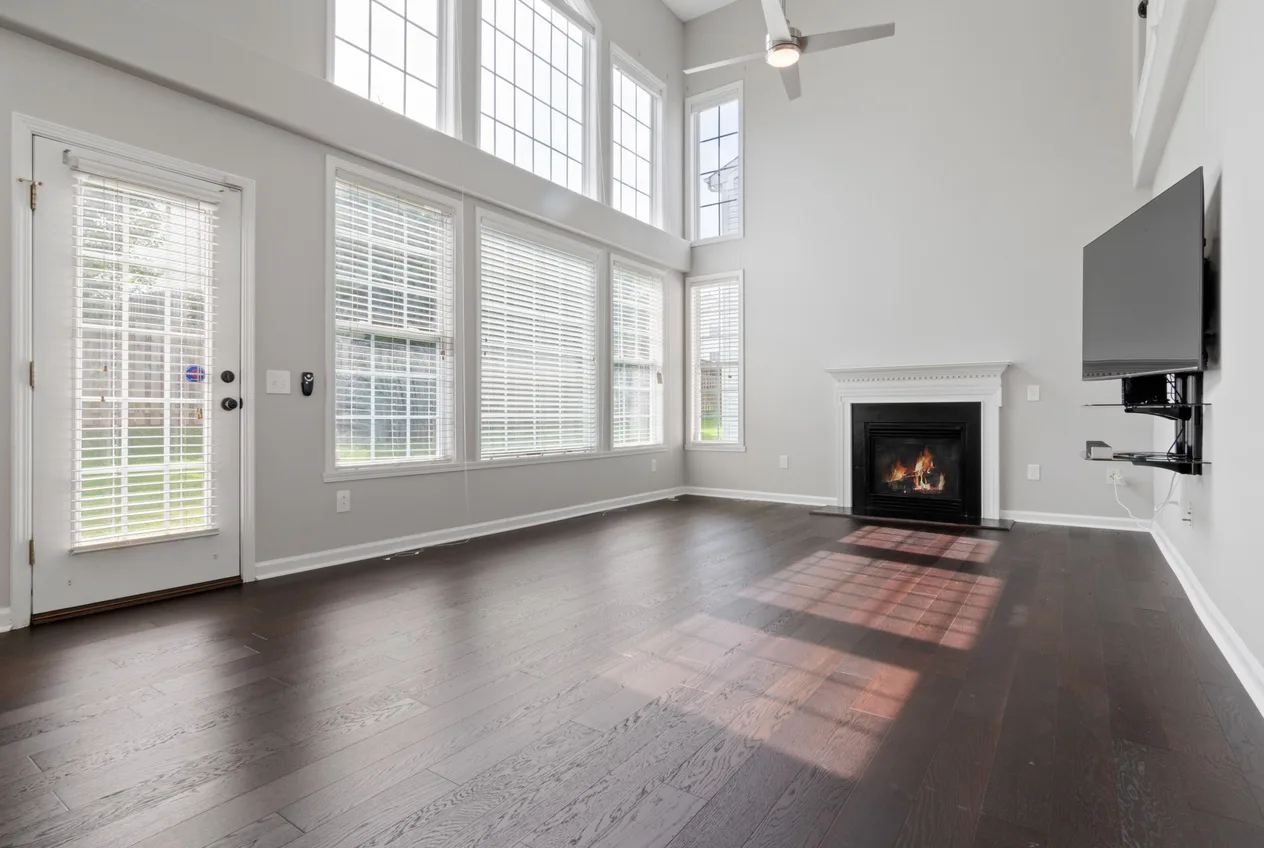
Drag the slider. The door, both rows of windows and the fireplace did not move.
Two Ways to Furnish It
Restyle
Upload the empty room and pick a style. The AI adds a full set of furniture — sofa or bed, tables, rug, lighting and decor. In our tests on empty living rooms, bedrooms and dining rooms it furnished the room every time. Works with the 3 free renders and the Room Pack.
Furnish Empty Room mode
A dedicated mode for vacant rooms where you choose how full the room looks — sparse, balanced or maximalist. Pro includes 5 a month; Agency has no separate Furnish Empty cap.
Who Furnishes Empty Rooms With It
Vacant listings
Empty rooms photograph as smaller and colder than they are. A furnished version shows buyers how the space works and what fits.
New builds and pre-occupancy
Show finished rooms before anyone moves in — in any of 60+ styles, from the photos you already have.
You just moved in
Try a layout and a style on your own empty room before you order a single piece of furniture.
Furnish, never alter: staging adds furniture and decor, it must not change the property. If the photo goes into a listing, say it is virtually staged — see the disclosure rules.
Start Free, Pay Only if You Want More
Free
Try it on your own room.
- 3 renders, for life
- No credit card
- Watermarked downloads
Room Pack
One listing, or one room you keep re-styling.
- 20 renders for $9Paid once. No subscription starts and nothing renews.
- No watermark tileJust a small “Virtually Staged” corner badge.
- They do not expireAn unused balance stays until you delete your account.
- Spent before your 3 free rendersThe free ones stay waiting for you.
- Buy another pack whenever you need more
Start free — the pack is offered in your account when you need more.
Pro
$39/mo billed annually · 250 renders a month
- Custom prompts in plain English
- Furnish Empty Room (5 a month)
- AI photo cleanup (5 a month)
- Outdoor and garden styles
- 2K downloads, no watermark
Questions About Empty Rooms
Do I need Pro to furnish an empty room?
No. The regular restyle on every plan — including the 3 free renders and the Room Pack — adds a full set of furniture to an empty room. Pro adds a dedicated Furnish Empty Room mode where you choose how full the room looks: 5 a month on Pro, no separate cap on Agency.
What if the room is not completely empty?
Upload it as it is. The restyle replaces whatever furniture is already there with the style you pick, so you do not need to clear the room first.
Will it change the walls, windows or doors?
It should not — furniture is added, the room itself stays. Every render goes through an automatic check for moved or missing windows, doors and openings; if the check rejects one, you still see the best attempt, clearly marked as a draft.
Which photos work best?
A horizontal photo from a corner at chest height, with the lights on and some floor and ceiling in the frame. Narrow vertical shots of small bedrooms are the hardest case — the AI sometimes covers a closet or a door there, and those renders come back marked as drafts.
How much does it cost?
3 free renders for life, no credit card. A one-time Room Pack adds 20 renders for $9 with no subscription. Pro is $39 a month billed annually and adds the Furnish Empty Room mode.
Do I have to say the photo is virtually staged?
If the photo goes into a listing, in most places yes — a staged photo should say so, and it must not change the property itself. Our disclosure guide covers the rules by region.
See the Room Furnished Today
One photo of the empty room is all it takes.