Why AI Flip Room: Geometry Checks, 60+ Styles, 4K Output
AI Flip Room · 9 min read
Anyone can drop a sofa into a photograph now. The question a listing agent, a flipper or a homeowner actually has is a different one: what happened to everything you did not ask for — the windows, the doorway, the ceiling, the spot the camera stood on? This page is our own account of what AI Flip Room does about that: the checks every render goes through, what happens when one fails, the styles, and what each plan includes. We make the product, so take none of it on trust — the last section is how to test it on your own photo.
What does AI Flip Room actually do?
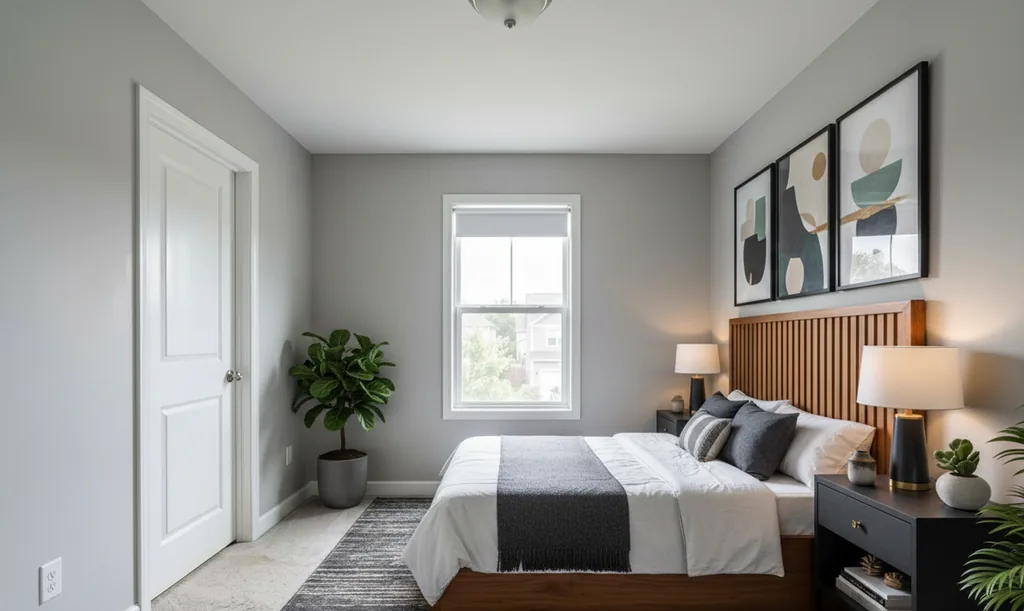
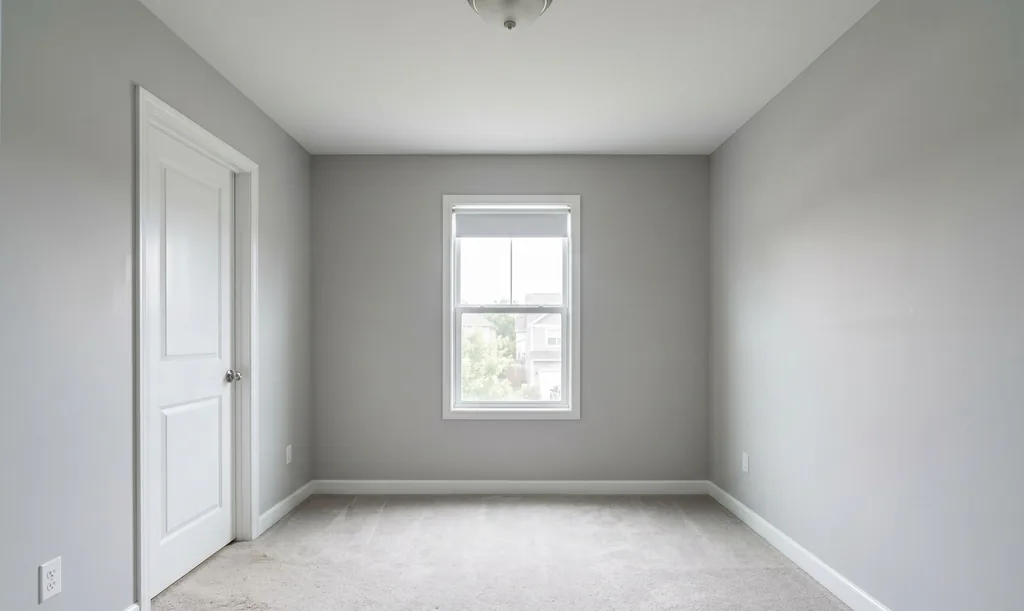
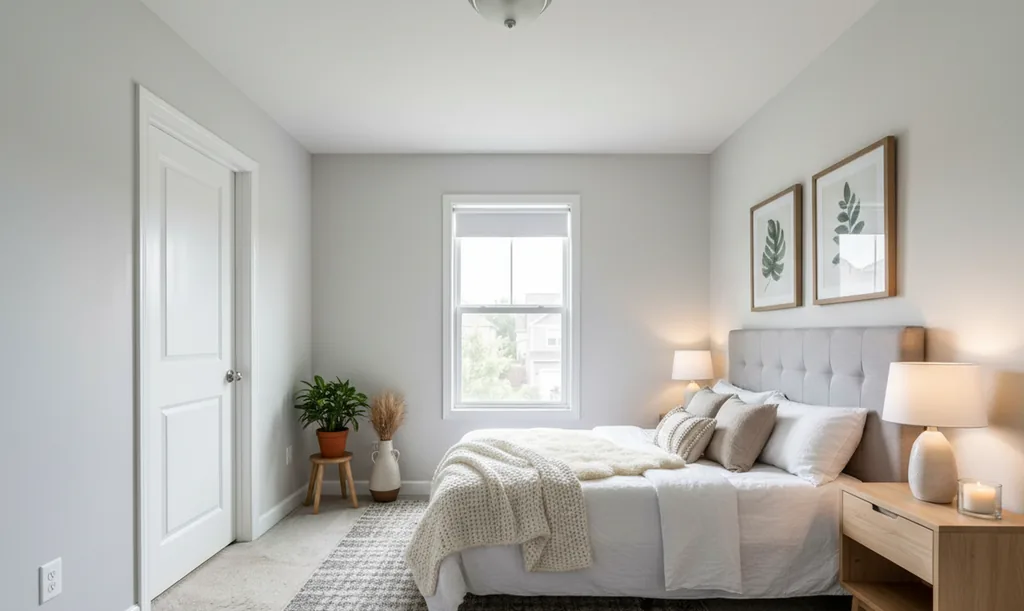
It takes a photo of a real room and returns the same room furnished or restyled in a style you choose, usually in 15 to 60 seconds depending on detail. Windows, doors, openings, the ceiling line and the camera angle are meant to stay as shot, and every result is checked against your original photo for them before you see it. Some styles also repaint walls, swap light fixtures or, at the strongest setting, change the floor, so check those against the original yourself.
There are four jobs it does on a photo. Restyle a furnished room in a style you pick. Furnish Empty Room for a vacant space — a complete furniture set placed in an empty room, which is the job vacant listings need. Outdoor staging for backyards, patios, terraces and gardens, with ten styles of its own. AI cleanup to erase clutter and unwanted objects from your photo before staging it. On Pro and Agency you can also write your own instruction instead of picking from the menu — remove the sofa, paint the walls deep green, swap the bed for a desk.
Before you choose anything, it reads the room: it identifies the room type, works out whether the space is empty or furnished, and pins the styles that suit it to the top of the picker. On a listing with eight rooms that is a real saving.
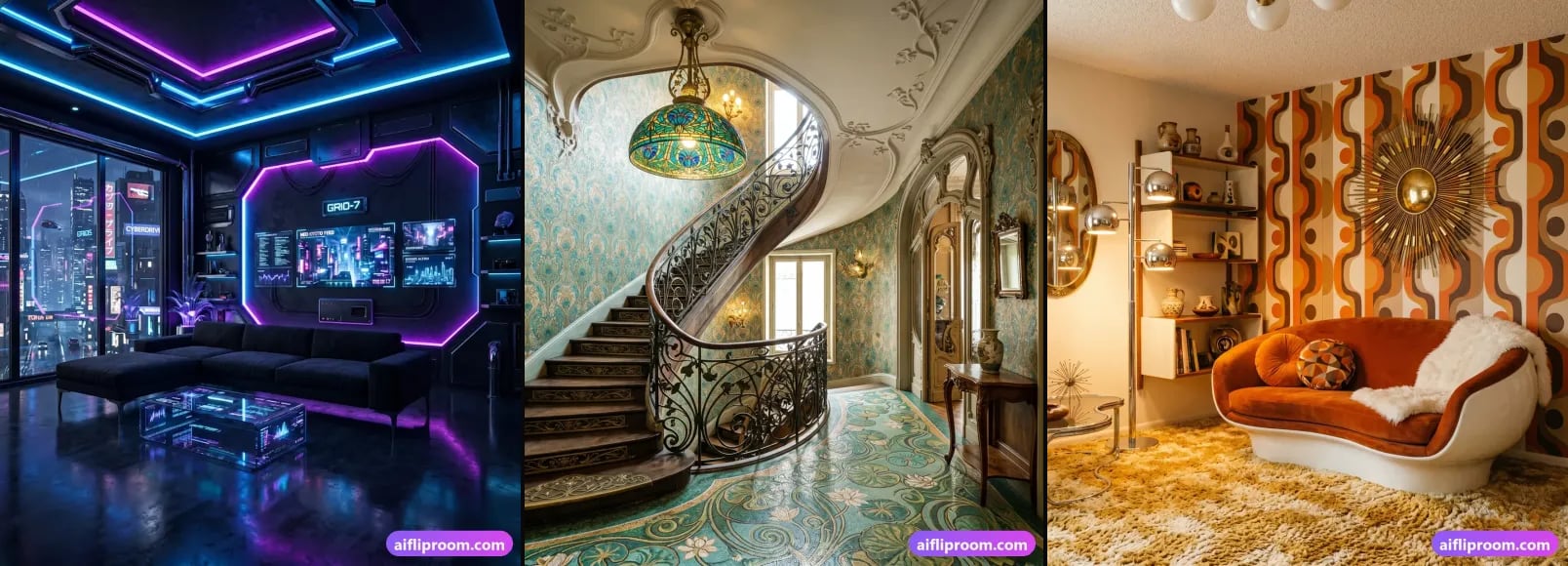
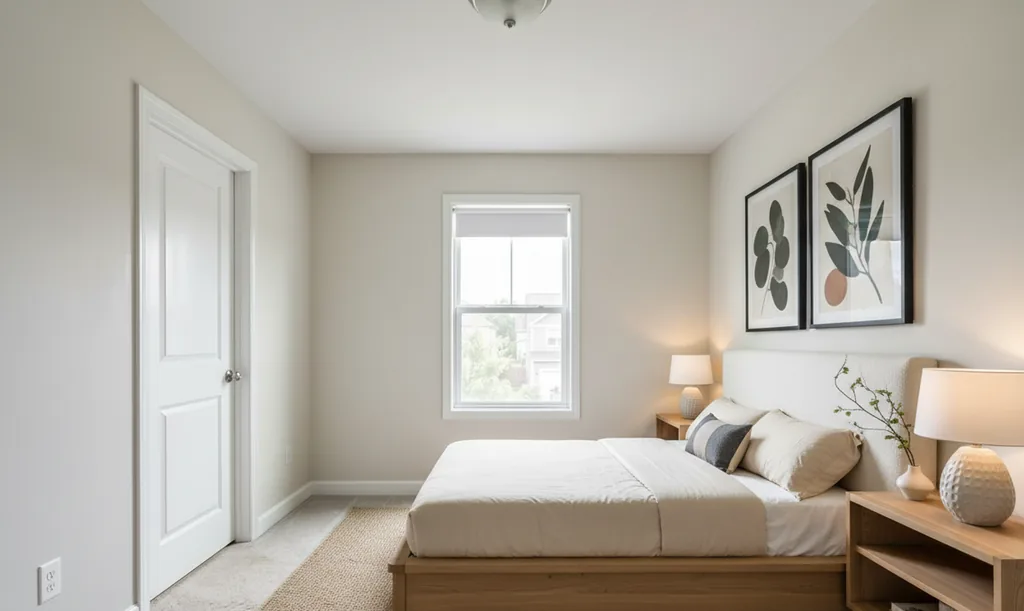
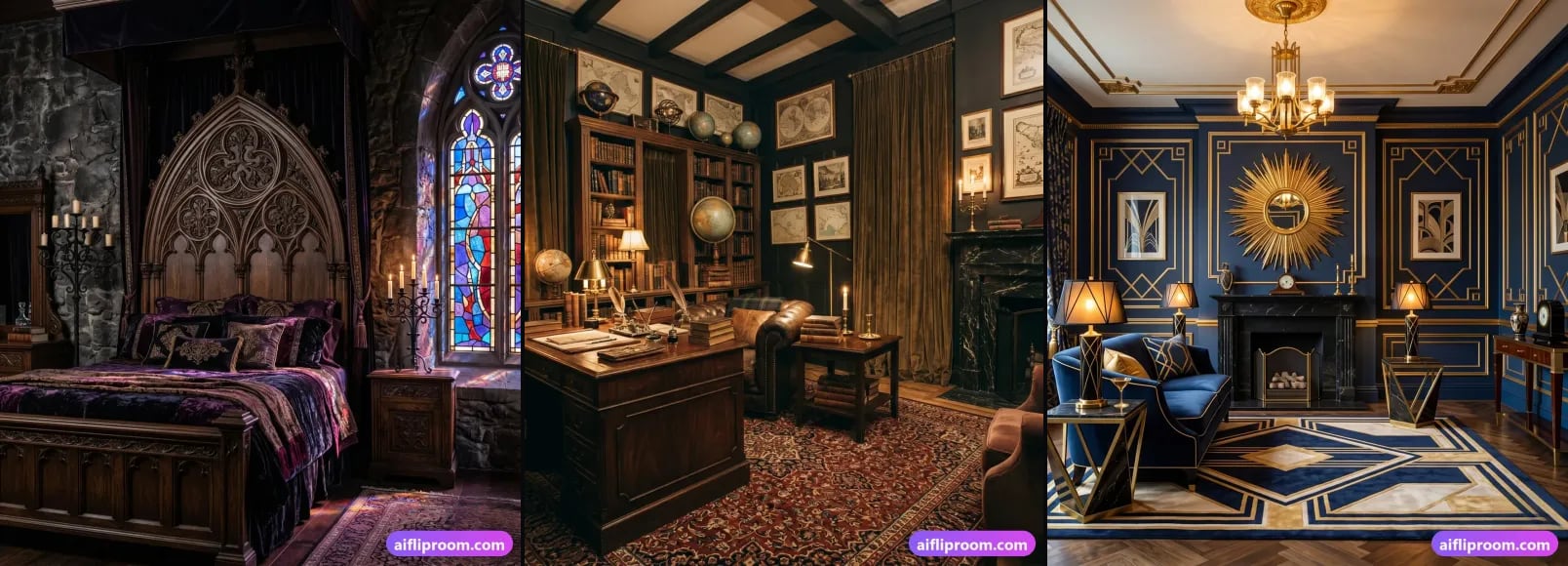
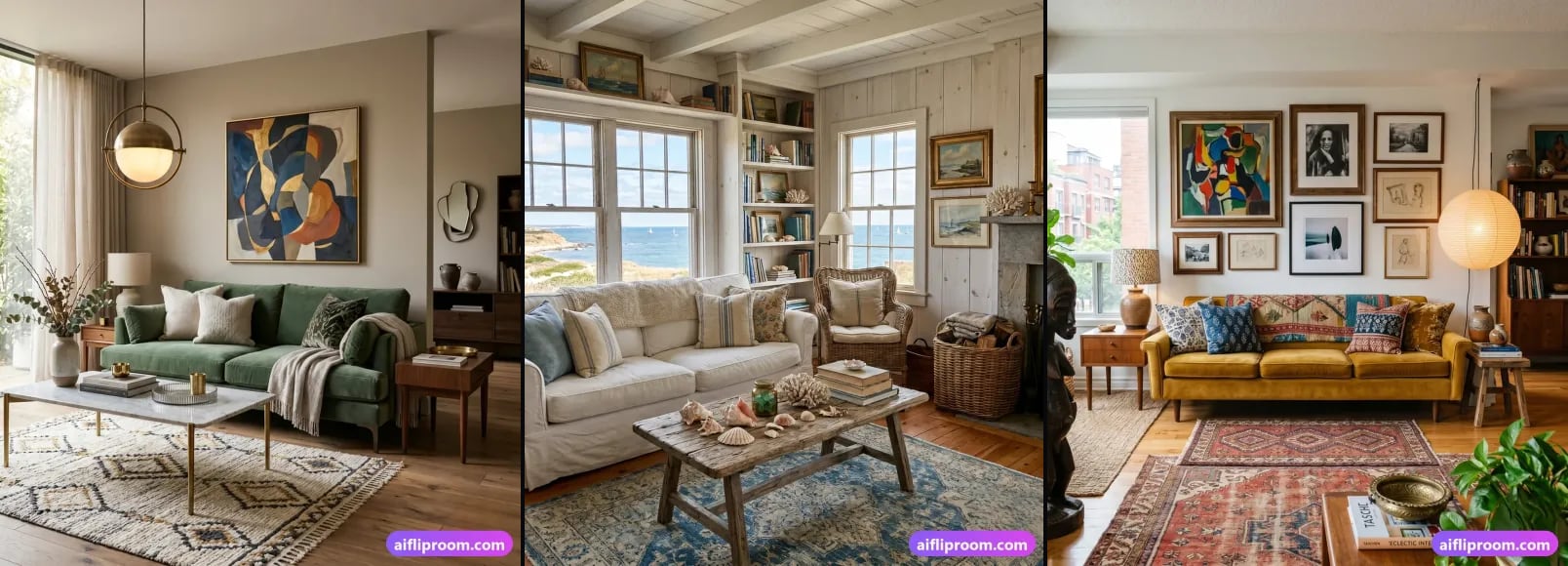
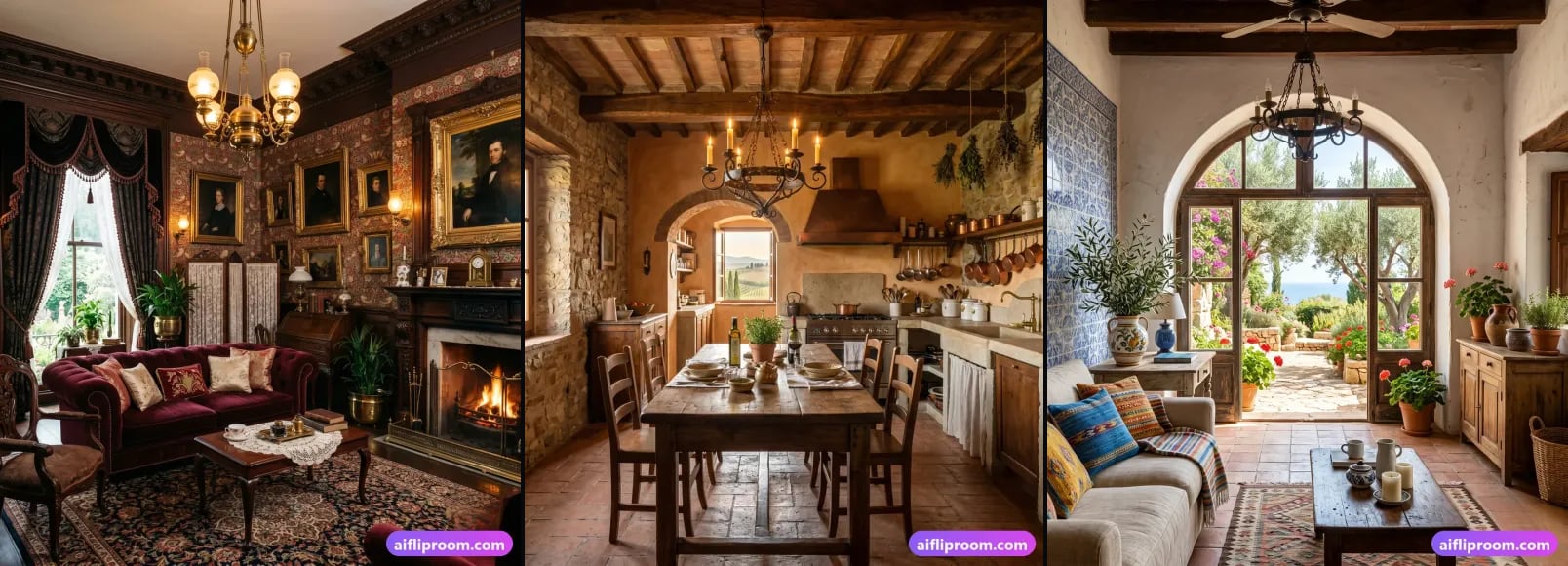
The library holds 62 styles at the time of writing — 52 interior directions across popular, trending, regional, classic and newer looks, plus the 10 outdoor styles. Every one has its own page in the style library, so you can see a direction before you spend a render on it. Three of them, on one room:
How does it keep the room honest?
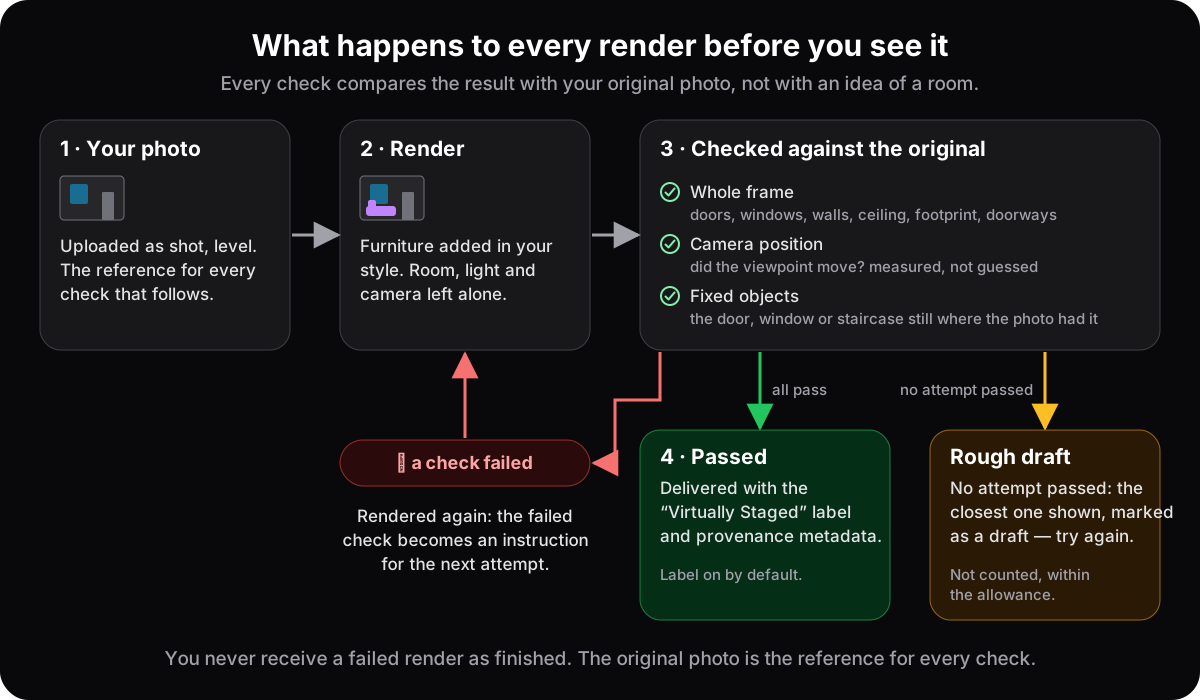
Three separate checks compare every render with your original photo. One reads the whole frame: doors still there, windows the same count, size and place, ceiling and room footprint unchanged, doorways walkable. One measures whether the camera moved. One looks at full resolution at the exact spots where the photo had a door, a window or a staircase.
The three overlap on purpose, because each looks at the room in a different way.
- The whole-frame check reads the render next to your original and answers a fixed list of yes-or-no questions: every door still there, in the same place, and still a door; every doorway still walkable; windows the same count, position, size and shape, their glass mostly visible and the view through them unchanged; walls, ceiling and room depth as they were; no new fireplace, niche or piece of architecture the photo did not have; no people, and no faces in the art on the walls.
- The camera check is mechanical rather than a matter of opinion: it measures whether the render was taken from the same spot as the photo — the same ceiling line, the same depth of the room — because a viewpoint that drifts turns a listing photo into a picture of a slightly different room.
- The fixed-object check first finds where your photo has a door, a window or a staircase, then looks at exactly those places in the render at full resolution and asks whether the object is still there. It exists because a door repainted as a plain wall is easy to miss when a whole frame is judged at once.
Outdoor renders go through their own version of the whole-frame check, written for the outside of a property: the house and its structures, the fence line, the terrain — no pool dug where there was none — mature trees, the background and the approach to every door must all be as photographed.
It is a gate inside the pipeline, not a marketing line — and it is why the difficult photographs, the crooked shot, the awkward bonus room, the kitchen with a window in an odd place, are the ones we ask you to test us on.
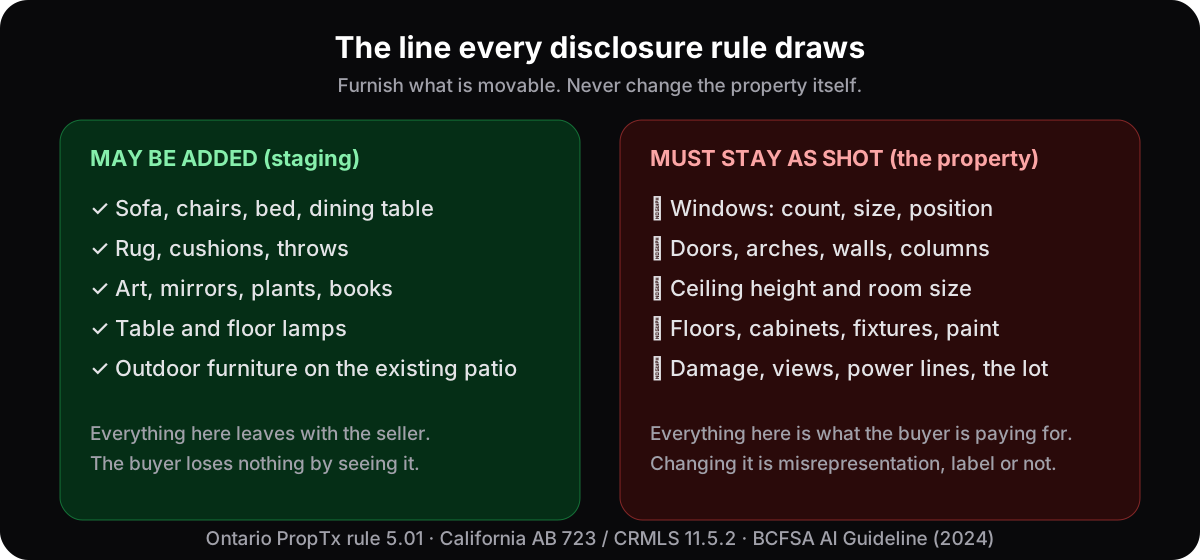
The rule the checks are built to hold is the one every disclosure regime we have read draws: furnish what is movable, never touch the property. That is the line a buyer is entitled to expect — see what buyers can demand from virtually staged listings — and the line a listing is judged against under the virtual staging disclosure rules in Ontario, California and British Columbia.
What happens when a render fails a check?
It is not shown as finished. The engine renders again with the failed check turned into an instruction, and you receive the first version that passes. If no attempt passes, you get the one with the fewest failed checks, marked on screen as a rough draft — and, within the allowance below, it is not counted against your plan.
The draft is a real, downloadable image, and the screen says plainly that the quality check was not fully satisfied and offers Try Again. What it costs you is set out on the pricing page, and the numbers there are read from the same file the software enforces:
- On Pro and Agency, the first 4 rejected drafts in any rolling 7-day window are not counted against your plan.
- On the free Starter plan, 1 rejected draft is forgiven, once.
- A render we could not verify because the checker itself was unavailable is not counted either.
- A forgiven draft also hands back any top-up render or Furnish Empty Room slot it would have used.
Past those allowances a draft counts like any other render: it is a real image, and the rule is narrow on purpose — our miss should not come out of your allowance, and a draft should not become a way to collect free pictures.
How is a finished render labelled?
A pill reading “Virtually Staged · AI Flip Room” sits in the bottom-right corner. On Starter it is baked in with the watermark; on Pro and Agency, and on a render paid from a Room Pack (which has no tile), it is on by default, with a switch on the generate screen. The file's metadata also records that the image was generated at aifliproom.com and belongs to the person who made it.
On Starter the badge is baked into the stored image together with a tiled watermark, so a free render is honest wherever it travels. On Pro and Agency the downloads — standard, 2K or 4K — carry the badge unless you have switched it off, and the switch is remembered; so does the download of a Room Pack render. The metadata is written on every plan; it is not pixels, so it does not touch the watermark-free promise of the paid plans. It is there so that the file itself says where it came from and whose it is.
What the label does not do is your disclosure. Boards and regulators want the word in the listing itself — in the photo description, in the remarks, or next to the original, depending on where you are. The specifics by jurisdiction are in the disclosure rules guide; the help page shows where the switch lives.
What do the plans include?
Starter is free: 3 renders, once, for life, no card — standard resolution, watermarked, all 52 interior styles; a one-time Room Pack adds 20 renders for $9 on the same plan, without the tiled watermark. Pro is 250 renders a month with watermark-free 2K files, the outdoor styles, custom prompts and a commercial licence. Agency is 1,000 renders a month with 4K lossless PNG, the full cleanup and Furnish Empty Room allowances and an agency licence.
| Starter | Pro | Agency | |
|---|---|---|---|
| Price | Free, no card | $46 a month, or $39 a month billed annually ($468) | $99 a month, or $89 a month billed annually ($1,068) |
| Renders | 3, once, for life | 250 a month | 1,000 a month |
| Styles | all 52 interior | all 62, including 10 outdoor | all 62, including 10 outdoor |
| Resolution | standard | 2K JPEG | 4K lossless PNG, plus 2K |
| Watermark | tiled watermark and the “Virtually Staged” badge; Room Pack renders: no tile, badge switchable | none; badge on by default, switchable | none; badge on by default, switchable |
| Custom prompts | — | yes | yes |
| Furnish Empty Room | — | 5 a month | no separate monthly cap |
| AI cleanup | — | 5 a month | 100 a month |
| History | 7 days | 30 days | 90 days |
| Licence | the image is yours; for judging the quality; Room Pack renders: commercial, as on Pro | commercial: listings, MLS uploads, client presentations, social, marketing | full agency licence: sell or redistribute in staging packages and client deliverables |
| Rejected drafts forgiven | 1, once | first 4 in any rolling 7 days | first 4 in any rolling 7 days |
| Top-up packs | Room Pack: 20 renders for $9 | 50 renders for $15 | 250 renders for $39 |
Two things the table does not show. Purchased renders never expire: a Room Pack balance stays on your account until you use it, and a Pro or Agency pack balance is held if the plan lapses. And the image you generate belongs to you on every plan — the plan changes the file you receive, not your ownership of it — while Pro, Agency and a Room Pack add the commercial licence a listing needs. The full cards are on the pricing page.
Who is it for?
Listing agents staging vacant or dated rooms; flippers and landlords previewing a finish before they pay for it; home stagers who want a digital option beside the physical one; homeowners trying a direction before a renovation. In short, anyone whose picture must still show the real property — the checks exist for that picture, not for concept art.
- Listing agents. Vacant listings and dated rooms, a whole property in one sitting, files at MLS size, the badge and the commercial licence. The workflow that keeps you inside the rules is in the agent's staging workflow.
- Flippers and landlords. See a finish before paying for it, and list an empty unit as a furnished one: how to sell an empty house faster.
- Homeowners. Try three directions on your own living room before you call anyone, the way the three frames above do with one room: see your room before you renovate.
- Anyone comparing tools. Run the same test on us as on anyone else: how to test AI virtual staging software on your own photos.
How do you try it on your own photo?
Upload the room you are worried about — the dark one, the one with the odd window — pick a style, and compare the result with your original: count the windows, find the door, check the fireplace and the ceiling line. Three renders are free, for life, no card. If a check fails, you will see it marked, not hidden.
Start on your own room. Shoot it level, at chest height, in daylight, on the main lens — the photography guide is short. If anything on the generate screen is unclear, the help page walks through the modes, the downloads and the badge switch.
Questions people ask about AI Flip Room
Does AI Flip Room change the walls, windows or doors in my photo?+
It is built not to. Every render is compared with your original photo by three checks: the whole frame (doors, doorways, windows, walls, ceiling, room depth, and nothing added that the photo did not have), the camera position, and the exact spots where the photo had a door, a window or a staircase. A render that fails is rendered again; if nothing passes, the closest attempt is shown marked as a rough draft so you can try again.
How many styles does AI Flip Room have?+
62 at the time of writing: 52 interior styles, from Japandi, Scandinavian and mid-century to luxury, traditional and Hollywood Regency, and 10 outdoor styles for backyards, patios, terraces and gardens. The free Starter plan opens all the interior styles; the outdoor styles are on Pro and Agency. Each style has its own page in the style library, so you can see a direction before you spend a render on it.
Can I use AI Flip Room renders in an MLS listing?+
Yes on Pro and Agency, which carry a commercial licence covering real estate listings, MLS uploads, client presentations, social media and marketing materials; renders paid from a one-time Room Pack carry the same licence as Pro, and Agency adds the right to sell or redistribute renders inside staging packages and client deliverables. The image belongs to you on every plan. Starter renders are watermarked and meant for judging the quality. The “Virtually Staged” badge is on by default, but the disclosure inside the listing is still yours under your board's rules.
What does “rough draft” mean on the generate screen?+
It means the quality check was not fully satisfied with any attempt, so you are seeing the one with the fewest failed checks, with a note and a Try Again button. It is still a real image you can download. On Pro and Agency the first four such drafts in any rolling seven days are not counted against your plan; the free Starter plan forgives one, once. A render the checker could not verify is not counted either.
Written by the AI Flip Room team. How we write and check our guides.
See it on your own room
Upload a photo and watch AI restage your space in 15–60 seconds, depending on how much detail it has — free to try, no credit card.
Try AI Flip Room freeFollow for a new room makeover every day
Got a question about this?
Something unclear or not covered? Ask here. We read every question and answer the useful ones right in the article. Nothing you write is published.
Related reading
How to Test AI Virtual Staging Software on Your Own Photos
Software, service or app? Six checks before you pay for AI virtual staging — geometry, realism, styles, speed, licensing, the trial — and a scoring sheet.
Virtually Staged Listing? 5 Things a Buyer Can Demand
AI staging is legal in Ontario, BC, Quebec, Alberta, California, New York, Florida, Texas, Washington, Arizona, Illinois, Georgia, Colorado, Australia, the UK and Bright MLS, with conditions.
Virtual Staging Disclosure Rules: How to Label Staged Photos
Why disclosure is required, three ways to label a virtually staged photo, what you may change vs never touch, and the rules of sixteen jurisdictions compared.