We Checked 300 AI-Staged Renders: What Breaks (2026)
AI Flip Room · 7 min read
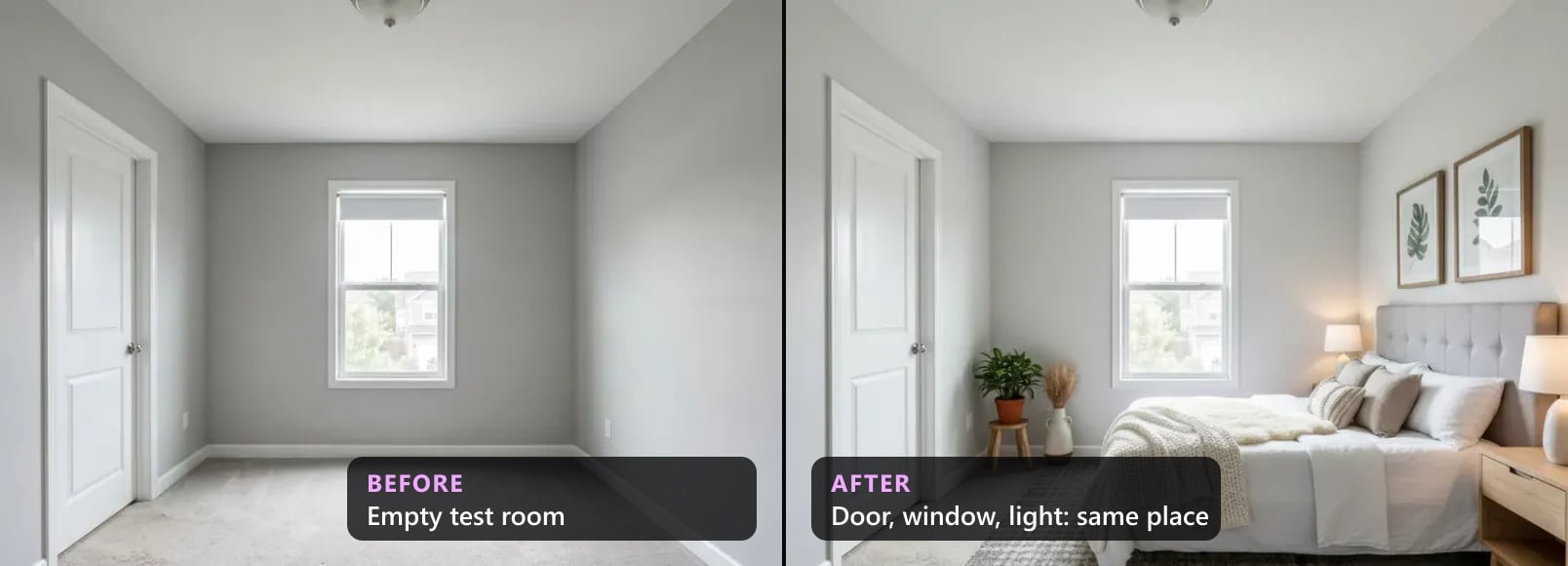
Most posts about AI virtual staging show the renders that worked. This one counts the ones that didn't.
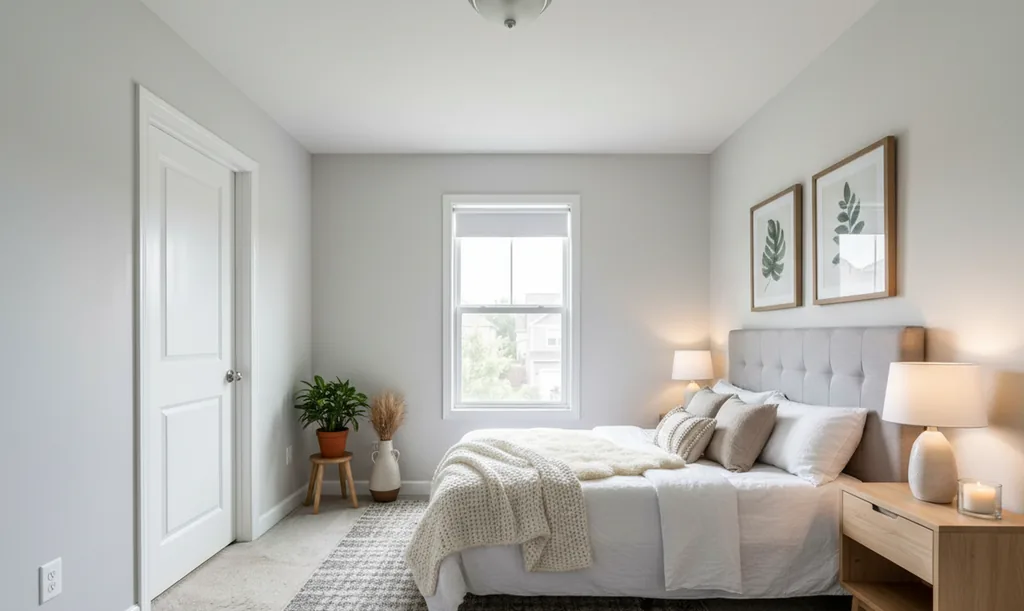
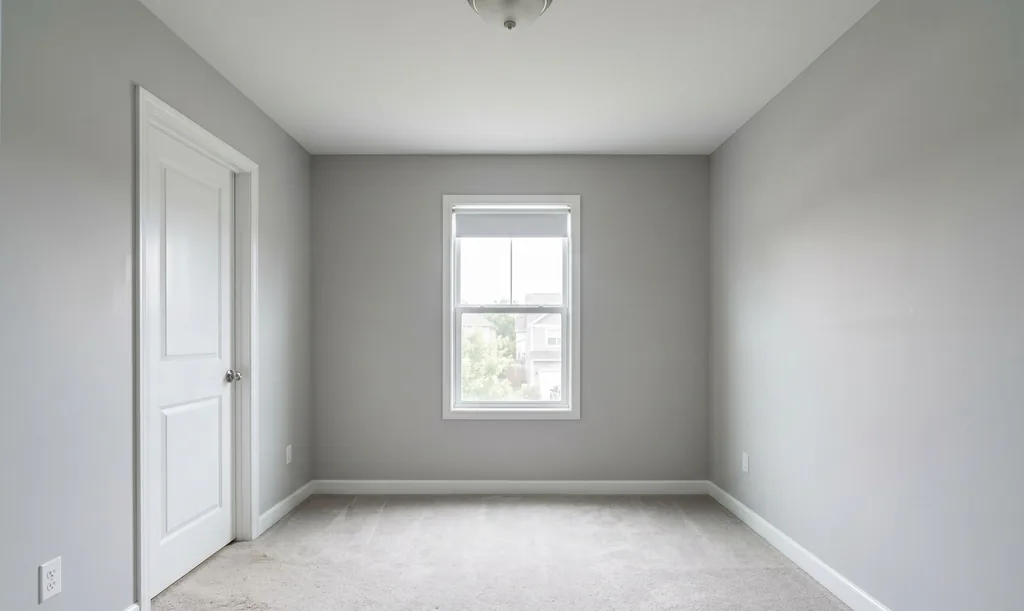
Renders on AI Flip Room go through an automatic check before you see them. It puts the staged image next to your photo and asks plain questions. Is every door still a door? Are the windows the same count, size and place? Is the archway still open? Did the camera stay where it was? If the answer is no, the engine tries again. If no attempt passes, you get the best one, marked as a rough draft.
We log the result of every render. So we can answer a question that most of this industry leaves alone: how often does AI staging break the room, and what breaks?
What we counted
We looked at the 90 days to 24 October 2026. Our render log started on 1 August, so in practice the data runs from 1 August to 21 October 2026.
- 300 render requests from 131 accounts.
- 160 passed the check (53.3%).
- 140 came back as drafts (46.7%).
We left out our own account. It is the only account marked as internal, and it made 26 renders in that window, mostly tests. Lab tests of the checker don't go through the site, so they aren't in these numbers either. There is no user data here, no photos of anyone's home, and no draft images. We don't show defective renders anywhere, including in this article.
Before and after 27 September
46.7% sounds bad. It was worse, and then it got much better.
| Period | Renders | Passed | Drafts | Draft rate |
|---|---|---|---|---|
| 1 Aug – 27 Sep 2026 | 199 | 71 | 128 | 64.3% |
| 27 Sep – 21 Oct 2026 | 101 | 89 | 12 | 11.9% |
On 27 September we changed the model that makes the first attempts, and the engine now tries more times before it gives up. Before the change, almost two renders in three failed our own check. Since then, about one in eight. By month, drafts were 58.3% of renders in August, 60.5% in September and 13.6% in October.
The number of attempts shows the difference. In the days before the change that our notes cover, 23 of 24 drafts came after just 2 attempts. After it, all 11 drafts came after 4 to 6 attempts. A draft today means the engine tried hard and still couldn't keep the room intact.
We could have published only the October number. But a draft rate is only useful if you know what it measures, and ours measures one thing: how often our own checker said no.
What breaks
The checker writes a short note on each problem it finds, like "extra narrow window added left of the main window" or "flat ceiling gained a tray recess". Our error log keeps those notes for only a few weeks, so this part covers 25 September to 21 October 2026: 34 drafts with notes, 100 notes in total. We sorted the notes into groups by keyword. One draft can land in several groups.
| What broke | Drafts | Share of 34 |
|---|---|---|
| A window added, removed, resized, or the view changed | 22 | 64.7% |
| An archway, doorway or opening closed off or changed | 13 | 38.2% |
| The camera moved (measured, not guessed) | 8 | 23.5% |
| A door removed, covered or changed | 7 | 20.6% |
| The ceiling changed shape (beams, tray, cove) | 4 | 11.8% |
| New architecture, like a niche | 3 | 8.8% |
| Walls painted unevenly | 2 | 5.9% |
| Room shell rebuilt or walls moved | 2 | 5.9% |
| People, or faces in wall art | 0 | 0% |
Windows are the big one. The model treats a window like decoration. It adds a second narrow one next to the first, makes one wider, invents one on a blank wall, or changes what you see outside. A window is part of the house, and staging rules treat it that way.
Openings close. An archway to the next room turns into a flat wall with a cabinet in front. A doorway to a hall becomes a glass door to a balcony that doesn't exist. These are hard to spot, because the result looks like a perfectly normal room.
Doors change kind. Louvered closet doors come back as flat panels. A large print gets hung across a closet door, with a bench pushed in front of it. Each one looks fine on its own. Next to the original, it's a different room.
Most drafts break more than one thing. 26 of the 34 (76.5%) had two or more notes. 32 of 34 (94.1%) had at least one problem with the structure of the room: windows, openings, doors, the ceiling or the walls. The furniture was almost never the problem.
No people. The checker also looks for people and for faces in wall art. In these weeks it found none.
A word on the camera. The vision model also left camera remarks on 15 of the 34 drafts (44.1%), like "room appears zoomed in". We don't fail a render on the model's opinion of the camera. A separate check measures the viewpoint, and only its verdict counts. That measured check flagged 8 drafts.
Which rooms break
Living rooms. From 24 September to 21 October people uploaded 74 photos. Living rooms were 39.2% of the photos but 62.9% of the drafts (22 of 35). Foyers were 8.1% of photos and 14.3% of drafts. Bedrooms went the other way: 27.0% of photos, 11.4% of drafts. Kitchens were 6.8% of photos and had no drafts at all, but that is too few photos to call a pattern.
It fits the list above. A living room photo often holds several windows, an archway and a door in one frame. A bedroom usually has one window and one door. More openings means more chances to lose one.
What the checker misses
A pass is not a promise. Here is what we know our checker gets wrong.
A straight step back. When the camera pulls straight back and the model draws in more room, our viewpoint check can miss it. It looks at where the ceiling line and the far wall sit in the frame, not at how big they look. We found this in October on close-up, cluttered photos. A fix is in testing and not live yet. Until then, the best defence is a photo shot wide and level; our photo guide shows how.
A turn under a flat ceiling. If the camera only turns and the ceiling is flat, the ceiling line barely moves and the check stays quiet.
False alarms. The checker also says no to some renders that are fine. A draft is a flag, not proof of a defect. That cuts both ways for this data: some of the 140 drafts were probably fine, and some passes probably weren't.
Walls and light fixtures. Some styles repaint walls or swap the ceiling light on purpose. The checker flags paint that doesn't match, like one wall changed and the next left alone. It doesn't flag a full repaint or a new fixture. Those are yours to compare.
One render went out unchecked. On 19 October the main model was unavailable, and the engine used a backup that the checker doesn't cover. That render was labelled a draft too.
Small numbers. 300 renders from 131 accounts is a small set, and the notes cover 25 September to 21 October only. Read the shares as a direction, not as exact rates for every tool and every photo.
What to check by eye
Check these by eye before a staged photo goes in a listing
- 1Count the windowsSame number, same size, same place. Nothing standing in front of the glass, and the same view outside. This was the most common problem in our data.
- 2Walk every openingEvery archway and doorway should still be open and still lead where it led. A closed-off arch looks like a normal wall, so compare it with the original, not with your memory.
- 3Find every door, closet doors tooStill a door, still the same kind: a two-leaf door stays two-leaf, louvered stays louvered. No art hung across it and no bench pushed against it.
- 4Look upA flat ceiling should still be flat. New beams, a tray or a cove recess change the house, not the furniture.
- 5Check the edges of the frameIf the room looks deeper, or more of a side wall shows, the camera moved. Our checker can miss a straight step back, so give this one a second look.
- 6Scan the flat wallsNo new niche, built-in shelf or fireplace where the original had a plain wall.
- 7Compare paint and light fixturesSome styles change them on purpose. That can be fine, but the room should read as one consistent room, and you should know what changed before a buyer does.
It doesn't take long. Put the original and the staged version side by side, ignore the sofa, and look at the parts of the room that will still be there when the buyer walks in.
Why this matters for MLS rules
Every rulebook we have read draws the same line: furnish what moves, never alter the property. Windows, doors, ceilings and openings are the property. A staged photo with an extra window isn't "virtually staged" anymore. It's a misrepresented room, and a label doesn't fix that. Our table of MLS rules by state and province shows where the label goes and where the original has to sit next to the staged photo. If you need the label text itself, the disclosure wording tool writes it for your MLS.
So the problems our checker catches most often, windows, openings and doors, are the same ones the rules ban. That is not luck. We built the checks from the rules.
What we take from it
AI is good at furniture. It is less careful with the room the furniture goes into. In our data the sofa was almost never the problem; the window behind it was. Checking every render against the original, by machine and then by eye, is what turns a nice picture into a listing photo you can defend.
If you want to see what a clean result looks like, our living room before and after pairs were each compared with the original by eye before we put them up. And if you are still deciding whether staging is worth it for an empty listing, the staging cost calculator puts a number on each day it sits empty.
Questions about the data
What is a draft?+
A render that did not pass our automatic check. The engine tries again with the failed check turned into an instruction. If no attempt passes, you get the attempt with the fewest failed checks, marked on screen as a rough draft, with a Try Again button. It is a real image you can download, but it should not go in a listing until you have compared it with the original.
Does a draft use up one of my renders?+
Within an allowance, no: paid plans have a weekly allowance of forgiven drafts and the free plan forgives one, once. A render the checker could not verify is not counted either. The exact numbers are on the pricing page.
If a render passed, can I put it straight in the listing?+
Look first. The checker misses some camera moves, especially a straight step back on a close-up photo, and it does not judge a full repaint or a new light fixture. A quick comparison with the original, using the checklist above, is still your job and your MLS's expectation.
Is a staged photo with an extra window allowed on the MLS?+
Not in any rulebook we have read. Staging may add furniture; it may not change the property, and windows, doors, openings and ceilings are the property. A label does not fix it. See our MLS rules by state and province.
Data: AI Flip Room's render log and checker notes, 1 August to 21 October 2026, our own account excluded. The room shares compare uploaded photos with drafts over roughly the same weeks. This is not legal advice.
See it on your own room
Upload a photo and watch AI restage your space in 15–60 seconds, depending on how much detail it has — free to try, no credit card.
Try AI Flip Room freeGot a question about this?
Something unclear or not covered? Ask here. We read every question and answer the useful ones right in the article. Nothing you write is published.
Related reading
MLS Virtual Staging Rules by State and Province (2026)
MLS virtual staging rules for sixteen jurisdictions in one 2026 table: who sets the rule, whether a label is required, and whether the original goes beside it.
How to Photograph Rooms for Virtual Staging: 7 Rules
Daylight, lamps off, a level phone at chest height, the 1x lens not 0.5x, one room per frame, clear surfaces — seven habits that make AI staging look real.
The House Didn't Look Like the Photos: Why, and What Sellers Are Allowed to Change
Why a home at the viewing rarely matches its listing photos — lens, light, old pictures, staging — and where the rules draw the line on what a photo may change.