Can You Remove Furniture From Listing Photos? MLS Rules
AI Flip Room · 8 min read
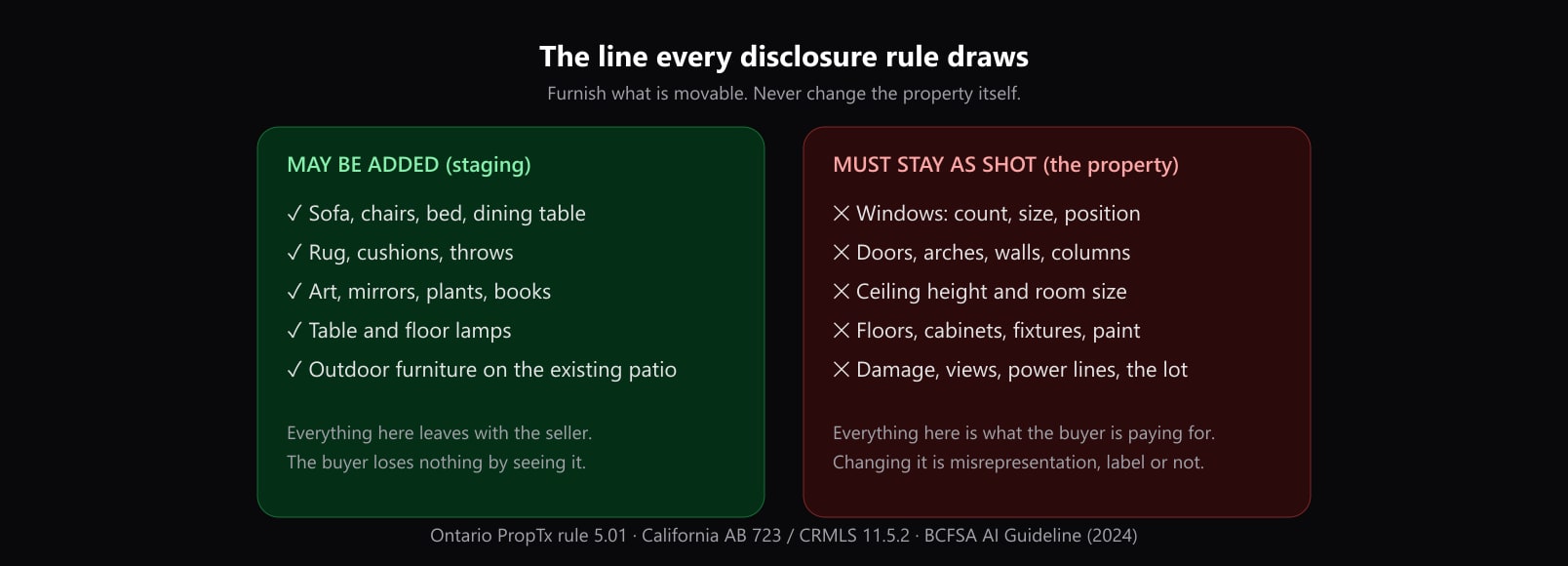
Yes. Every MLS rule we read that addresses it lets you take the seller's or the tenant's furniture out of a listing photo, because furniture is personal property that leaves with them. But an emptied or decluttered room is an altered photo, not a corrected one: California's law and CRMLS want it labelled and the furnished original made available, ARMLS wants its Digitally Altered watermark, and MRED wants its virtual staging field answered. What may not be removed is anything that stays with the house: fixtures, built-ins, damage, and what the owner does not control.
We make an AI staging tool, AI Flip Room, with a cleanup tool that removes objects from a photo, so we have an interest in the answer being yes. This guide quotes the rules that give it, read on 25 October 2026, and the ones that limit it.
Is removing furniture allowed on the MLS?
Four rulebooks say so in as many words:
- MRED (Chicago and much of Illinois), section 6.2.3, lists among the permitted uses of virtual staging "Removing existing furniture from a photo and replacing it with digital images of furniture, mirrors, artwork, plants, etc."
- Bright MLS (Maryland, Pennsylvania, Virginia and DC), section 4.B: it is permitted "to remove existing furniture from a photo and replace it with digital images of furniture, mirrors, artwork, plants, or similar items."
- FMLS (Georgia), rule 20.1(e): "Removing an existing non-fixed home element or furnishing from an image and replacing it with a digital representation of one similar."
- NorthstarMLS (Minnesota), in its best-practice guidance: "Virtual staging is permitted only to add or remove personal property such as furniture and décor."
The first three describe removing and replacing. Emptying a room and leaving it bare is named by CRMLS in California: "Virtually clearing a room of furniture that will not be included at closing as part of the listed price is also considered digitally altered." Our reading: an emptied room is permitted on the same footing as a staged one, and disclosed the same way.
Two rulebooks define staging only as adding. Houston's HAR limits it "to the addition of furnishings and wall décor", and Alberta defines it as "adding virtual unattached goods (chattels) of realistic size to property photos in order to give perspective on room dimensions." Neither names removal. Our reading for Alberta: taking out the seller's sofa is not Virtual Enhancing, which is about features "that would materially affect the property value", but it is still an edit, so disclose it in the public remarks as rule 2.04 g asks for staged images.
Does an emptied room need a label?
Yes, wherever a rule speaks to it.
- California, by statute. Section 10140.8, added by AB 723, counts as altered any image changed "to add, remove, or change elements in the image", and its list starts with "fixtures, furniture, appliances". For a sale, the ad needs a statement "reasonably conspicuous and located on or adjacent to the image" and a link to the original.
- CRMLS adds the pair: "the original image with the furnishings is displayed next to the altered image, either before or after it." Its rule accepts "Photo Modified", "Virtually Staged", "Digitally Altered" or "AI Altered" in the photo's text field.
- ARMLS answers the question directly. Does a decluttered room need its watermark? "Yes, an image is Digitally Altered when adding, removing or changing content." The same answer covers valuables removed for security.
- MRED: "Disclosure of virtually staged photo(s)/rendering(s) is required in the specified field."
- Where no rule asks, Virginia REALTORS' legal hotline still advises it: "Even when editing a photo to remove non-permanent items, it is still a good practice to disclose that the photo has been digitally edited."
For an emptied room, "Digitally Altered" describes the edit more accurately than "Virtually Staged". The free disclosure wording tool gives the words and the field your MLS wants, and the free virtually staged label maker stamps the label on the photo where your MLS allows it, and nowhere it is banned.
What has to stay in the photo?
Furniture is movable; the house is not.
- What is sold with the home. CRMLS limits clearing to furniture "that will not be included at closing as part of the listed price". Our reading: a dining set or a fridge that conveys stays in the picture.
- Fixtures and built-ins. California's definition lists fixtures and appliances alongside furniture, and NorthstarMLS prohibits "Alterations that change or hide permanent or structural elements of the property". A built-in bookcase, a kitchen island and a ceiling fan are not décor.
- Damage. Furniture often covers a stain, a crack or a patched floor. When it goes, check that the tool did not tidy up what was behind it. The NSW government's own example of a misleading rental photo is "digitally modifying photos to obscure property damage."
- What the owner does not control. Power lines, a neighbour's wall and the view stay too. That rule, and how MRED, Bright MLS and FMLS word it, is in which listing photo edits are allowed.
Decluttering: bins, cars and personal items
Smaller things follow the same line. British Columbia's regulator says "editing out such items as a garbage can or an automobile parked in a driveway would be acceptable". ARMLS lets you remove "the unsightly trash cans at the end of the driveway", adding: "But the Digitally Altered disclosure is required."
Personal items deserve the most care, and are best removed before the shoot. Zoopla's member terms say photographic content must "not contain any Personal Data"; Alberta's MLS® rules: "Images uploaded to the Board’s MLS® System shall not contain any persons." Family photos, mail, a child's name on a door and a calendar on the fridge are easy to miss and easy to take down first.
Occupied homes and tenants
When someone lives in the home, the furniture is theirs, and so is a say over the photos. The most detailed rules we read are NSW's. Before photographing a rented home for advertising, the landlord or agent must give the tenant "at least 7 days’ notice, and a reasonable opportunity to move, cover or remove personal belongings from the photo or video." Before publishing, "you must obtain the tenant's written consent if the images show the personal belongings of: the tenant, or the tenant's dependent child", and "This requirement applies to photographs and videos of both the inside and outside of the rental property."
If the tenant refuses, NSW lists lawful options, among them "using photographs or videos that do not show the tenant's personal belongings" and "digitally editing or redacting personal belongings from the images, where appropriate". "A tenant must not unreasonably withhold consent", but "If the tenant does not respond to the request within 7 days, consent is taken to have been refused." NSW publishes a form for the request.
We have not read the tenancy laws of other states and provinces on listing photos, so check yours. Our advice everywhere: ask the occupant before the shoot, and tell them what you will remove. Digital removal protects their privacy, and the listing still has to disclose it like any other edit. Rentals have further rules of their own, collected in virtual staging for rental listings.
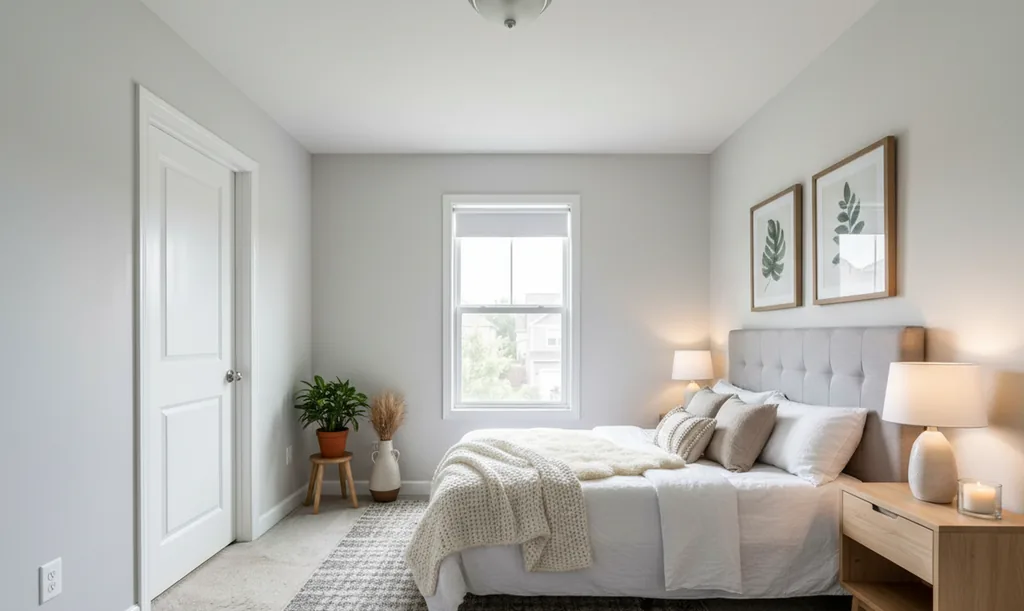
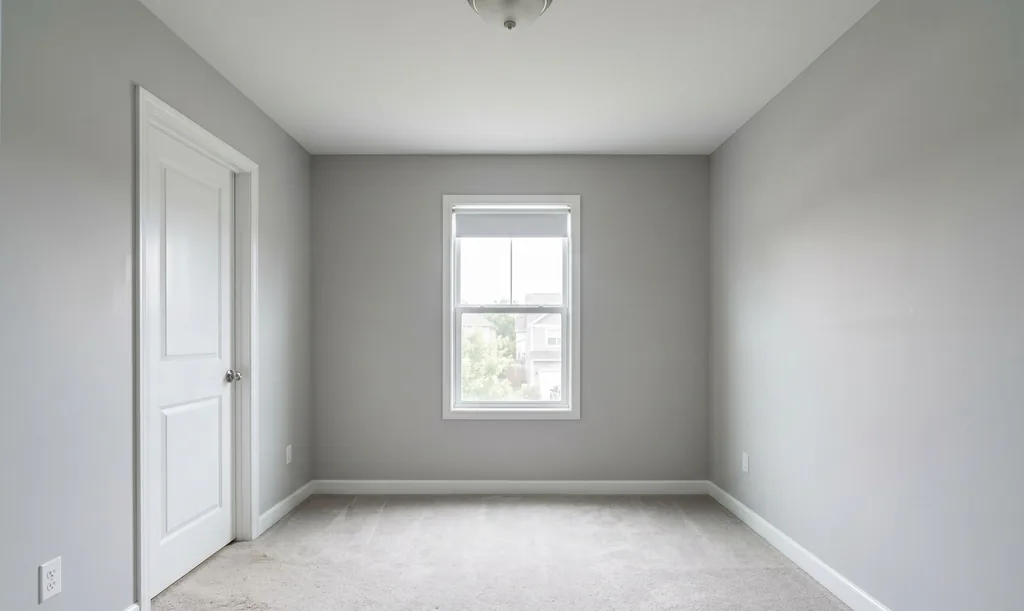
Remove, then stage: the order that keeps the photo honest
- 1Shoot the room as it is, and keep that fileIt is the original that California, CRMLS, ARMLS and NorthstarMLS want shown or linked.
- 2Remove only what leaves with the occupantFurniture, rugs, décor, bins, cars and personal items. Not fixtures, built-ins, appliances sold with the home, or damage.
- 3Check the empty room against the originalFloor, walls, outlets, windows and doors. Where a sofa stood, the tool has to guess what was behind it; make sure it did not invent a clean wall over a real mark.
- 4Stage with furniture of a realistic sizeAlberta's rules define staging as goods "of realistic size"; the NSW government's example of a misleading photo is a double bed in a room that only fits a single.
- 5Label it, and pair the original where askedThe free disclosure wording tool gives the words and the field for your MLS.
What our tool does
AI Flip Room's AI photo cleanup, on the Pro and Agency plans, erases what you paint over and rebuilds the background behind it; then you can stage the cleared room in the style you choose. Every render is checked against the original, and you should still compare it yourself before it goes in a listing. Three renders are free to try.
The full rule for each MLS quoted here is in our articles on Illinois, Bright MLS, Georgia, California, Arizona, Texas and Alberta, and NSW's rules for agents in our Australia article. All of the series is in one table in MLS virtual staging rules by state and province.
Questions about removing furniture from listing photos
Is virtual furniture removal allowed on the MLS?+
On every MLS rulebook we read that addresses it, yes. MRED and Bright MLS name removing existing furniture and replacing it with digital furniture, FMLS names removing a "non-fixed home element or furnishing", NorthstarMLS permits staging "to add or remove personal property such as furniture and décor", and CRMLS treats clearing a room as a digitally altered image to disclose. None of them lets you remove what stays with the house.
Do I need to label a photo where I only removed furniture?+
Yes, wherever a rule speaks to it. California's AB 723 counts any image changed to "add, remove, or change elements in the image" as altered, CRMLS says a cleared room "is also considered digitally altered", and ARMLS answers that decluttering needs its watermark: "Yes, an image is Digitally Altered when adding, removing or changing content." Even where no rule asks, Virginia REALTORS' lawyers call disclosure "a good practice".
Can I remove a tenant's belongings from listing photos?+
In NSW the government names it as an option: if a tenant does not consent to photos showing their belongings, landlords and agents may consider "digitally editing or redacting personal belongings from the images, where appropriate". Before the shoot NSW also requires "at least 7 days’ notice" and a chance for the tenant to move or cover their things. We have not read the tenancy laws of other states and provinces on photos; check yours, and ask the occupant either way.
Can I remove built-ins, appliances or a damaged floor?+
No. Fixtures and built-ins are part of the property; California's definition of an altered image lists "fixtures, furniture, appliances, flooring, walls", and NorthstarMLS prohibits alterations that "change or hide permanent or structural elements of the property". CRMLS limits clearing to furniture "that will not be included at closing as part of the listed price", so furniture and appliances sold with the home stay in the photo. Hiding damage is the example the NSW government gave of a misleading rental photo.
Do I have to show the original photo with the furniture?+
In some places. CRMLS wants "the original image with the furnishings is displayed next to the altered image, either before or after it." ARMLS wants the original directly before or after, California's statute a link or QR code to it, and NorthstarMLS recommends an unaltered before image for each room. Elsewhere, keep it on file: it answers the buyer who asks what the room really looks like.
Sources
Every source below was read on 25 October 2026. The date after each is the source's own, where it gives one.
- MRED, Rules and Regulations (PDF), section 6.2, revised 14 May 2026. Read 25 October 2026.
- Bright MLS, Rules Governing Use of Bright's Services (PDF), section 4, effective 22 July 2026. Read 25 October 2026.
- FMLS, Rules and Regulations (PDF), rule 20.1(e), effective 14 January 2026. Read 25 October 2026.
- NorthstarMLS, Virtual Staging and AI-Enhanced Images (PDF), best-practice guidance. Read 25 October 2026.
- CRMLS, Digitally Altered Image Guidance & FAQs, updated 20 October 2026. Read 25 October 2026.
- CRMLS, Rules & Policies (PDF), rule 11.5.2, effective 10 July 2026. Read 25 October 2026.
- California Legislature, Business and Professions Code section 10140.8, added by AB 723, effective 1 January 2026. Read 25 October 2026.
- ARMLS, Digitally Altered Media, rule 8.23, from 28 May 2026. Read 25 October 2026.
- ARMLS, Virtually Staged Photos. Read 25 October 2026.
- HAR, MLS Rules and Regulations (PDF), rule 1.25.1. Read 25 October 2026.
- Alberta REALTORS®, Provincial MLS® System Listing and Practice Rules (PDF), definitions and rule 2.04, January 2024. Read 25 October 2026.
- BCFSA, Advertising Guidelines, section (e), published 4 May 2021. Read 25 October 2026.
- Virginia REALTORS®, Legal Hotline answer on removing a trash can, 28 September 2026. Read 25 October 2026.
- Zoopla, Member Terms and Conditions, clause 5.1(c), updated 1 December 2025. Read 25 October 2026.
- NSW Government, Advertising rental properties in circumstances of domestic violence and abuse, the landlord's page on taking and publishing photos. Read 25 October 2026.
- NSW Government, Request for consent to publish photos, form updated 9 September 2026. Read 25 October 2026.
- NSW Government, ministerial release on the rental advertising law. Read 25 October 2026.
The names of the MLSs, portals and organisations above are their owners' trademarks; we're not affiliated with any of them. Rules change: check the current version before you rely on it. This is not legal advice.
Written by the AI Flip Room team. How we write and check our guides.
See it on your own room
Upload a photo and watch AI restage your space in 15–60 seconds, depending on how much detail it has — free to try, no credit card.
Try AI Flip Room freeGot a question about this?
Something unclear or not covered? Ask here. We read every question and answer the useful ones right in the article. Nothing you write is published.
Related reading
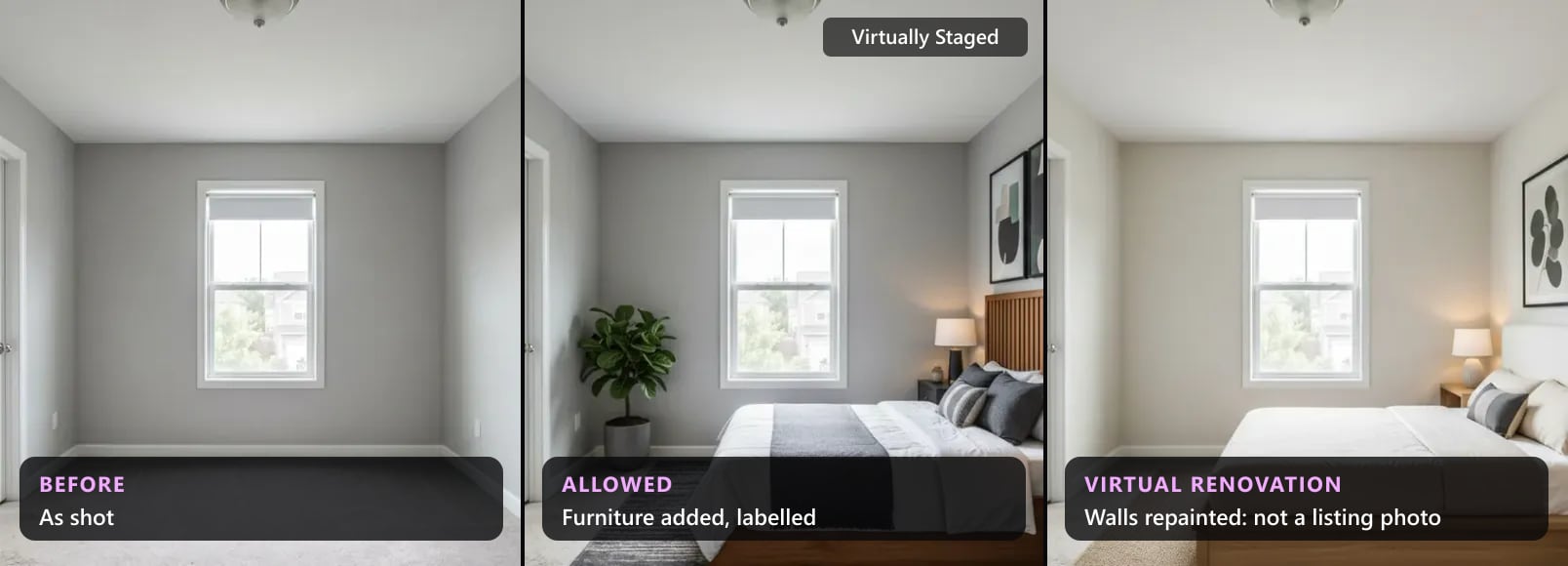
Which Listing Photo Edits Are Allowed? Sky, Grass, Twilight
Sky, lawn, twilight, object removal and staging: which listing photo edits MLS rules, California law and regulators allow, edit by edit, with quotes.
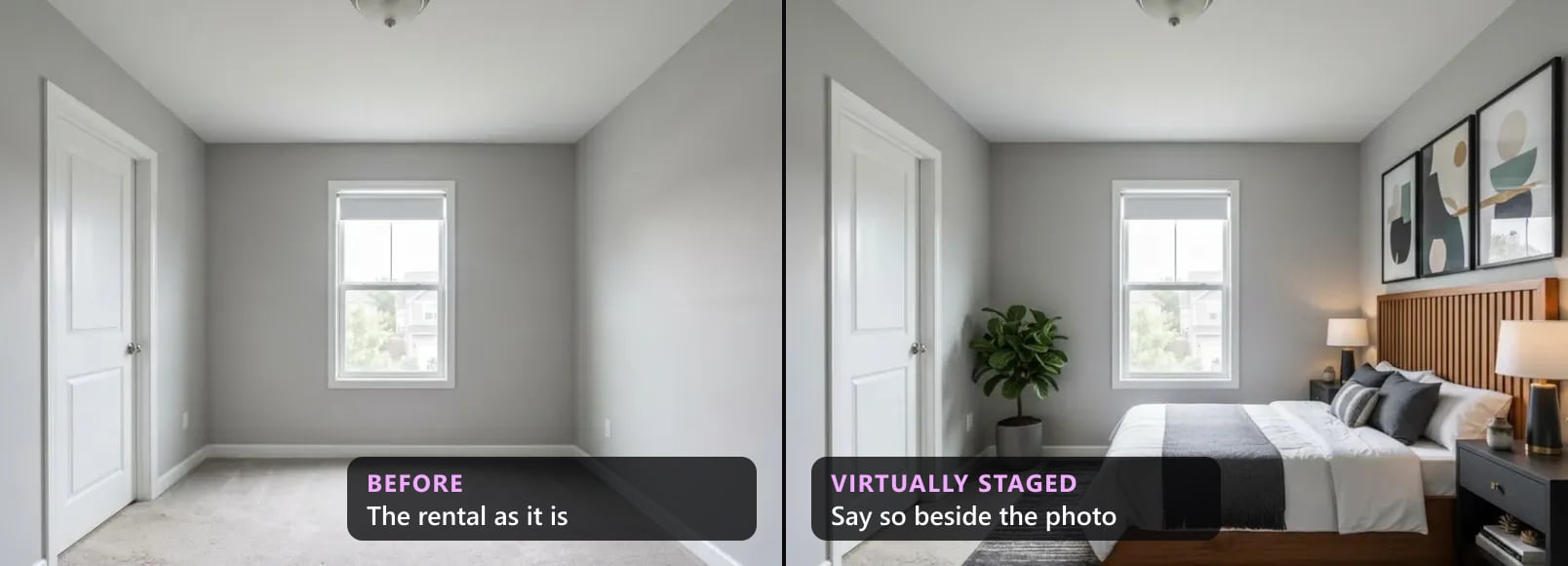
Virtual Staging for Rental Listings: What You May Show
Can a landlord or letting agent virtually stage a rental? Yes, if it does not mislead: California's 2027 rental law, NSW, UK letting codes and portals.
MLS Virtual Staging Rules by State and Province (2026)
MLS virtual staging rules for sixteen jurisdictions in one 2026 table: who sets the rule, whether a label is required, and whether the original goes beside it.