Which Listing Photo Edits Are Allowed? Sky, Grass, Twilight
AI Flip Room · 10 min read
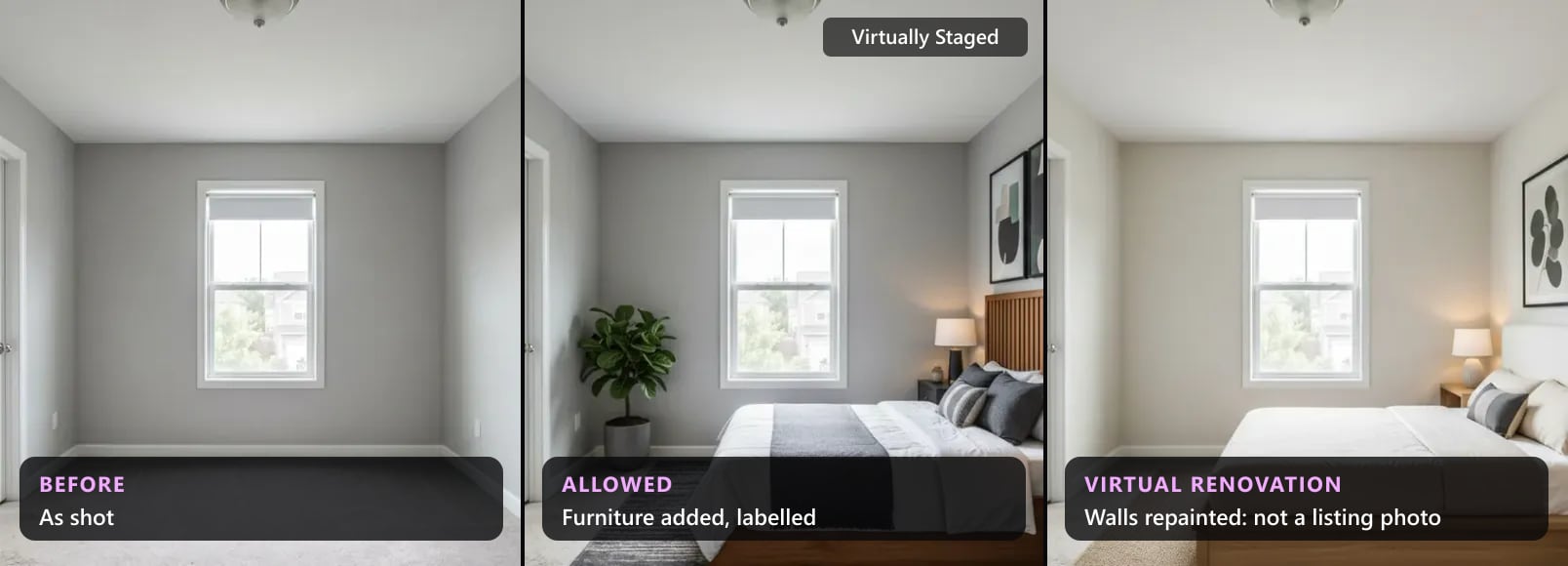
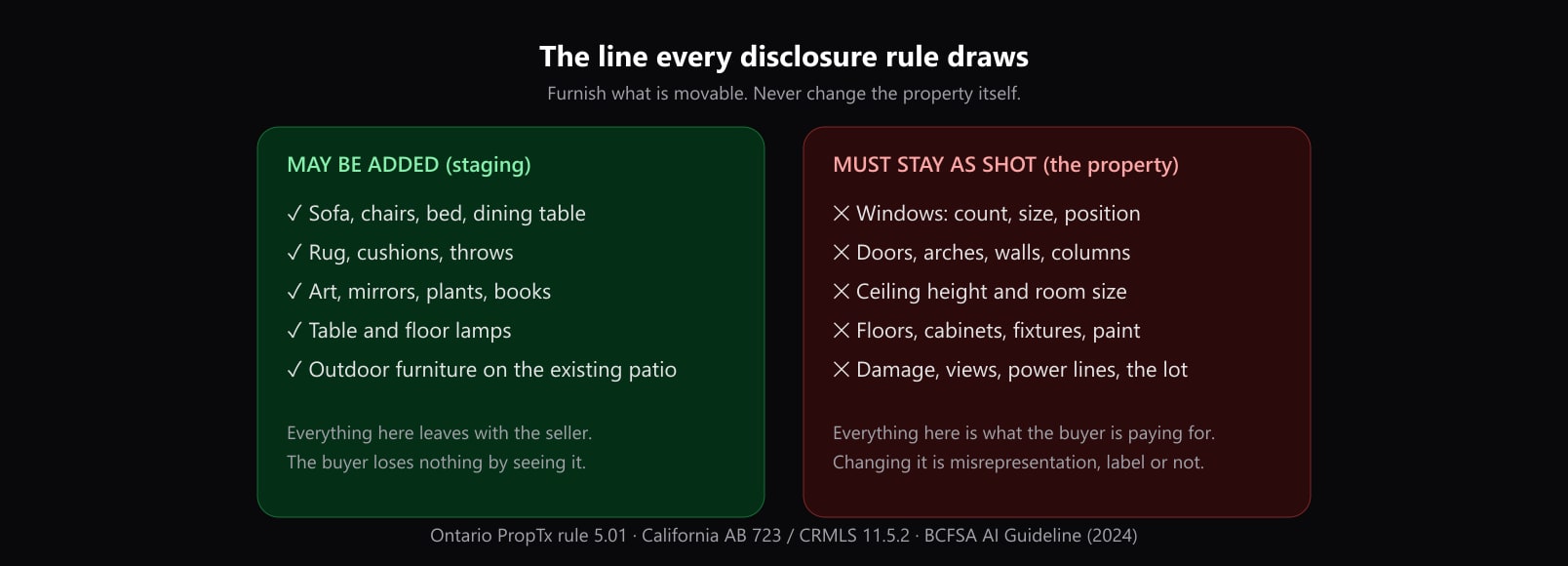
Most listing photo edits fall on one side of a simple line. Corrections to light, colour, exposure, white balance, straightening and cropping are allowed by every rule we read, as long as the photo still shows the property as it is. Edits that add, remove or change things in the picture make it an altered photo, and then the rules split: movable things, like furniture or a bin by the garage, may come and go, usually with a label; the property, and what the owner does not control, like walls, floors, the lawn, power lines and the view, stays as photographed.
This guide takes the edits agents and photographers ask about one at a time — sky, twilight, grass, object removal, paint and staging — and quotes what California's statute, eight MLS rulebooks, two regulators and a portal say about each, read on 25 October 2026. We make an AI staging tool, AI Flip Room, so we have an interest in edits being used. It is a reason to quote the rules rather than summarise them kindly.
Which listing photo edits are allowed?
Read across each row: the edit, what most of the rules we read say, and where they part ways. The sections below quote each rule.
| Edit | What most rules say | Where they differ |
|---|---|---|
| Brightness, exposure, white balance, straightening, cropping | Allowed, no label | NSW Fair Trading accepts lighting changes "only to compensate for poor lighting" |
| A bluer sky | ARMLS lists "Sky and Color Grading" as not altered | No other rule we read names the sky |
| Twilight or day-to-dusk | No rule we read names it | Lighting only, or new elements in the picture? |
| Greener grass, new plants | CRMLS and REcolorado refuse it, label or not | FMLS allows realistic landscaping; ARMLS allows it with its watermark |
| Removing a bin, a car or a yard sign | Acceptable to BCFSA and Virginia REALTORS' lawyers | ARMLS wants its label for bins and a blur for signs; California counts any removal as altered |
| Removing power lines, poles or the building next door | Not allowed | MRED, Bright MLS, FMLS, CRMLS and BCFSA all name it |
| Changing the view from a window | Not allowed | MRED and Bright MLS give the example |
| New paint, floors, fixtures | Not allowed on CRMLS or in Alberta | HAR allows it with a warning watermark and the original beside it |
| Adding furniture (virtual staging) | Allowed everywhere we read, labelled | Where the label goes differs by MLS |
| Removing the seller's furniture | Allowed on MRED, Bright MLS and FMLS, labelled | CRMLS wants the furnished original beside it |
Light, colour, sky and twilight: corrections, not alterations
California's statute is the clearest text on this. Section 10140.8 of the Business and Professions Code, added by AB 723, does not treat as altered an image where "only lighting, sharpening, white balance, color correction, angle, straightening, cropping, exposure, or other common photo editing adjustments are made that do not change the representation of the real property." CRMLS repeats it for its MLS: those edits "are allowed as long as they do not change how the property is represented." ARMLS says the same of "brightness, contrast, color, cropping or sharpening", and NorthstarMLS of "cropping, exposure, color balance, minor retouching for dust or camera artifacts".
The sky is named only by ARMLS, and it is on the permitted side: its list of edits that are not Digitally Altered includes "Sky and Color Grading", and asked whether a changed sky colour needs its watermark, it answers "No. Please submit a photo for review if you are unsure."
Twilight is named by none of the rules we read. Our reading: a day-to-dusk edit that only darkens the sky and warms the light is a lighting edit. One that adds lamps the house does not have, a glow in windows with nothing behind them, or a sunset over a view the house does not face is something else, and California's definition of an altered image begins with exactly that: "add, remove, or change elements in the image". NSW is stricter in principle: there, adjusting the light is acceptable "only to compensate for poor lighting".
The lawn and the garden: where the rules differ most
No edit splits the rulebooks like the yard. CRMLS in California is the strictest: "If the landscape changes shown in the altered photo will NOT be made by the seller as part of the listed price, do not include a digitally enhanced image changing the landscaping in the MLS. This remains so even if the photo is watermarked and labeled as digitally enhanced." REcolorado in Denver lists "modifying the appearance of the landscape" among the manipulations it does not accept, and MetroTex, the Dallas association, tells its members to avoid adding or dramatically enhancing "Bright green grass".
At the other end, FMLS in Georgia lets staged photos include "landscaping improvements that could realistically be made to improve the property’s exterior appearance", and ARMLS says you "can add patio furniture to the backyard, improve the pool features, or enhance the landscaping", with its Digitally Altered disclosure. Our reading: a greener lawn is the riskiest edit in this guide, because it is accepted on some MLSs and refused, label or not, on others. If your rulebook does not name it, leave the lawn as photographed. Patio furniture on an existing deck is staging, and our outdoor staging ideas stay on that side of the line.
Taking things out: bins and cars yes, power lines and the view no
The rules agree on the principle and differ on the label. British Columbia's regulator, BCFSA, puts both sides in one sentence: "While editing out such items as a garbage can or an automobile parked in a driveway would be acceptable, removing nearby power lines or changing any physical characteristic of a property such that it results in a misrepresentation would not be acceptable." Virginia REALTORS' legal hotline answered the same question in September 2026: "Removing the trash can would likely be acceptable but removing the streetlight post would likely not be."
What may not come out is what the owner does not control. MRED in Chicago says that modifying photos "to exclude visual elements not within a property owner’s control is strictly prohibited", with the example "Removing power lines, water towers and/or nearby highways". Bright MLS: "removing power lines, water towers, or nearby roads is not permitted." FMLS: "Staged images cannot remove elements outside the property owner’s control, such as buildings on adjacent properties, power lines, utility poles, water towers, retaining walls, and highways." CRMLS: no altering photos "to change or remove elements from the property like walls, fixtures, or unsightly elements like utility poles or wires." The view follows the same rule: Bright bans "editing in a view of a scene that is not physically possible from the specified location in the real world", and NSW Fair Trading bans agents who "zoom in on a photograph of a view from the property to make that view appear closer".
The label is where they differ. ARMLS wants its Digitally Altered disclosure even for "the unsightly trash cans at the end of the driveway", but a yard sign should be blurred instead ("No, please blur"). California's statute names "streetlights, utility poles, views through windows, and neighboring properties" in its definition of an altered image, so in California an edit to any of them needs the statement and a link to the original, before you even reach the MLS rule.
Paint, floors and fixtures: the property itself
Changing what the buyer is buying is where the rulebooks are firmest. CRMLS: "users CANNOT add, remove, or modify any real part of a property such as wall color, flooring, cabinets, wall dimensions, landscaping, etc." Alberta's MLS® rules define Virtual Enhancing as "virtually changing, adding, or augmenting features on property photos that would materially affect the property value" and say "Virtually Enhanced images, or any photos that may misrepresent the property, are not permitted on the Board’s MLS® System." NorthstarMLS prohibits alterations to "walls, floor coverings, doors/windows, roofing, siding, ceilings, fireplaces, driveways, site grading, or other permanent features". ARMLS counts "adding an accent paint color on the wall" as altered.
Houston's HAR is the exception that proves the point: "Digital images modified or enhanced to alter real property characteristics must contain a visible and legible watermark across the bottom of the image with the following disclaimer", which reads "Image does not represent actual property as is", and "the listing agent must submit an unaltered image with the same view as the altered image as an adjacent image." A virtual renovation is a picture of a different house. To show a buyer what a room could become, show it as an idea next to the listing, as in see your room before you renovate, not as a listing photo.
Staging and decluttering: movable things, labelled
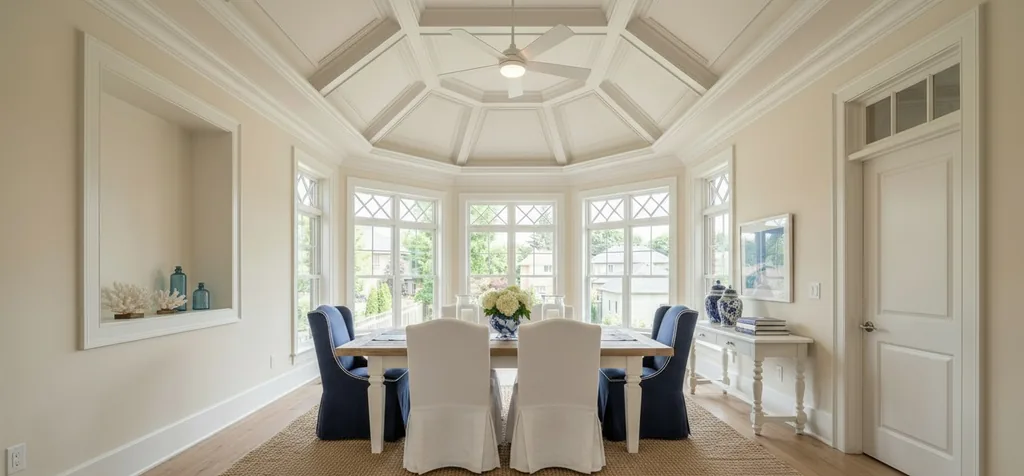
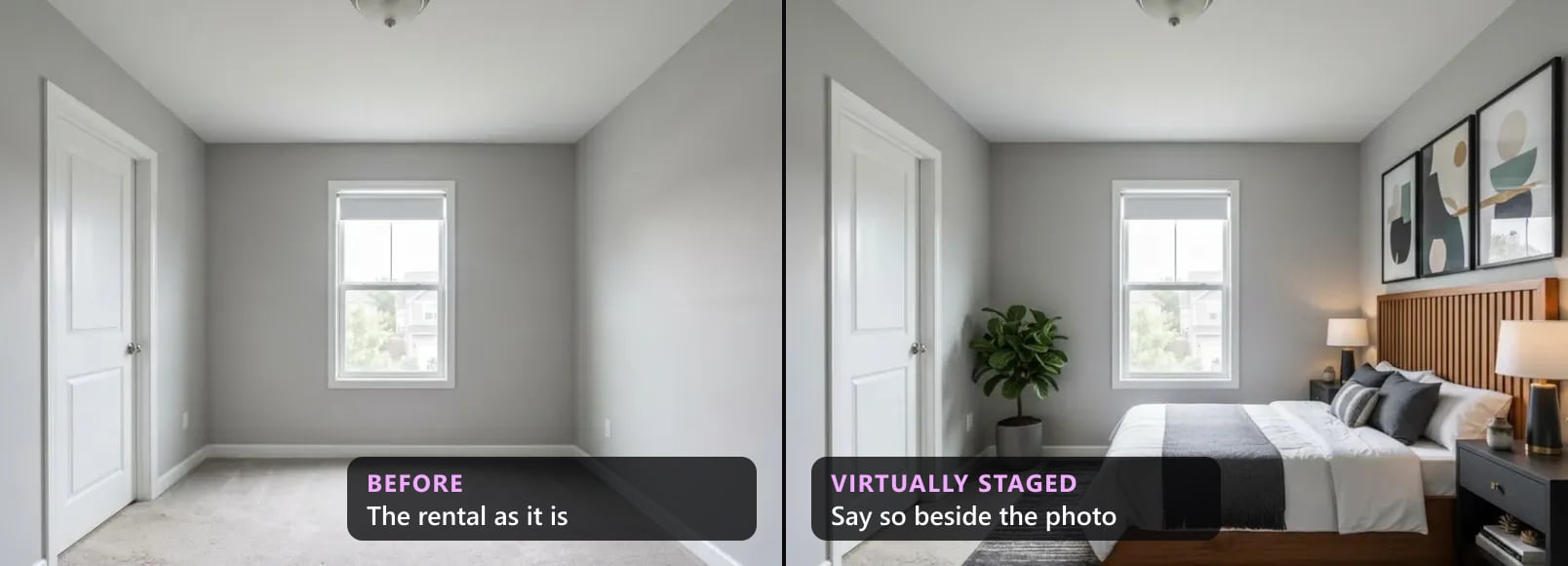
Adding furniture is the one edit every rulebook we read permits. MRED: "Modifying photo(s)/rendering(s) to include personal property items not conveyed with the real property is permitted." HAR limits staging "to the addition of furnishings and wall décor". Alberta defines it as "adding virtual unattached goods (chattels) of realistic size to property photos in order to give perspective on room dimensions."
Taking the seller's furniture out is permitted too. MRED names "Removing existing furniture from a photo and replacing it with digital images of furniture, mirrors, artwork, plants, etc.", and CRMLS says "Virtually clearing a room of furniture that will not be included at closing as part of the listed price is also considered digitally altered." Emptying a room, decluttering and photographing an occupied home have their own guide: can you remove furniture from listing photos?
How do you check an edit before it goes in the listing?
Before an edited photo goes in a listing
- 1Name the editLight, colour, exposure or a crop: a correction. Anything added, removed or changed in the picture: an altered photo.
- 2Ask who controls itFurniture, rugs, a bin, a parked car: movable, and the seller's. Walls, floors, fixtures, the lawn, the neighbour's house, the power lines and the view: they stay as photographed.
- 3Find your MLS's line for that editThe lawn, the bin and the paint are where the rulebooks differ. The rules by state and province have each MLS we have read.
- 4Label it where your MLS wants itThe free disclosure wording tool gives the words and the field; put the original beside the edited photo where your rule asks.
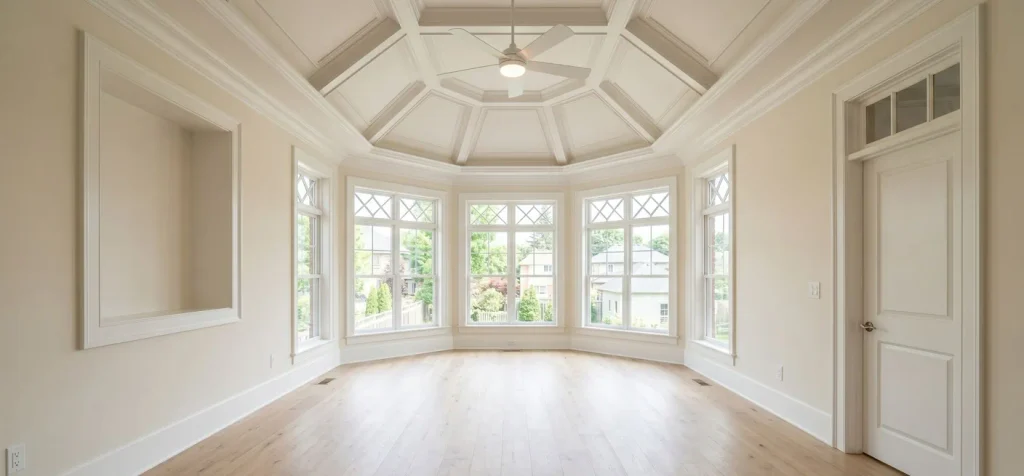
- 5Compare with the original before uploadWindows, doors, outlets, floor, ceiling and the view. AI tools sometimes change what you did not ask them to.
Outside the MLS: the UK, Australia and rentals
Neither the UK nor Australia has an MLS; the test there is whether the photo misleads. Rightmove accepts AI images but says they "should not be used to disguise the property's true condition, add features that do not exist, or otherwise create an unrealistic impression of what is being offered." NSW Fair Trading says agents must not "change the appearance of a property by digitally removing or adding features". Our UK and Australia articles have the full rules, and rental listings, which now have laws of their own, are covered in virtual staging for rental listings.
For one listing, the free disclosure wording tool gives the label your MLS wants and where it goes, and the free virtually staged label maker stamps it in your browser where your MLS allows words on the photo. The full rule for each MLS quoted here is in our articles on California, Arizona, Illinois, Bright MLS, Georgia, Colorado, Texas, Alberta and British Columbia, and all of them in one table in MLS virtual staging rules by state and province.
Questions about editing listing photos
Is it legal to edit real estate photos?+
Yes, within a line every rule we read draws the same way. Corrections to light, colour, exposure and framing are allowed; California's statute does not count them as an altered image if they "do not change the representation of the real property." Adding or removing things makes it an altered photo, which most rules want labelled. Changing the property itself, or what the owner does not control, is not allowed on most MLSs whatever the label. In the US, the NAR Code of Ethics asks REALTORS® to "present a true picture in their advertising, marketing, and other representations."
Can you replace the sky in a listing photo?+
ARMLS in Arizona is the one rulebook we read that names the sky, and it lists "Sky and Color Grading" among edits that are not Digitally Altered. Asked whether a changed sky colour needs its watermark, it answers "No. Please submit a photo for review if you are unsure." No other rule we read mentions the sky. Our reading: a bluer sky over the same house is colour grading; a sky that hides something, or a sunset over a view the house does not have, changes the picture, and is judged like any other altered photo.
Can you make the grass greener in listing photos?+
It depends on the MLS more than any other edit. CRMLS says "AI-generated landscaping images are not permitted in the MLS", and REcolorado refuses photos that involve "modifying the appearance of the landscape". FMLS allows "landscaping improvements that could realistically be made to improve the property’s exterior appearance", and ARMLS lets you "enhance the landscaping" with its Digitally Altered disclosure. If your rulebook does not name it, leave the lawn as photographed.
Can you remove power lines from a listing photo?+
No, on every rulebook we read that names them. MRED gives "Removing power lines, water towers and/or nearby highways" as its example of a prohibited edit, Bright MLS says "removing power lines, water towers, or nearby roads is not permitted.", and British Columbia's regulator calls removing nearby power lines not acceptable. A bin or a parked car is different: BCFSA says editing them out "would be acceptable".
Do I have to label a photo I only brightened?+
Not under the rules we read. California's statute and CRMLS exclude lighting, white balance, colour correction, straightening, cropping and exposure from an altered image, and ARMLS says brightness, contrast, colour, cropping and sharpening "do not change the substance of the image". The condition is the same everywhere: the edit may not change how the property looks.
Is a twilight photo allowed?+
None of the rulebooks we read names twilight or day-to-dusk edits. Our reading: darkening the sky and warming the light is a lighting edit; adding lamps the house does not have, a glow in empty windows or a different view adds elements to the picture, and California's definition of an altered image starts with "add, remove, or change elements in the image". NSW Fair Trading accepts lighting changes "only to compensate for poor lighting".
Sources
Every source below was read on 25 October 2026. The date after each is the source's own, where it gives one.
- California Legislature, Business and Professions Code section 10140.8, added by AB 723, effective 1 January 2026. Read 25 October 2026.
- CRMLS, Digitally Altered Image Guidance & FAQs, updated 20 October 2026. Read 25 October 2026.
- ARMLS, Digitally Altered Media, rule 8.23, from 28 May 2026. Read 25 October 2026.
- ARMLS, Virtually Staged Photos. Read 25 October 2026.
- MRED, Rules and Regulations (PDF), section 6.2, revised 14 May 2026. Read 25 October 2026.
- Bright MLS, Rules Governing Use of Bright's Services (PDF), section 4, effective 22 July 2026. Read 25 October 2026.
- FMLS, Rules and Regulations (PDF), rule 20.1(e), effective 14 January 2026. Read 25 October 2026.
- REcolorado, MLS Policy (PDF), section 1.20. Read 25 October 2026.
- HAR, MLS Rules and Regulations (PDF), rule 1.25.1. Read 25 October 2026.
- Alberta REALTORS®, Provincial MLS® System Listing and Practice Rules (PDF), definitions and rule 2.04, January 2024. Read 25 October 2026.
- NorthstarMLS, Virtual Staging and AI-Enhanced Images (PDF), best-practice guidance. Read 25 October 2026.
- BCFSA, Advertising Guidelines, section (e), published 4 May 2021. Read 25 October 2026.
- Virginia REALTORS®, Legal Hotline answer on removing a trash can, 28 September 2026. Read 25 October 2026.
- National Association of REALTORS®, 2026 Code of Ethics and Standards of Practice, Article 12. Read 25 October 2026.
- MetroTex Association of REALTORS®, Picture Perfect? Getting Listing Photos Right, 22 July 2026. Read 25 October 2026.
- NSW Fair Trading, Advertising guidelines for property agents. Read 25 October 2026.
- Rightmove, Reporting misleading property adverts, modified 22 September 2026. Read 25 October 2026.
The names of the MLSs, portals and organisations above are their owners' trademarks; we're not affiliated with any of them. Rules change: check the current version before you rely on it. This is not legal advice.
Written by the AI Flip Room team. How we write and check our guides.
See it on your own room
Upload a photo and watch AI restage your space in 15–60 seconds, depending on how much detail it has — free to try, no credit card.
Try AI Flip Room freeGot a question about this?
Something unclear or not covered? Ask here. We read every question and answer the useful ones right in the article. Nothing you write is published.
Related reading
Can You Remove Furniture From Listing Photos? MLS Rules
Yes, with a label. What MRED, Bright, CRMLS, ARMLS, California law and NSW say about emptying rooms, decluttering and occupied homes, quoted with dates.
Virtual Staging for Rental Listings: What You May Show
Can a landlord or letting agent virtually stage a rental? Yes, if it does not mislead: California's 2027 rental law, NSW, UK letting codes and portals.
MLS Virtual Staging Rules by State and Province (2026)
MLS virtual staging rules for sixteen jurisdictions in one 2026 table: who sets the rule, whether a label is required, and whether the original goes beside it.