Virtual Staging on Zillow, Realtor.ca, Rightmove: 2026 Rules
AI Flip Room · 8 min read
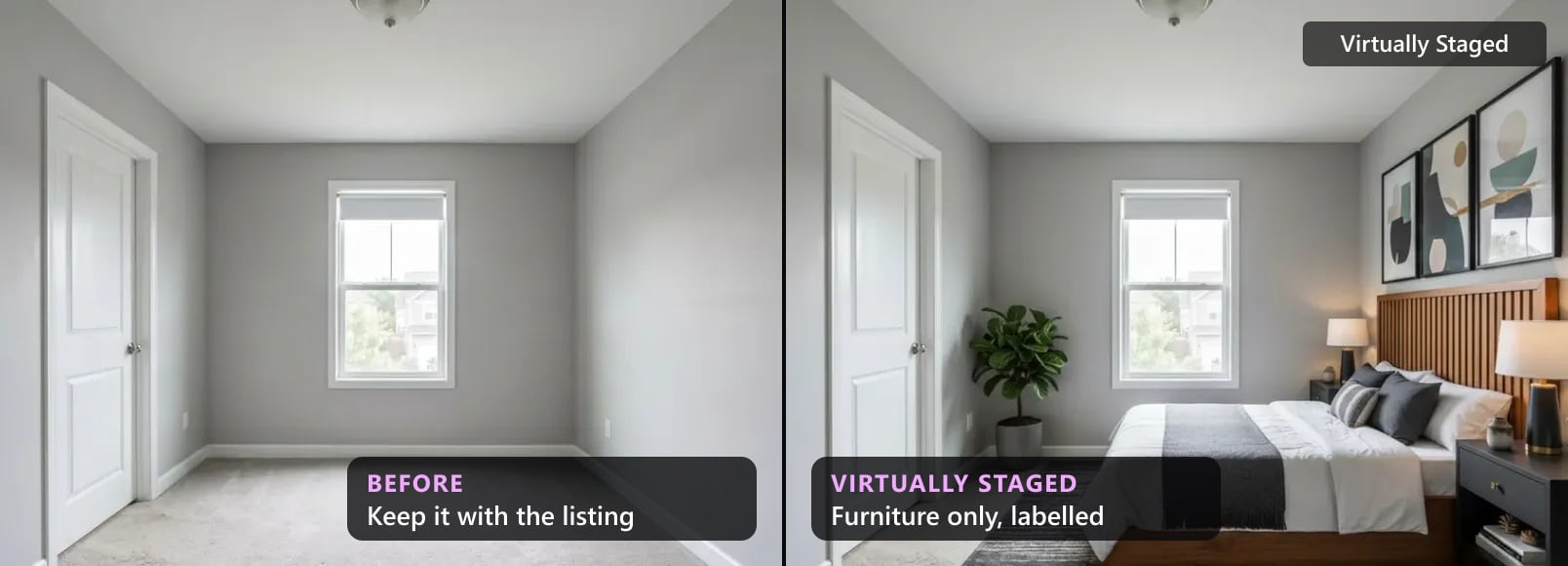
Agents ask about portals: is virtual staging allowed on Zillow, does Realtor.ca have a rule, what does Rightmove want? The short answer depends on the country. In the US and Canada, most listings reach the portals through the MLS, so the MLS rule is the one that binds you. In the UK and Australia there is no MLS, and the portals write the practical rules themselves. Airbnb is its own world.
We read each portal's own pages on 25 October 2026: help centres, terms and published statements. Where a portal has a rule, we quote it. Where we found none, we say so and point you to the rule that does apply. We make an AI virtual staging tool, so we'd like staging to be used. That's a reason to quote the rules as they're written.
Portal rules at a glance
| Portal | Its own rule on staged or AI photos | Label | Original beside it | Read more |
|---|---|---|---|---|
| Zillow (US) | No agent rule found. Its content standards require photos that "accurately represent the home"; most content arrives through MLS feeds | Your MLS rule. Zillow "supports clear disclosure" | Zillow's view: "where possible". Not a rule | Zillow |
| Realtor.com (US) | None found. Its terms bar content "misleading to others, including consumers" | Your MLS rule | Your MLS rule | Realtor.com |
| Redfin (US, Canada) | None found. Agents who post directly confirm they follow "the applicable MLS®"; no logos or company names in photos | Your MLS rule | Your MLS rule | Redfin |
| Airbnb | Yes: AI content that adds "amenities or attributes that are not part of a listing" must go | Not the issue: staged furniture doesn't fit the rule | Not applicable | Airbnb |
| REALTOR.ca (Canada) | None. CREA publishes principles; the rule comes from your board's MLS | Your board's rule | Your board's rule | REALTOR.ca |
| Rightmove (UK) | Yes: AI images allowed if they don't mislead | No wording set | Yes: "alongside genuine photographs" | Rightmove |
| Zoopla (UK) | Yes: members using AI photos "will make this clear" (clause 5.1(c)) | Yes, made clear | No rule | Zoopla |
| realestate.com.au (Australia) | Yes: AI use disclosed "on or adjacent to" the content (clause 4.1.40) | Yes | No rule | realestate.com.au |
| Domain (Australia) | Images "current and unembellished"; no text on images | In the description, not on the photo | No rule | Domain |
Zillow
Zillow set out its position in a post on its news site on 22 July 2026. Three sentences matter for agents.
On accuracy: "Zillow's content standards require that listing photos accurately represent the home." On who is responsible: "Most content comes to us through MLS feeds, so agents and brokers carry front-line responsibility for accuracy." And on disclosure: "Zillow supports clear disclosure when AI is used to materially alter a listing image and, where possible, believes consumers should be able to view the original content alongside the altered version."
That's a position, not a rulebook. Zillow doesn't tell agents where to put a label or what it should say. So in practice, the rule you follow on Zillow is your MLS's rule. Shoppers who think a listing is inaccurate can use the "Report Listing" button, and Zillow reviews those reports.
Zillow also has its own virtual staging feature on Showcase listings. Zillow describes it as "shopper-initiated, clearly labeled and always paired with the original unaltered photo". That's a feature for buyers, not a rule for your photos, but it shows the standard Zillow holds itself to: a label, and the original one tap away.
Realtor.com
We found no rule on Realtor.com about virtually staged or AI-edited photos. Its terms of use ask anyone who posts content to "provide true, accurate and complete information" and bar content "which is misleading to others, including consumers". Listings reach Realtor.com from the MLS, so the label and placement rules are your MLS's.
Redfin
We found no staging rule on Redfin either. Its terms, updated on 29 September 2025, cover agents who post a listing to Redfin directly. They confirm that they have complied with the policies of "the applicable MLS®", and that they only submit information they know to be true and accurate.
One line is practical for staged photos: "Do not embed any marketing information in listing photos or videos, including an agent's name, company or brokerage name, logo, phone number, or email address." A staging company's name on the photo is a company name. Use an unbranded label.
Where the label goes on US portals
This is where most mistakes happen. Your MLS decides whether the label goes on the photo, in a photo field or in the remarks, and the portals show what the MLS sends them. Not every field travels. Smart MLS, for one, tells its agents that its photo caption field "is not included in data feeds to 3rd party/IDX sites", which is why it wants a stamp on the photo itself.
Other MLSs ban words on the photo and want the disclosure in the remarks instead. Our MLS rules by state and province give the address for each MLS we have read, and the free disclosure wording tool gives the words. Where your MLS allows a label on the photo, the virtually staged label maker stamps it in your browser. Then open the listing on Zillow, Realtor.com and Redfin and check that the disclosure shows.
Airbnb
Airbnb has a rule, and it is clear. Its ground rules for hosts say the photos "should accurately represent the space provided", and: "We will ask hosts to remove content if AI or other digital technology has been used to edit flaws, hide damage, add amenities or attributes that are not part of a listing, or otherwise misrepresent the listing." Airbnb's content policy applies to "any content generated or edited using AI".
On Airbnb, the furniture is part of what the guest books. A sofa that isn't in the room is an amenity that isn't there. So virtual staging doesn't belong in an Airbnb listing, label or not. It's useful one step earlier: to decide how to furnish an empty room before you buy anything, and then photograph the real one.
REALTOR.ca
REALTOR.ca publishes no virtual staging rule we could find. CREA, which runs it, published principles on AI in June 2026: "Consumers and REALTORS® should clearly understand when AI is materially influencing information, communications, or representations." And: "The adoption of AI does not alleviate the professional responsibilities of REALTORS®." REM reported in March 2026 that CREA and REALTOR.ca "do not regulate AI use in listings".
So the rule for a photo on REALTOR.ca is your board's MLS rule and your provincial regulator's: Ontario, British Columbia, Alberta, Quebec, and the rest of Canada. They differ: Alberta's rules want staging disclosed in the public remarks, while Quebec's regulator asks for a clear, visible statement.
Rightmove
Rightmove's help page on misleading adverts, modified on 22 September 2026, is the clearest portal rule we have read: "AI-generated or enhanced images can be used on Rightmove, but they must not create a misleading or unrealistic representation of the property. AI images should be displayed alongside genuine photographs of the property, allowing home hunters to clearly understand its actual appearance and condition."
It adds that they "should not be used to disguise the property's true condition, add features that do not exist, or otherwise create an unrealistic impression of what is being offered". So on Rightmove, upload the genuine photo next to the staged one. The UK rules cover the consumer law and The Property Ombudsman's codes behind it.
Zoopla
Zoopla's member terms, updated on 1 December 2025, say that where a photo is "produced using autonomous technology (fully or partial), machine learning or other analogous technologies the Member will make this clear" (clause 5.1(c)). Zoopla "may decline to upload" such content where the law or the integrity of its site requires (clause 5.1(d)). The terms don't prescribe the words or the place, so make it plain on or next to the photo.
realestate.com.au
realestate.com.au's Acceptable Use Policy, amended in September 2026, bans photos and other content "generated or edited using artificial intelligence (AI) tools" unless "the content is not likely to mislead prospective buyers or renters on the nature, condition, or features of the property being marketed or the surrounding area" and "the AI usage is clearly disclosed in a prominent location on or adjacent to the relevant content" (clause 4.1.40).
Watermarks are limited too: only "a transparent watermark with no colour inserted in the bottom right hand corner of the image with surface area no greater than 15% of the total image's surface area" (clause 4.1.8). The Australian rules cover the consumer law and the state regulators.
Domain
Domain's help centre says that "images submitted for inclusion in a listing must be current and unembellished representations of the opportunity", that "Images must be of the actual property", and that "Images may not include any text or corporate message". It says nothing about staging or AI by name. With no text allowed on the photo, put the disclosure in the description, and put the unstaged photo next to the staged one: it's the clearest disclosure Domain leaves you.
Before a staged photo goes to any portal
Before a staged photo goes to any portal
- 1Find who writes the ruleIn the US and Canada, your MLS or board. In the UK and Australia, the portal itself. On Airbnb, Airbnb.
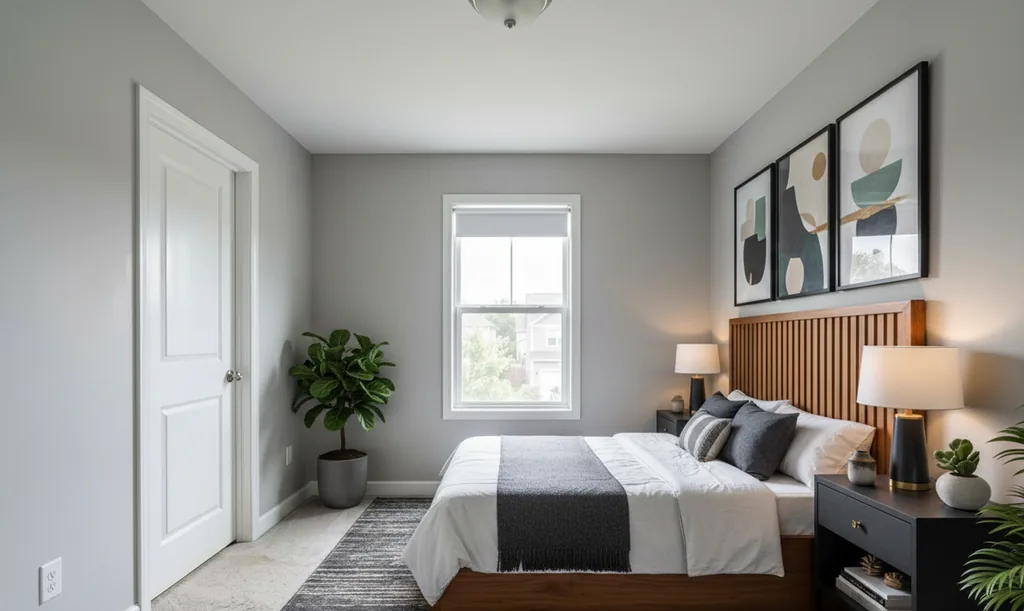
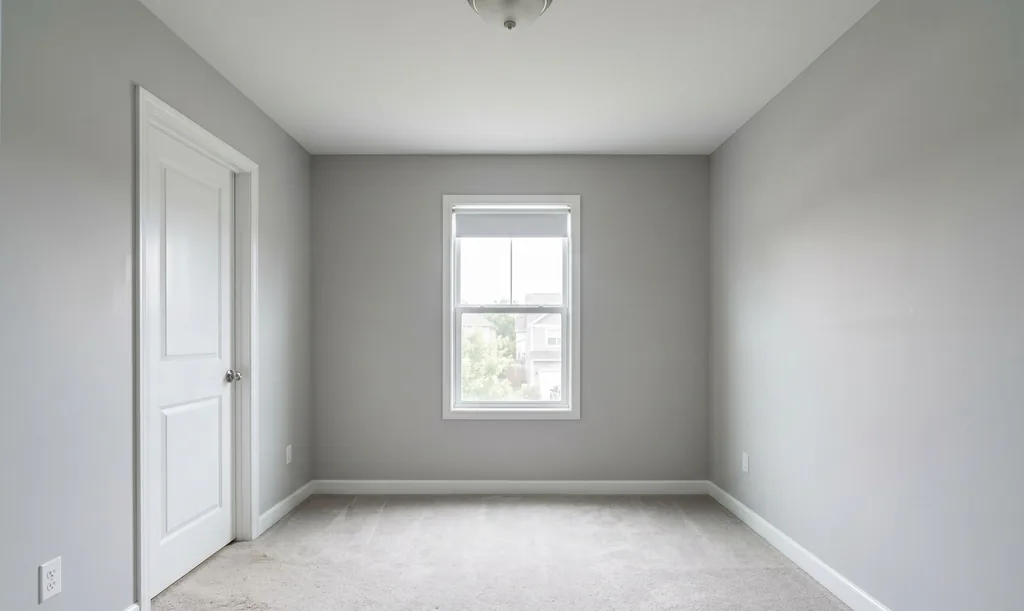
- 2Furnish, never alterFurniture and decor only. Windows, doors, walls, floors, fixtures, damage and the view stay as photographed.
- 3Label it where the rule saysOn the photo, in the remarks or in the description, depending on the rule. Some MLSs ban words on the photo that others require.
- 4Keep the originalRightmove wants it beside the staged photo, and Zillow thinks buyers should see it where possible. Everywhere else, a buyer can still ask for it.
- 5Leave logos offRedfin bars company names and logos in listing photos, Domain bars any text or corporate message, and realestate.com.au allows only a small transparent watermark.
- 6Check the live listingOpen the listing on each portal it reaches and look for the label. If buyers can't see it there, fix it at the source.
The free tools cover US and Canadian MLSs. For the UK and Australia, the wording is in the articles above.
What every portal agrees on
Outside Airbnb, no portal we read bans furniture in an empty room. Every portal with a rule draws the same line our MLS rules draw: the photo may show what could go in the room, never a different room. And the one that wants the original beside it, Rightmove, says out loud what the rest imply: a buyer should be able to see the room as it is. Keep every original, at full size. A careful buyer can ask for it.
If you list in the US or Canada, free virtual staging for listing agents has three free renders and the label rules on one page.
Questions about portal rules for staged photos
Does Zillow allow virtually staged photos?+
Zillow publishes no separate staging rule for agents that we could find. It says its "content standards require that listing photos accurately represent the home" and that most content "comes to us through MLS feeds, so agents and brokers carry front-line responsibility for accuracy". So your MLS rule is the one to follow. Zillow also says it "supports clear disclosure when AI is used to materially alter a listing image" and that buyers should see the original alongside it where possible.
Do I need to label staged photos on Realtor.com and Redfin?+
Neither publishes a staging rule of its own that we could find, so the label your MLS asks for is the one you need. Check the live listing on each site: Smart MLS, for one, tells its agents that its photo caption field "is not included in data feeds to 3rd party/IDX sites". Our MLS rules by state and province show where each MLS wants the label.
Can I use virtually staged photos on Airbnb?+
Not as listing photos. Airbnb says it will "ask hosts to remove content if AI or other digital technology has been used to edit flaws, hide damage, add amenities or attributes that are not part of a listing, or otherwise misrepresent the listing". A guest books the room in the picture, furniture included. Use staging to decide how to furnish a place, then photograph the real room.
Does REALTOR.ca have its own virtual staging rules?+
Not that we found. CREA asks that consumers "clearly understand when AI is materially influencing information, communications, or representations", and REM reported in March 2026 that CREA and REALTOR.ca "do not regulate AI use in listings". The rule comes from your board's MLS and your province's regulator: see the Canadian rules.
What do Rightmove and Zoopla require?+
Rightmove allows AI images if they don't mislead, and says they "should be displayed alongside genuine photographs of the property". Zoopla's member terms say that where a photo is produced using "machine learning or other analogous technologies the Member will make this clear". The UK rules add the consumer law behind both.
What do realestate.com.au and Domain require?+
realestate.com.au allows AI-generated or AI-edited photos only if they are not likely to mislead and "the AI usage is clearly disclosed in a prominent location on or adjacent to the relevant content" (clause 4.1.40). Domain wants images that are "current and unembellished representations of the opportunity" and says "Images may not include any text or corporate message", so the disclosure goes in the description there. More in the Australian rules.
Can a staging company's logo be on the photo?+
Often not. Redfin's terms bar "an agent's name, company or brokerage name, logo, phone number, or email address" in listing photos, Domain bars "any text or corporate message", and realestate.com.au allows only a transparent watermark with no colour, bottom right, no bigger than 15% of the image. Our own renders carry a "Virtually Staged · AI Flip Room" badge; on paid renders you can switch it to a brand-free "Virtually Staged." or turn it off.
Zillow, Realtor.com, Redfin, Airbnb, REALTOR.ca, Rightmove, Zoopla, Domain and realestate.com.au are trademarks of their owners; we're not affiliated with any of them. Every quote was read on the portal's own page on 25 October 2026, apart from the REM report of March 2026. Portals change their pages; check the current version before you rely on it. This is not legal advice.
Written by the AI Flip Room team. How we write and check our guides.
See it on your own room
Upload a photo and watch AI restage your space in 15–60 seconds, depending on how much detail it has — free to try, no credit card.
Try AI Flip Room freeGot a question about this?
Something unclear or not covered? Ask here. We read every question and answer the useful ones right in the article. Nothing you write is published.
Related reading
MLS Virtual Staging Rules by State and Province (2026)
MLS virtual staging rules for sixteen jurisdictions in one 2026 table: who sets the rule, whether a label is required, and whether the original goes beside it.
UK Virtual Staging Rules 2026: Consumer Law, Rightmove, Zoopla and the Property Ombudsman
Is virtual staging allowed in the UK? Yes, if the photo does not mislead: the DMCC Act sets the test, Rightmove wants AI images beside genuine photos, Zoopla wants AI made clear.
Australia Virtual Staging Rules 2026: Consumer Law, the States, realestate.com.au and Domain
Is virtual staging allowed in Australia? Yes, if it does not mislead: the Consumer Law sets the test, realestate.com.au wants AI edits disclosed, NSW rental ads will have to flag misleading edits.