AI Video Tours From Listing Photos: What MLS Rules Say (2026)
AI Flip Room · 12 min read
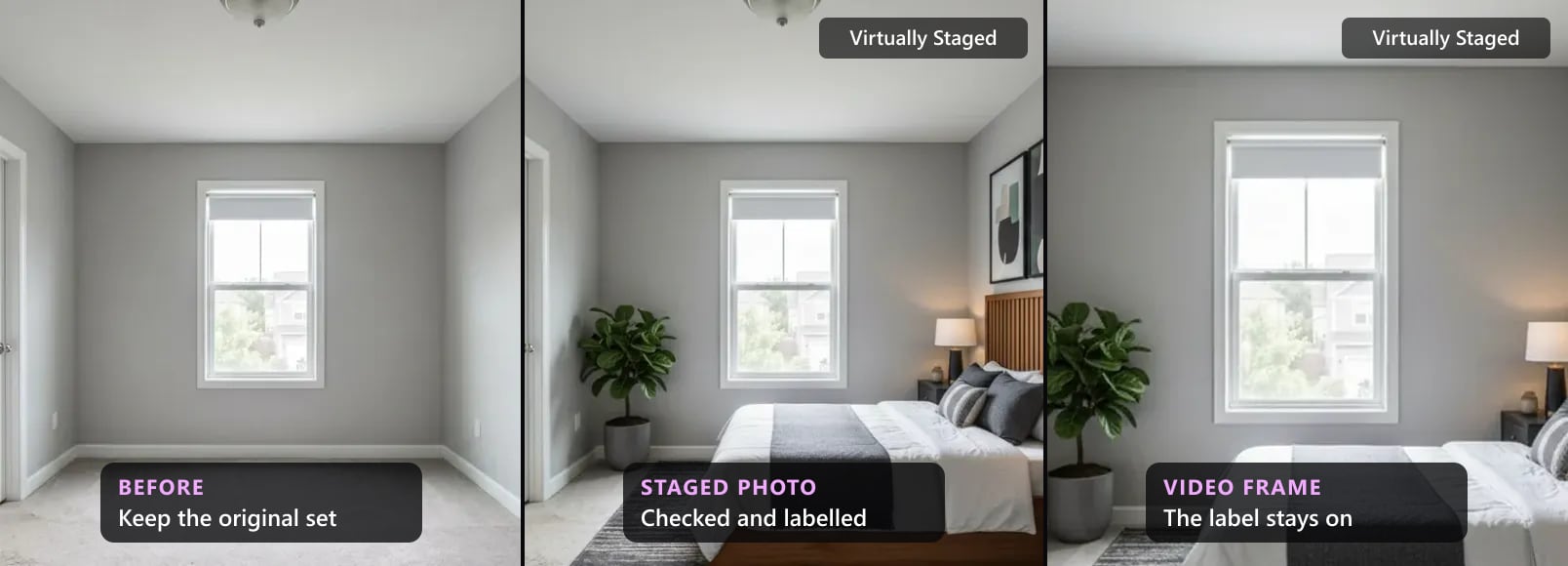
Listing photos don't stay still any more. Agents give a set of stills to an AI app and get back a short video tour: the camera glides through the living room, turns into the kitchen and drifts out to the yard. Buyers' agents value motion. In NAR's 2025 staging survey, "Home buyers' agents emphasized that including photos (73%), traditional physical staging (57%), videos (48%) and virtual tours (43%) in their listings were highly important to their clients."
The rules haven't caught up in one place. Most were written for photos. Some define listing media to include video and virtual tours, a few name video outright, and many say nothing about it. We read the rulebooks, guidance and portal policies below on 25 October 2026 and quote what each says about video, virtual tours, branding and altered images. Where a source says nothing about video, we say that too. We make an AI virtual staging tool for photos, not a video tool, and we'd like the photos to be right before anything moves.
What AI video tour apps do with listing photos
We won't name apps. What they do falls into four kinds, and many apps mix them:
- Pan and zoom. The camera moves slowly across each still and fades to the next. Nothing in the room is new; the photo itself moves.
- Generated motion. An AI video model makes new frames between and beyond your photos, so the camera seems to walk through a doorway or turn around the room. Every new frame is a picture nobody took.
- Changes inside the video. Some apps add furniture, swap a grey sky for a blue one, light the windows or put a fire in the fireplace while they make the clip.
- Branding and sound. Music, captions, the agent's name and logo, an end card with a phone number.
The first kind only moves a photo. The second and third make new pictures of the house, and those are what the rules on altered images are about. The fourth decides whether the clip may go in the MLS virtual tour field.
Where AI video tours go wrong
Generated motion fails in ways a still photo can't:
- Walls and windows bend. As the camera moves, a straight wall curves, a window gains a pane or slides along the wall, a door changes size.
- Rooms appear that the house doesn't have. When the camera turns past the edge of the photo, the model has to invent what's there: a hallway, a closet, a second window, a view.
- Things move that aren't there. Curtains blow in a room with closed windows, water ripples in an empty pool, a fire flickers in a fireplace nobody uses, a figure crosses a doorway.
- Staged furniture changes shape. A sofa grows an arm between frames, a rug changes pattern, a lamp disappears.
Most of these last a fraction of a second, which is why they get through. A buyer who pauses on that frame sees a different house. The still-photo version of the same problems is in what breaks in AI virtual staging, from 300 renders our own checker reviewed.
What the rules say about video at a glance
| Source | Where | Video or virtual tours | What it asks |
|---|---|---|---|
| NAR Code of Ethics, Article 12 | REALTORS® in the US | Not named | A "true picture" in all advertising; no misleading images |
| ARMLS | Arizona | Named: videos and virtual tours | Digitally Altered watermark, or the words in the description |
| Bright MLS | Mid-Atlantic | Named: photos/videos, virtual tours | No branded photos or videos; tours follow the image rules |
| MLSSAZ | Southern Arizona | Named: videos and virtual tours | No branding; only unbranded tours go public |
| Stellar MLS | Florida | Named: virtual tours | No logos or branding in tours; staging rule names photos only |
| HAR | Houston | Named: virtual tours | Tour about the property; only the listing firm's name |
| MRED | Chicago area | Named: virtual tours | No names, links, persons or commentary; no registration |
| CRMLS | California | In its definition of media | Truthful media, no branding, original beside an altered image |
| PropTx | Ontario | In its definition of marketing materials | No altered images that misrepresent the property |
| BCFSA | British Columbia | Named: videos | Label altered photos or videos |
| Wisconsin Act 69 | Wisconsin, from 2027 | Not named; "all advertising" | Disclose altered advertising |
| realestate.com.au | Australia | Named: video and 3D tours | Disclose AI on or next to the content |
| Redfin | US and Canada | Named: photos or videos | No marketing information in them |
Several staging rules speak only of photos: Stellar MLS's Article 04.04, NorthstarMLS's staging guidelines, CRMLS's FAQ on digitally altered images and ITSO's guidance on AI images in Ontario. None of them mentions video.
The NAR Code of Ethics
Article 12 says REALTORS® "shall present a true picture in their advertising, marketing, and other representations." Standard of Practice 12-10 says that obligation "includes Internet content, images, and the URLs and domain names they use", and it prohibits "otherwise misleading consumers, including use of misleading images".
Neither names video. Our reading: a video tour is advertising made of images, so a generated frame that shows a room the house doesn't have is a misleading image, in a gallery or in a clip.
MLS rules that name video or virtual tours
ARMLS (Arizona). ARMLS defines Media as "any non-textual information that is part of or an addendum to a Listing, including but not limited to photographs, floor plans, electronic files of any format, rendering, and virtual tours". Rule 8.23, headed "PHOTOGRAPHS, RENDERINGS, FLOOR PLANS, FILES, VIDEO, MEDIA", says "Media must not be Digitally Altered to materially misrepresent the existing condition or existing structure of a property, unless disclosed as described in these Rules." ARMLS's own page answers the video question directly: "For videos and virtual tours, use either the ARMLS-approved Digitally Altered watermark or include 'Digitally Altered' in the description." It is the clearest video instruction we read. From December 2026, ARMLS "will issue a $200 fine for any violation of this policy". More in our Arizona rules.
Bright MLS (Mid-Atlantic). Rule 1.7: "No branded photos/videos may be submitted." Bright stores only links to tours, and "Virtual tours are subject to the same content limitations as images, except that in no case may any person included in a virtual tour be identifiable or recognizable". Its staging section is headed "Virtual Staging and Other Digital Modifications to Photos/Videos", and staging "must be disclosed in the Private and Public Remarks". Bright's fine table lists "Branded Media (photos, virtual tours, documents)" at $250. More in our Bright MLS rules.
MLSSAZ (Southern Arizona). Section 1.18(b): "Remarks, virtual tours, photographs and any other form of media advertising, and any publicly viewable fields in the MLS shall contain no Brokerage, Agent, or company/vendor branding." Section 1.19(K) adds: "MLS system settings only allow unbranded videos and virtual tours on public web sites and in e-mailed links." These are the rules effective March 2022, the edition the local association publishes.
Stellar MLS (Florida). Article 04.05 is called "Listing Content and Virtual Tours". It says "Photos, images, Public facing attachments or virtual tours may not contain company or agent logos", and "Only photographs, site plot, property sketch, property line art or survey of the property can be entered in the virtual tour and all photo fields." The one contact allowed: "Third-party virtual tour vendor's contact information (non-interactive) is the only contact information allowed on Virtual Tours." Our reading: a tour built from the listing's own photos fits; title cards, an agent's name or a closing logo don't. Stellar's staging rule, Article 04.04, speaks only of photos: "No permanent fixtures of the interior or exterior of the property shall be attached, removed, altered or added to photos." More in our Florida rules.
HAR (Houston). Rule 1.25.2: "The primary focus of the tour shall be of the subject property." Links on the tour may not carry "any contact information such as names, phone numbers, email addresses, web site addresses", "with the exception of the listing firm's name". Rule 1.25.5: "The primary focus of images and virtual tours must be of the listed property." More in our Texas rules.
MRED (Chicago area). Section 6.1.1: "All photos/virtual tours should pertain strictly to the subject property and may not prominently display any names, contact information (digital or otherwise), URLs and/or links, QR codes (or similar), for sale signs, persons, collages, or audio/video/text commentary", with an exception for livestream showings and open houses. So a narrated clip with captions is a problem there. And "Virtual tours submitted to the Service may not require any registration." More in our Illinois rules.
MLS rules that count video as listing media
CRMLS (California). Rule 11.5: "Media is defined as any depiction or expression of works including, but not limited to, photographs, images, drawings, renderings, audio, video, and virtual tours." It reaches past the upload: "Submitted Media is any content placed in a listing, or content that is accessible by external links placed in a listing." Our reading: the video behind a tour link counts. Media "must be a truthful representation of the property in all respects, including but not limited to the interiors of and views from the property", and "Branding of any Media submitted to the MLS is prohibited." The labelling rule, 11.5.2, is written for "an image or photo": it asks for the original, "displayed in the listing immediately before or after the digitally altered image". It doesn't mention video. More in our California rules.
PropTx (Ontario). In PropTx's rules, Marketing Materials "means any photographs, images, graphics, audio and video recordings, virtual tours, drawings, floor plans, architectural designs, artistic renderings, surveys, and Listing descriptions". Its altered-image rule is written for images: digitally altered images, AI-made or digitally staged, "that do not accurately depict the listed real estate" can't be in a listing. It doesn't mention video. More in our Ontario rules.
Regulators and laws
British Columbia. BCFSA's guideline on artificial intelligence, published on 22 February 2024, names video outright: "While it may be okay to use an AI tool to virtually stage a house, you should label photos or videos that have been altered and enhanced so you do not mislead a potential buyer." More in our British Columbia rules.
Wisconsin, from 1 January 2027. 2025 Wisconsin Act 69: "A licensee shall in all advertising disclose if the advertising has been altered or modified using technology, including artificial intelligence, to add, remove, or change elements of the property that creates a false or misleading impression of the property." It doesn't name video; it covers all advertising. Our rules hub has the Wisconsin section.
What the portals say
realestate.com.au (Australia). Clause 4.1.31 is headed "Rules for Content Containing Video/Moving Images/3D Tours (Video):". A listing video may not advertise the agent, "except that you may include a transparent watermark of your agency logo in one corner of the Listing Video with a surface area no greater than 15% of the image's total surface area". And "You must not use the Video functionality in a way that is likely to mislead or deceive users of realestate.com.au." Clause 4.1.40 covers "Publishing photographs, video, listing descriptions or other content which has been generated or edited using artificial intelligence (AI) tools": it is allowed only if the content isn't misleading and "the AI usage is clearly disclosed in a prominent location on or adjacent to the relevant content". More in our Australian rules.
Redfin. For agents who post a listing to Redfin directly: "Do not embed any marketing information in listing photos or videos, including an agent's name, company or brokerage name, logo, phone number, or email address." What the other portals say about staged photos is in virtual staging rules by listing portal.
The virtual tour field: branded and unbranded
MLS data keeps two separate fields for a tour. The RESO Data Dictionary, the data standard MLSs share, defines one as "A text field that holds the Uniform Resource Locator (URL) for an unbranded virtual tour of the property." The other is the same field "for a branded virtual tour of the property". MLSSAZ shows how it plays out: "MLS system settings only allow unbranded videos and virtual tours on public web sites and in e-mailed links."
So make two cuts of the same clip. The unbranded one, with no name, logo, phone number, website, end card or voice naming you, goes in the MLS virtual tour field. The branded one goes on your own website and social accounts. The label rules still apply there: BCFSA's guideline and Wisconsin's law are about advertising, not only the MLS.
Before a video tour goes out
Before a video tour goes out
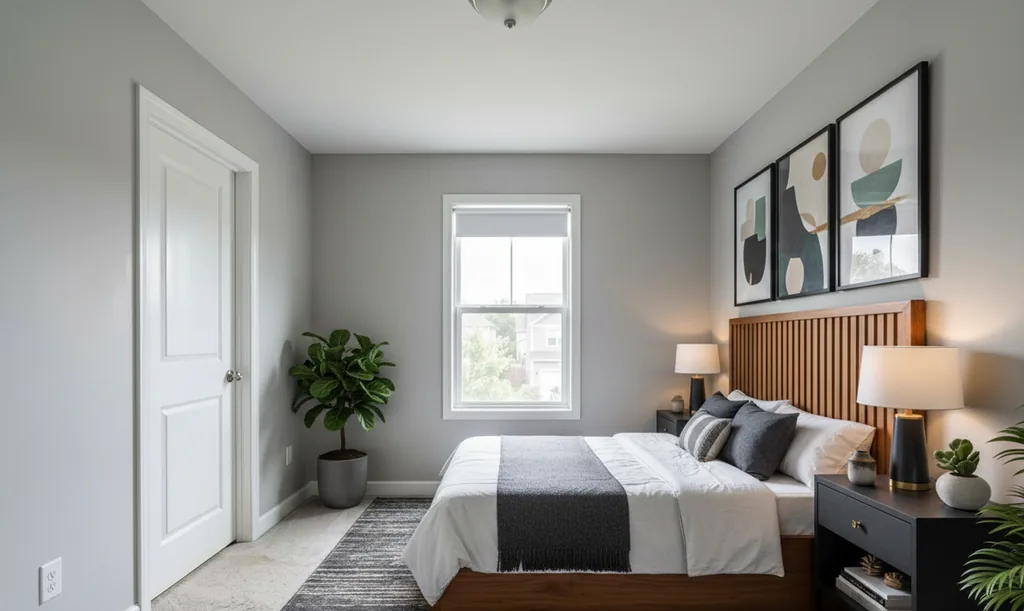
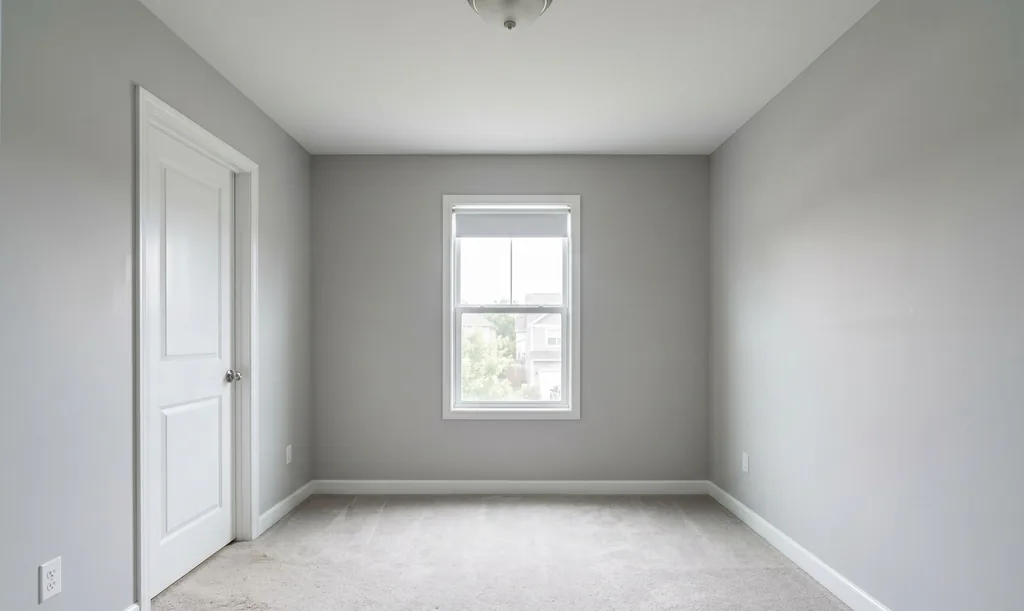
- 1Stage the photos, not the videoFurniture and decor only. Windows, doors, walls, floors and fixtures must stay as photographed. Compare every staged photo with the original before it goes anywhere.
- 2Disclose the photos the way your MLS asksOn the photo, in a photo field or in the remarks, depending on the rule. The disclosure wording tool gives the words for your MLS.
- 3Make the video from the checked photosGive the video app the staged and checked stills. If the app stages the room itself, nobody has checked those frames.
- 4Label staged frames in the videoKeep a Virtually Staged label on screen while a staged frame shows, and say it in the description too. In Arizona, use ARMLS's Digitally Altered watermark or the words Digitally Altered in the description.
- 5Watch it frame by framePause through the clip. Cut any frame with a bent wall, a moved window, a room the house doesn't have or something moving that isn't there.
- 6Make an unbranded cut for the MLSNo name, logo, phone number, website, end card or voice naming you. MRED also bars audio or text commentary in tours. Keep the branded cut for your own channels.
- 7Keep the original photo setFull size and unedited. It is what the video gets checked against, and CRMLS and ARMLS want the original shown next to an altered photo.
Where our free tools fit
We don't make video tours. The free tools cover the steps before one:
- the disclosure wording tool gives the label, where it goes and the rule it comes from, for the US and Canadian MLSs we have read;
- the virtually staged label maker stamps the label on a photo in your browser, and stamps nothing where your MLS bans text on photos;
- the agent kit has a photo checklist, three seller emails and Just Listed and Open House posts to copy.
Our MLS rules by state and province have the full rule for each MLS we have read.
Questions about AI video tours and MLS rules
Are AI video tours made from listing photos allowed on the MLS?+
None of the rules we read bans them. They treat a tour as listing media: it has to show the property truthfully and, in most rulebooks, carry no branding. A clip that only moves your photos shows what the photos show. A clip that adds furniture, changes a view or invents a room shows something new, and in our reading it should be handled like an altered photo: checked, labelled and paired with the original.
Do I have to label an AI video tour as virtually staged?+
Where the rule names video, yes. ARMLS says: "For videos and virtual tours, use either the ARMLS-approved Digitally Altered watermark or include 'Digitally Altered' in the description." BCFSA tells British Columbia licensees to "label photos or videos that have been altered and enhanced", and realestate.com.au wants AI use "clearly disclosed in a prominent location on or adjacent to the relevant content". Where a rule only names photos, label the video anyway: its staged frames are the same staged photos.
Can my logo, name or phone number be in the MLS virtual tour?+
Usually not. Bright MLS says "No branded photos/videos may be submitted", CRMLS says "Branding of any Media submitted to the MLS is prohibited", Stellar MLS bars "company or agent logos" in virtual tours, and MLSSAZ allows only "unbranded videos and virtual tours on public web sites". HAR allows "the listing firm's name" and no other contact details. Make an unbranded cut for the MLS field and keep the branded one for your own channels.
Does the NAR Code of Ethics say anything about video tours?+
Not by name. Article 12 asks REALTORS® to "present a true picture in their advertising, marketing, and other representations", and Standard of Practice 12-10 prohibits "otherwise misleading consumers, including use of misleading images". A video tour is advertising built from images, so in our reading both apply to every frame.
What if the video shows a room or a view the house doesn't have?+
Then it isn't a true picture of the property, label or no label. CRMLS wants media to be "a truthful representation of the property in all respects, including but not limited to the interiors of and views from the property", and Bright MLS prohibits "editing in a view of a scene that is not physically possible from the specified location in the real world". Cut the frame.
Do I need to keep the original photos?+
Yes. CRMLS asks for the original of every digitally altered image, "displayed in the listing immediately before or after the digitally altered image", and ARMLS wants the original uploaded next to the altered photo too. Keep the full unedited set: the video gets checked against it, and a buyer can ask for it.
Sources
Every source below was read on 25 October 2026. The date after each is the source's own.
- National Association of REALTORS®, 2026 Code of Ethics and Standards of Practice, Article 12 and Standard of Practice 12-10, 2026 edition. Read 25 October 2026.
- National Association of REALTORS®, 2025 Profile of Home Staging press release, 6 May 2025. Read 25 October 2026.
- ARMLS, Rules & Regulations (PDF), rules 1.29 and 8.23, last updated 28 May 2026. Read 25 October 2026.
- ARMLS, Digitally Altered Media, rule in force from 28 May 2026. Read 25 October 2026.
- Bright MLS, Rules Governing Use of Bright's Services (PDF), rule 1.7, Appendix C and the fine table, effective 22 July 2026. Read 25 October 2026.
- MLSSAZ, Rules and Regulations (PDF), sections 1.18 and 1.19, effective 22 March 2022. Read 25 October 2026.
- Stellar MLS, Article 04.05, updated 16 October 2026, and Article 04.04, updated 27 September 2026. Read 25 October 2026.
- HAR, MLS Rules and Regulations (PDF), rules 1.25.2 and 1.25.5, dated 8 June 2026. Read 25 October 2026.
- MRED, Rules and Regulations (PDF), section 6.1.1, revised 14 May 2026. Read 25 October 2026.
- CRMLS, Rules & Policies (PDF), rules 11.5 and 11.5.2, effective 10 July 2026. Read 25 October 2026.
- PropTx, MLS® Rules (PDF), definitions and Article 5, effective 2 December 2024. Read 25 October 2026.
- BCFSA, Artificial Intelligence Guideline, published 22 February 2024. Read 25 October 2026.
- Wisconsin Legislature, 2025 Wisconsin Act 69 (PDF), in effect from 1 January 2027. Read 25 October 2026.
- realestate.com.au, Acceptable Use Policy – Residential, clauses 4.1.31 and 4.1.40, amended September 2026. Read 25 October 2026.
- Redfin, Terms of Use, clause 2.5.4.5, updated 29 September 2025. Read 25 October 2026.
- RESO Data Dictionary, Virtual Tour URL Unbranded and Virtual Tour URL Branded, revised 25 August 2023. Read 25 October 2026.
- Read for this article and silent on video: CRMLS, Digitally Altered Images FAQ (PDF), 2026; NorthstarMLS, Guidelines for Virtual Staging and AI-Enhanced Listing Photos; ITSO, Images and the Use of Artificial Intelligence. Read 25 October 2026.
The names of the MLSs, portals and organisations above are their owners' trademarks; we're not affiliated with any of them. Rules change: check the current version before you rely on it. This is not legal advice.
Written by the AI Flip Room team. How we write and check our guides.
See it on your own room
Upload a photo and watch AI restage your space in 15–60 seconds, depending on how much detail it has — free to try, no credit card.
Try AI Flip Room freeGot a question about this?
Something unclear or not covered? Ask here. We read every question and answer the useful ones right in the article. Nothing you write is published.
Related reading
MLS Virtual Staging Rules by State and Province (2026)
MLS virtual staging rules for sixteen jurisdictions in one 2026 table: who sets the rule, whether a label is required, and whether the original goes beside it.
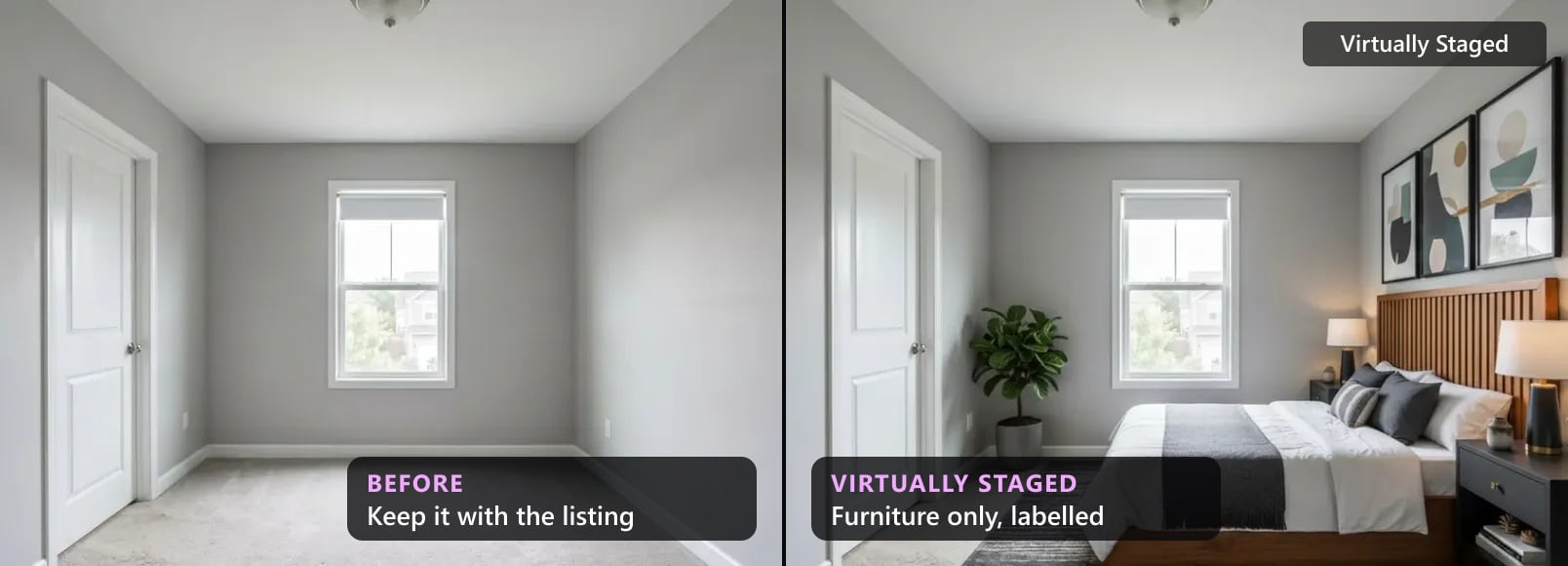
Virtual Staging on Zillow, Realtor.ca, Rightmove: 2026 Rules
What Zillow, Realtor.com, Redfin, Airbnb, REALTOR.ca, Rightmove, Zoopla, Domain and realestate.com.au say about virtually staged photos, quoted, with dates.
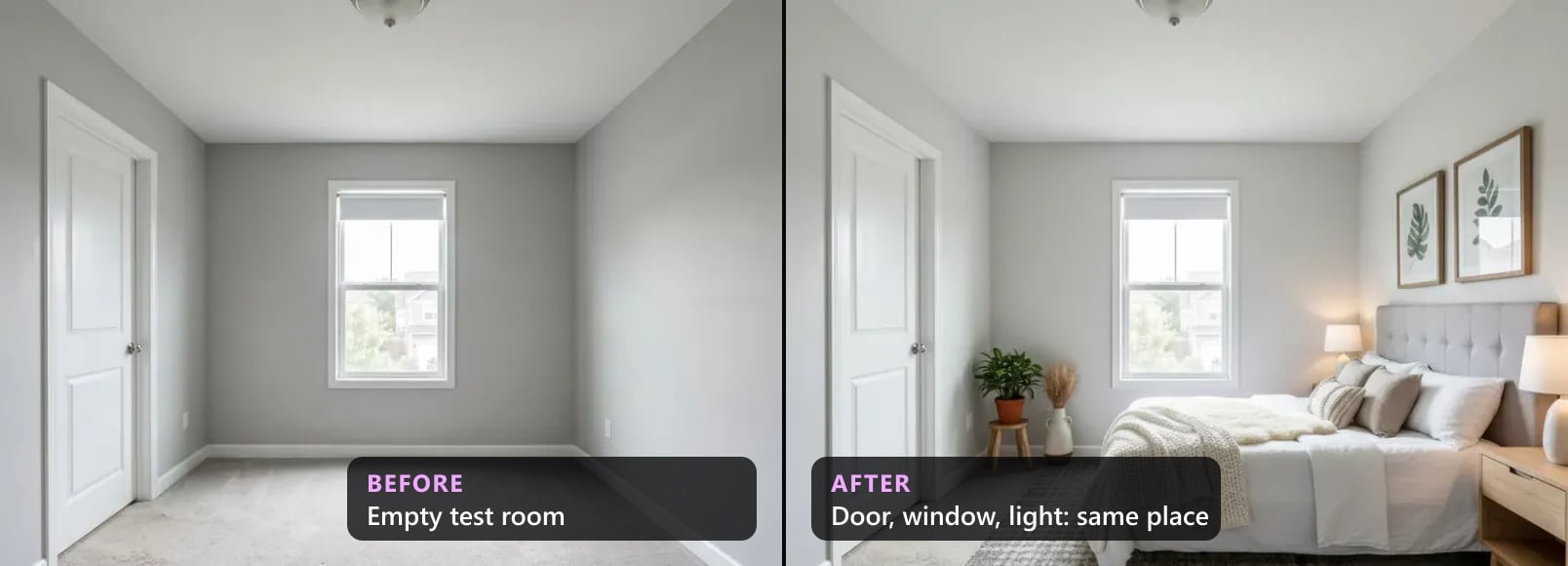
We Checked 300 AI-Staged Renders: What Breaks (2026)
Our quality checker's data on 300 AI-staged renders, Aug–Oct 2026: how many failed, what broke most (windows, archways, doors), what to check by eye.